
Betterness
How it worksBett-iTutorialsAboutFor businesses ↗, opens Betterness One in a new tabLog inSign up
How it worksBett-iTutorialsAboutFor businesses: Betterness One ↗, opens Betterness One in a new tab
Log inSign up
Skip to content
1. Getting started2. Better Health3. Better Life4. Together5. Bett-i and settings6. Betterness One: Grow, free forever7. Betterness One: Host, Coach, Shop8. Betterness One: Members and Inbox9. Betterness One: your AI10. Home11. Health12. Bett-i coaching13. Apple Watch14. Life15. Team and Inbox16. Labs17. Settings18. Privacy and support
2.1 See your day in HealthSteps2.2 Relive a workout, beat by beat2.3 Know your lab results2.4 Log a meal with one photo

1. Getting started

2. Better Health

2.1 See your day in HealthSteps2.2 Relive a workout, beat by beat2.3 Know your lab results2.4 Log a meal with one photo

3. Better Life

4. Together

5. Bett-i and settings

6. Betterness One: Grow, free forever

7. Betterness One: Host, Coach, Shop

8. Betterness One: Members and Inbox

9. Betterness One: your AI

10. Home

11. Health

12. Bett-i coaching

13. Apple Watch

14. Life

15. Team and Inbox

16. Labs

17. Settings

18. Privacy and support

2

Better Health

2.1

See your day in Health

Sleep, heart, activity and body on one screen, with the trend behind each card.

Updated Nov 8, 2026

Why we built it. Connect your watch or ring, free. Health shows sleep, heart, activity and body side by side. Bett-i says what changed.

Steps

  1. 1Connect your device in More, Connected devices.
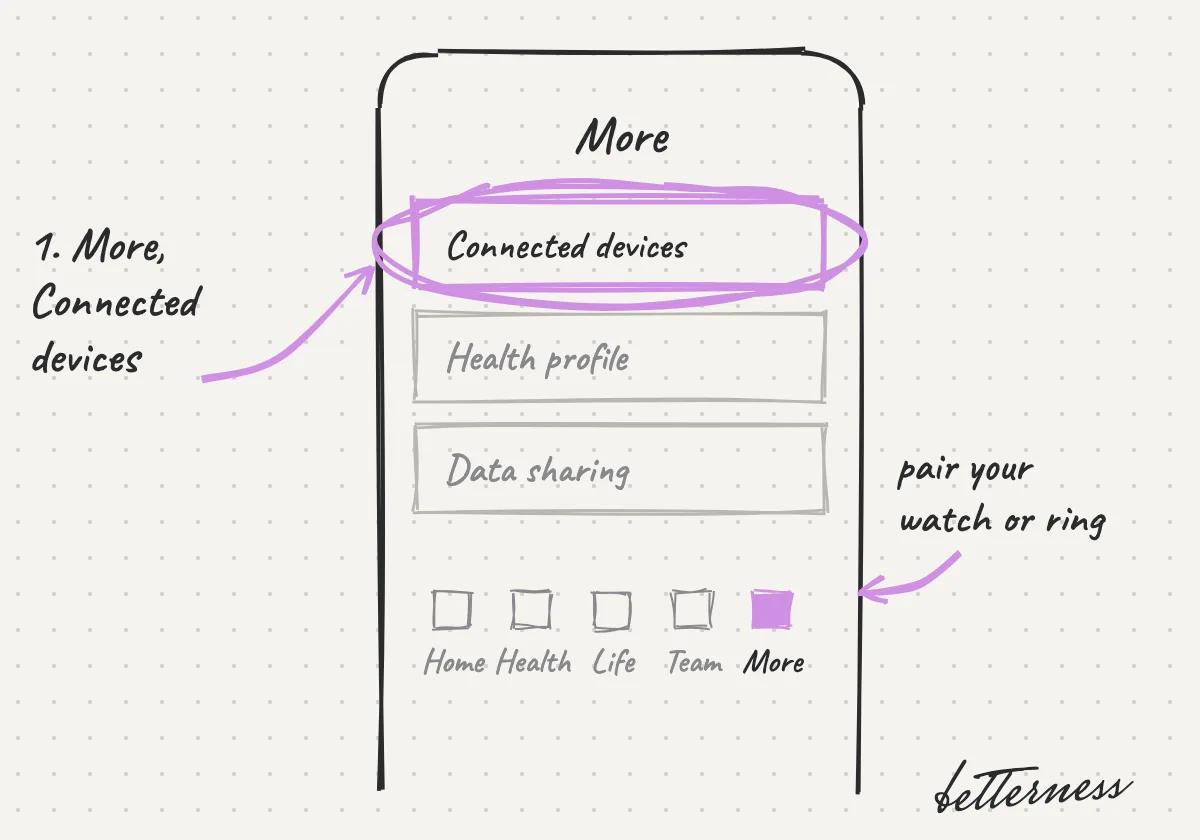
    Sketch: the More tab with Connected devices circled.
  2. 2Open Health. Overview shows your sleep, heart, activity and body.
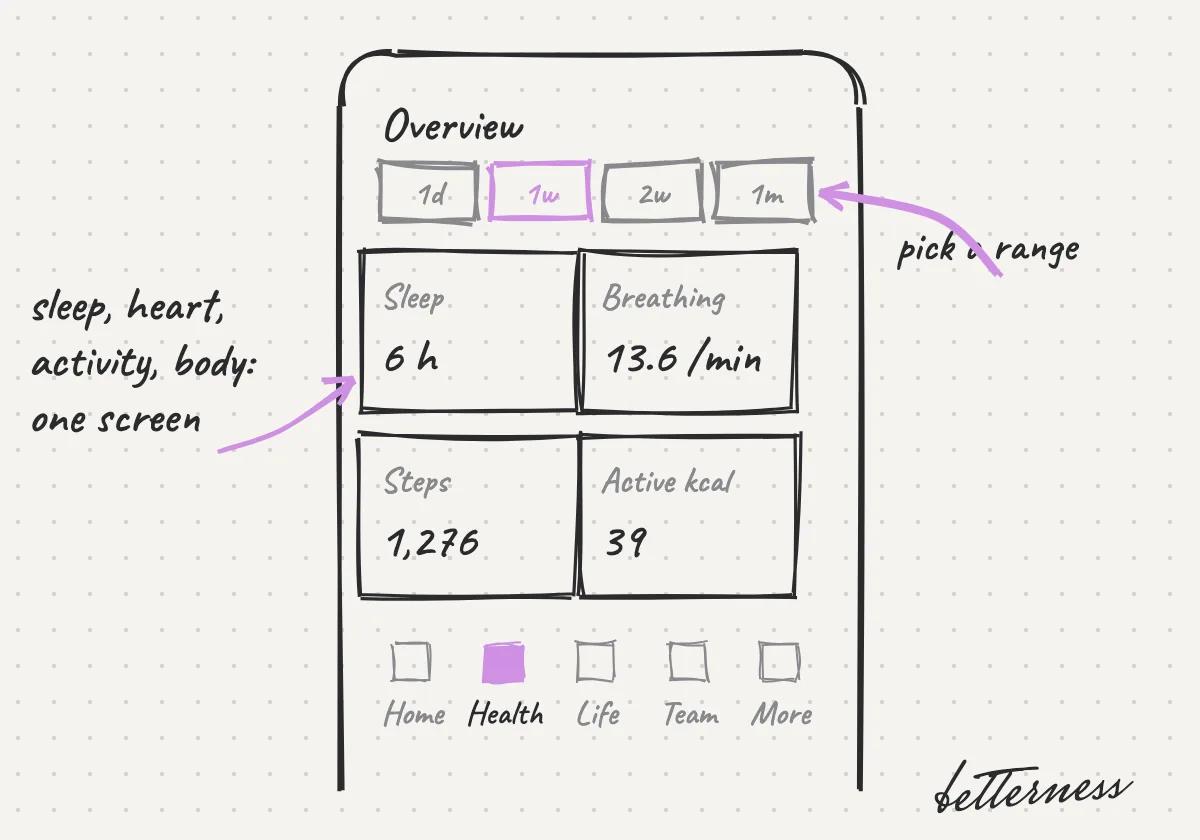
    Sketch: Health Overview with Sleep 6 h, Breathing 13.6 per minute, Steps 1,276 and Active kcal 39.
  3. 3Tap a card to see its trend over days or months.
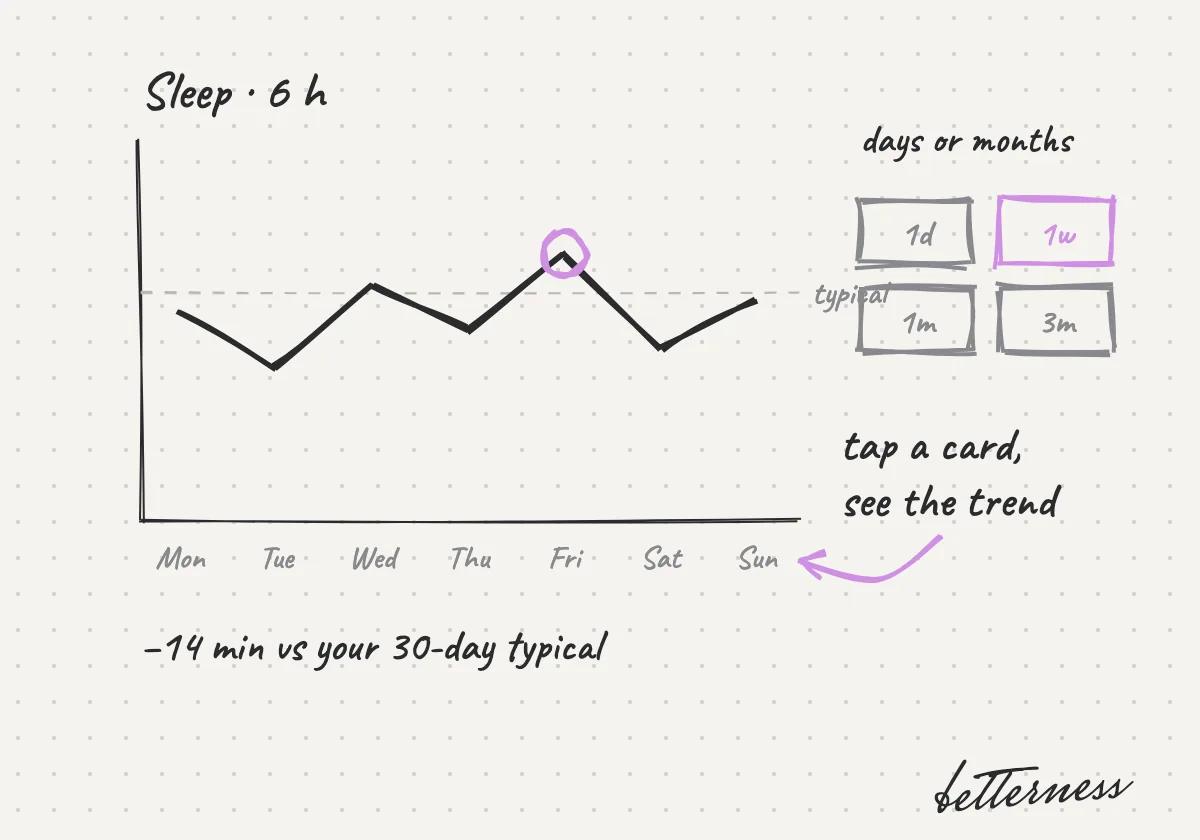
    Sketch: the sleep trend over a week, with range buttons from one day to three months.
  4. 4Ask Bett-i what a change means for you.
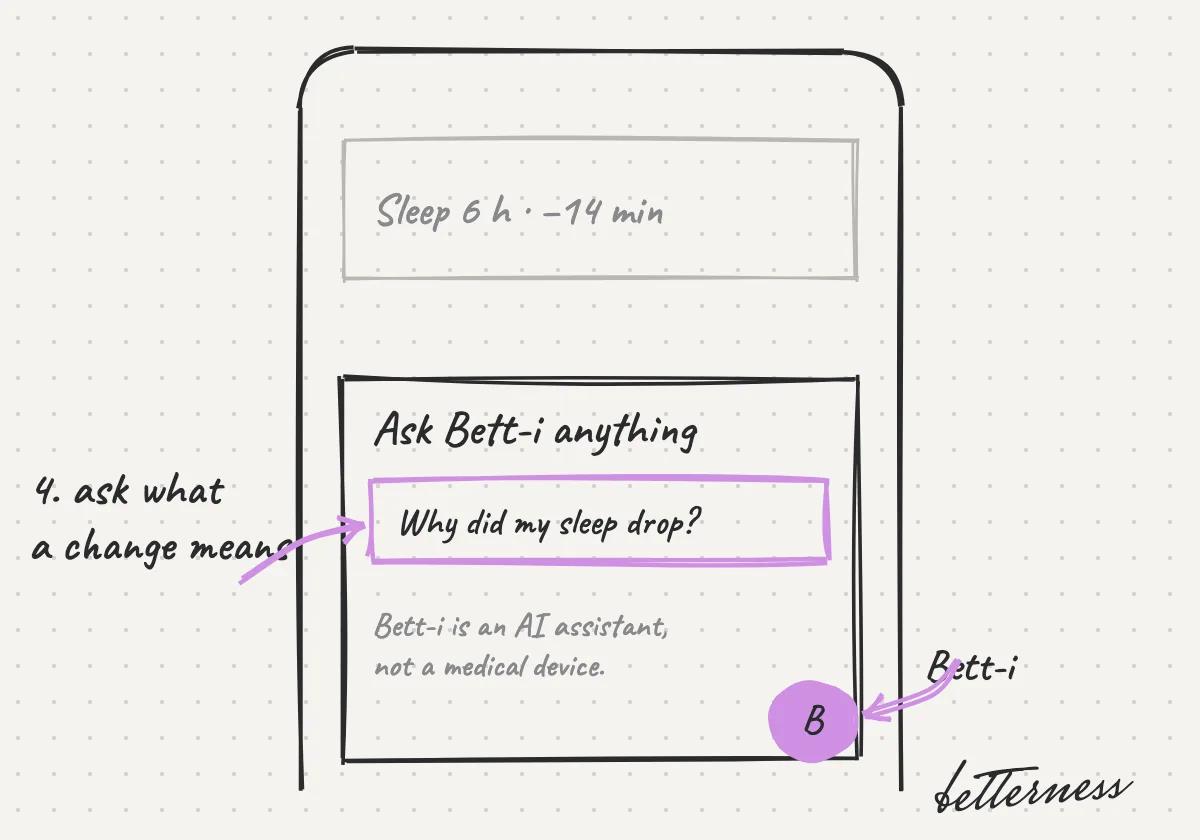
    Sketch: asking Bett-i "Why did my sleep drop?".
Open in the app

Related articles

Relive a workout, beat by beat

Know your lab results
Previous

Betterness on your phone

Next

Relive a workout, beat by beat

2.2

Relive a workout, beat by beat

Your heart rate by zone, minute by minute, and the songs that pushed you.

Updated Nov 8, 2026

Why we built it. Betterness records your heart rate and the songs in class. Replay any minute later. Zones show how hard you worked.

Steps

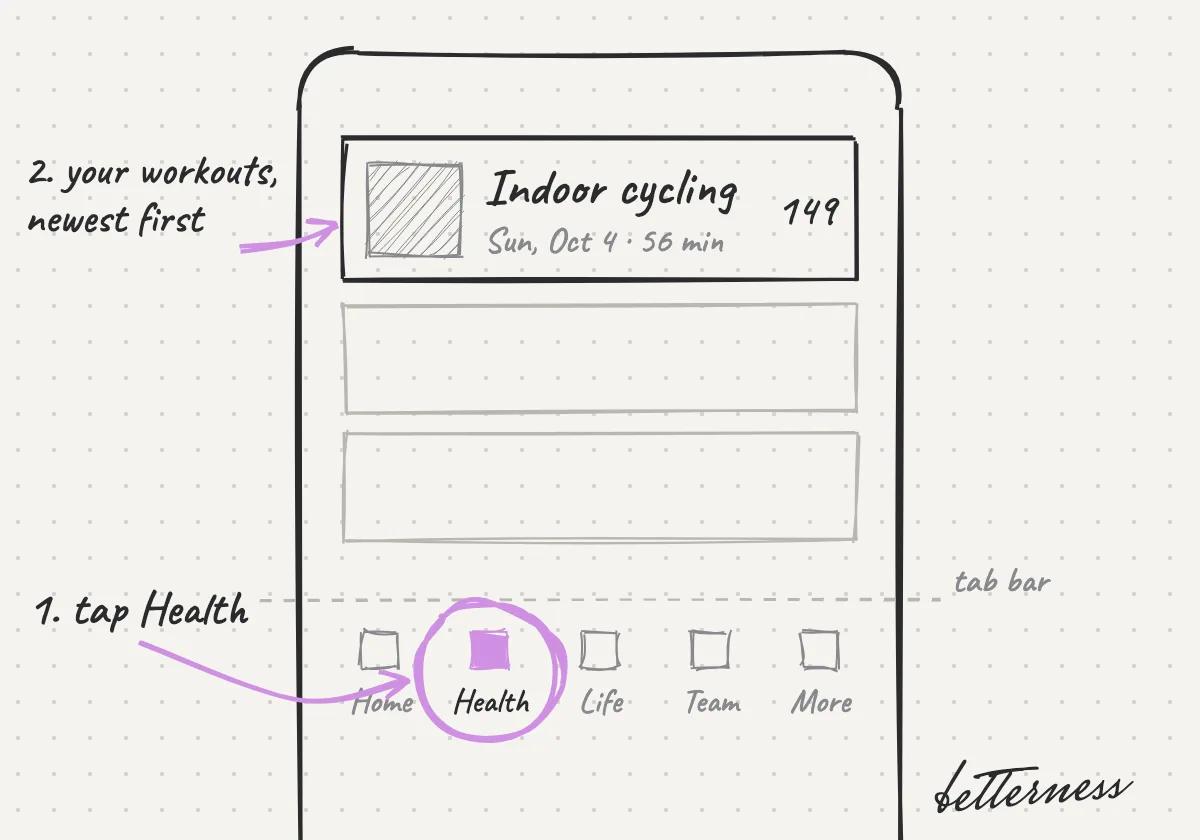
  1. 1Open Health, then Activities.
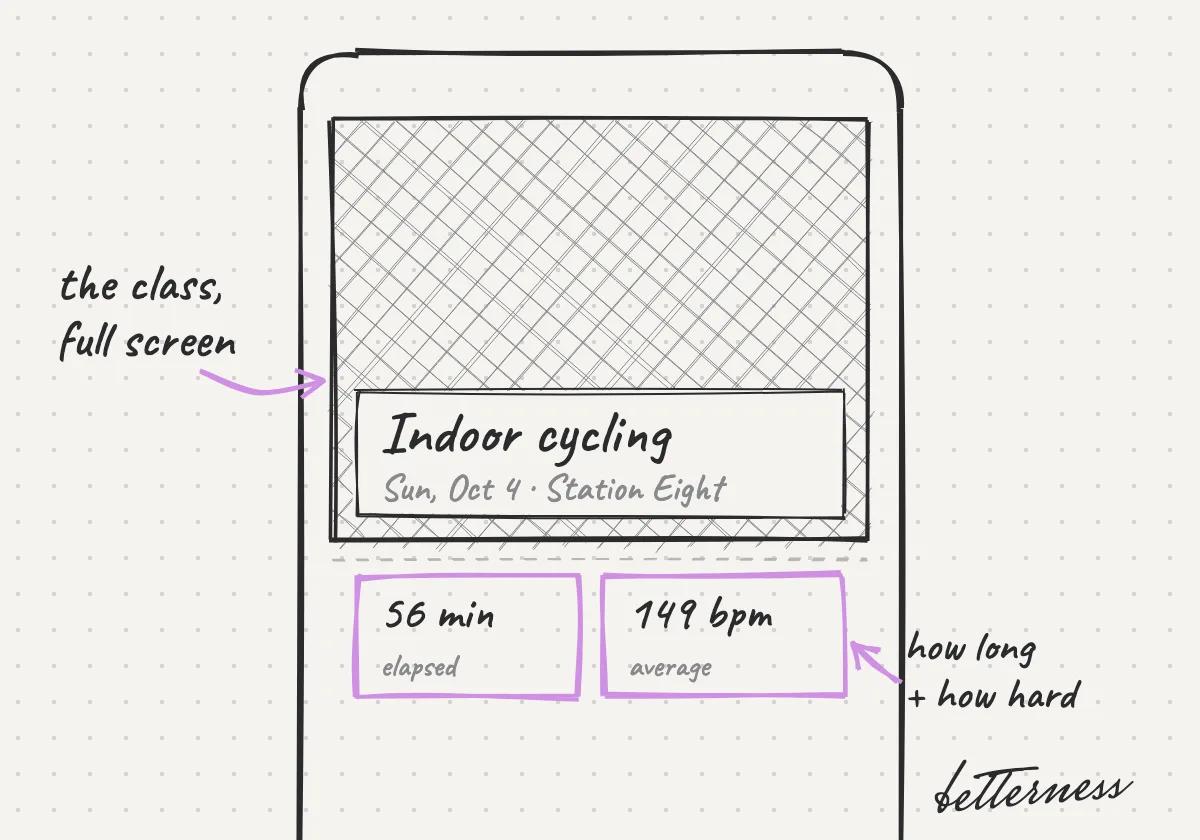
    Sketch: the Health tab and the newest activity, Indoor cycling on Sun, Oct 4.
  2. 2Tap an activity to open it.
    Sketch: the class full screen, 56 minutes and 149 bpm average.
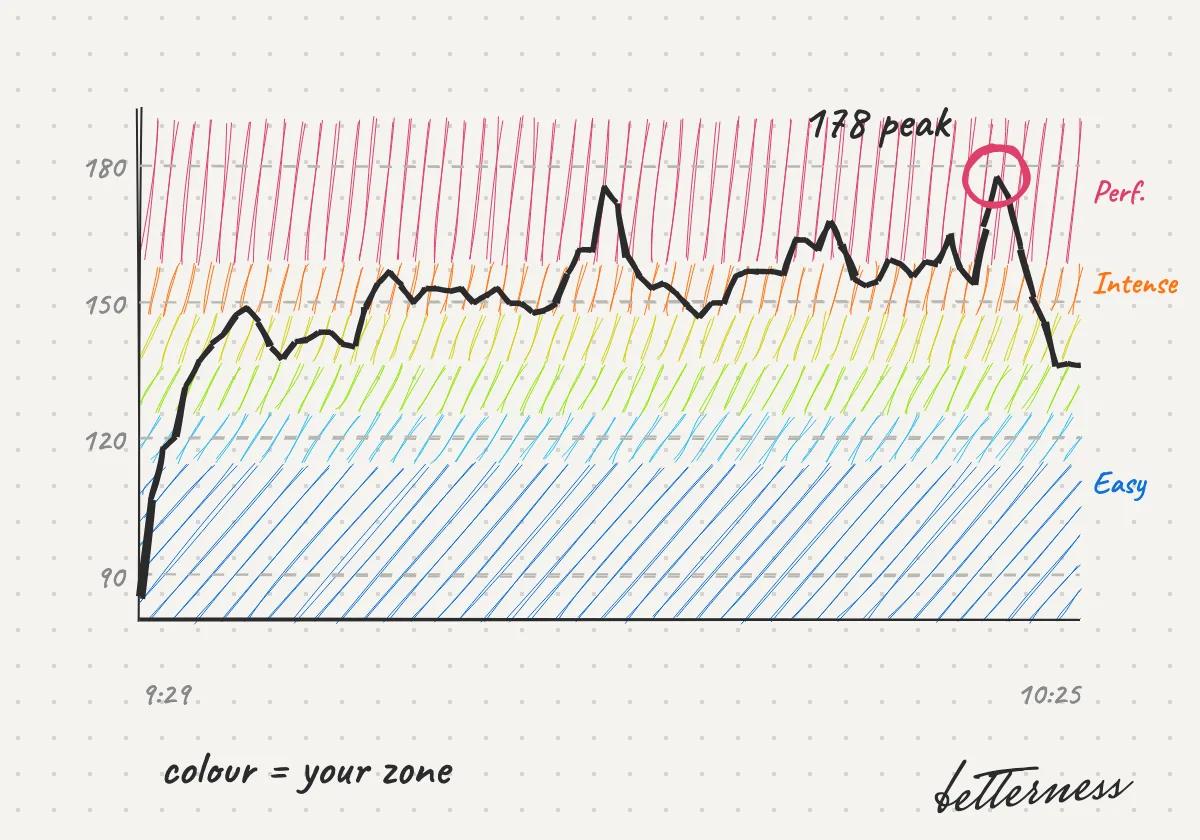
  3. 3See your heart rate by zone, minute by minute.
    Sketch: the heart-rate line over coloured zones, peaking at 178.
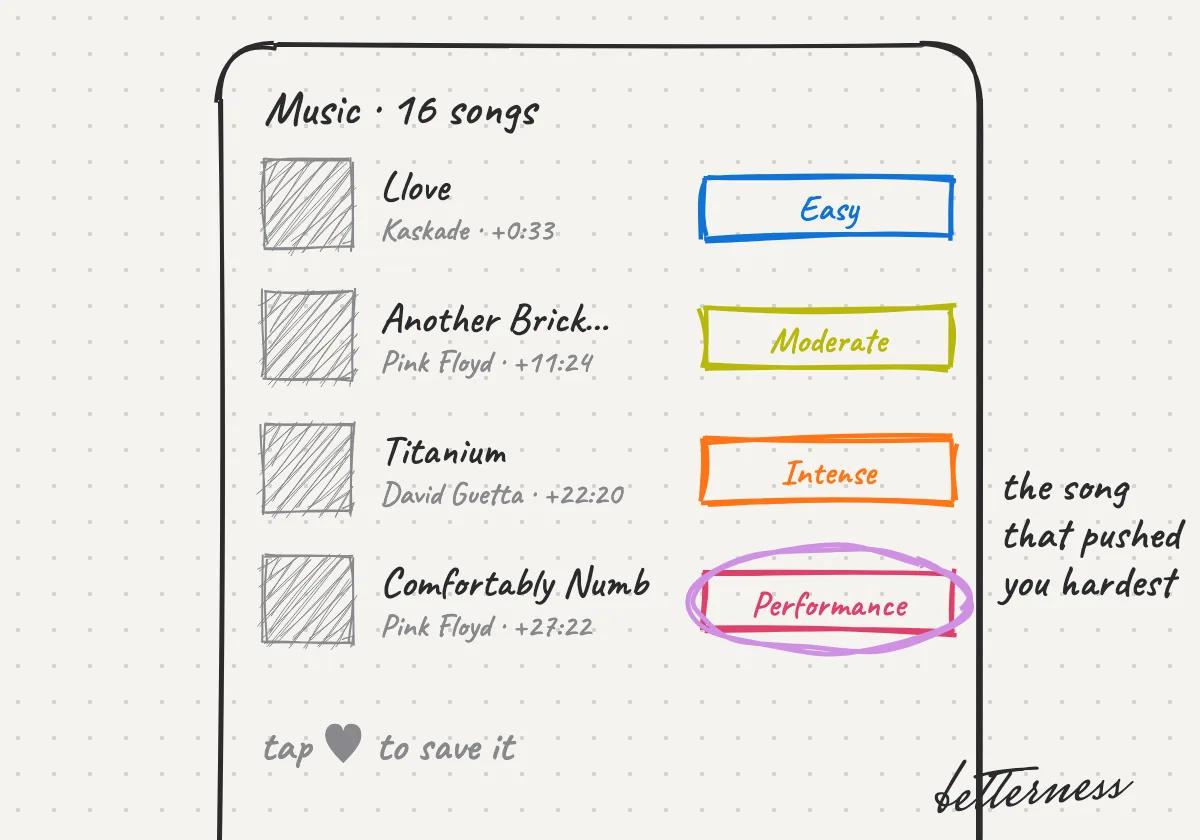
  4. 4See the songs you heard, colored by zone.
    Sketch: four songs, each tagged with its zone, the hardest one circled.
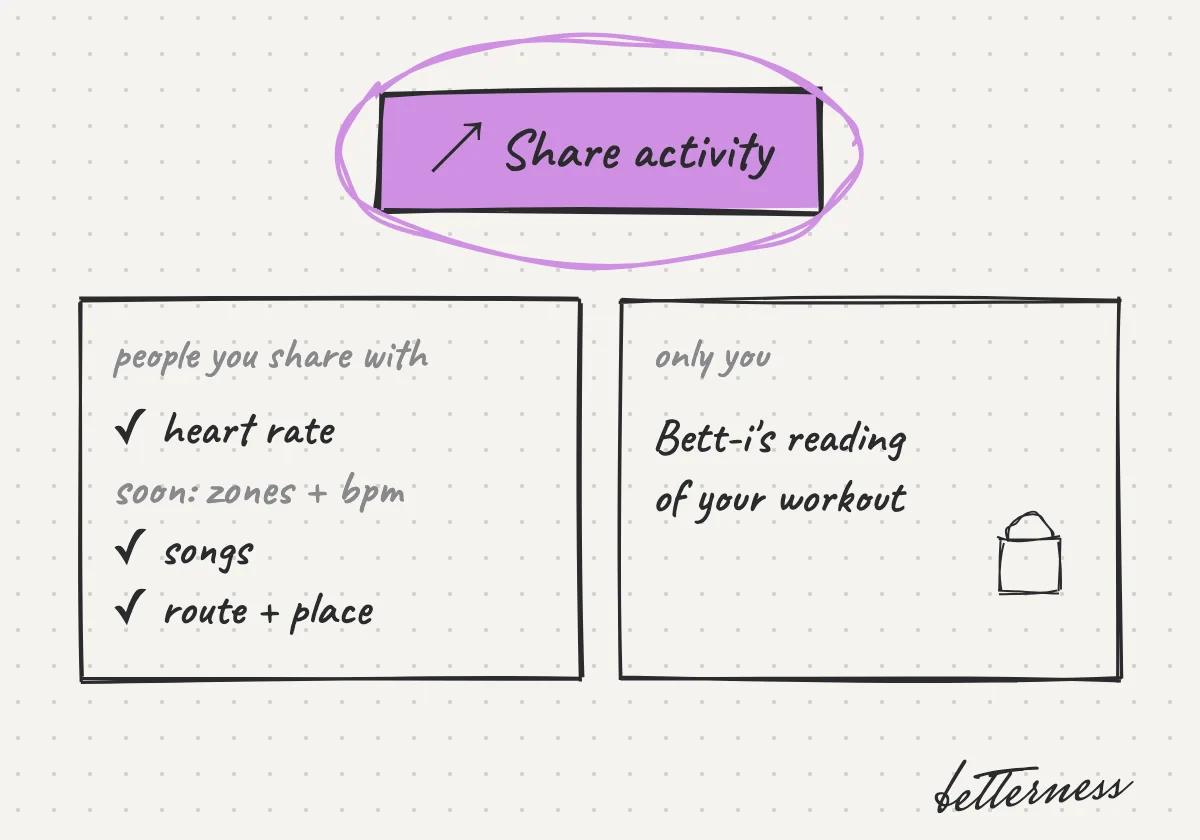
  5. 5Share it to Community. Soon, people you share with will see everything you tracked, including your zones. Bett-i's insights stay yours.
    Sketch: Share activity. People you share with see heart rate, songs and route; Bett-i's reading stays with you.
Open in the app

Related articles

See your day in Health

Previous

See your day in Health

Next

Know your lab results

2.3

Know your lab results

Order a panel, get your results in Biomarkers, and read your range and trend.

Updated Nov 8, 2026

Why we built it. Labs measure what your watch can't. Order anywhere in the US through Quest Diagnostics or BioReference, at a lab or at home, or upload reports you already have.

Steps

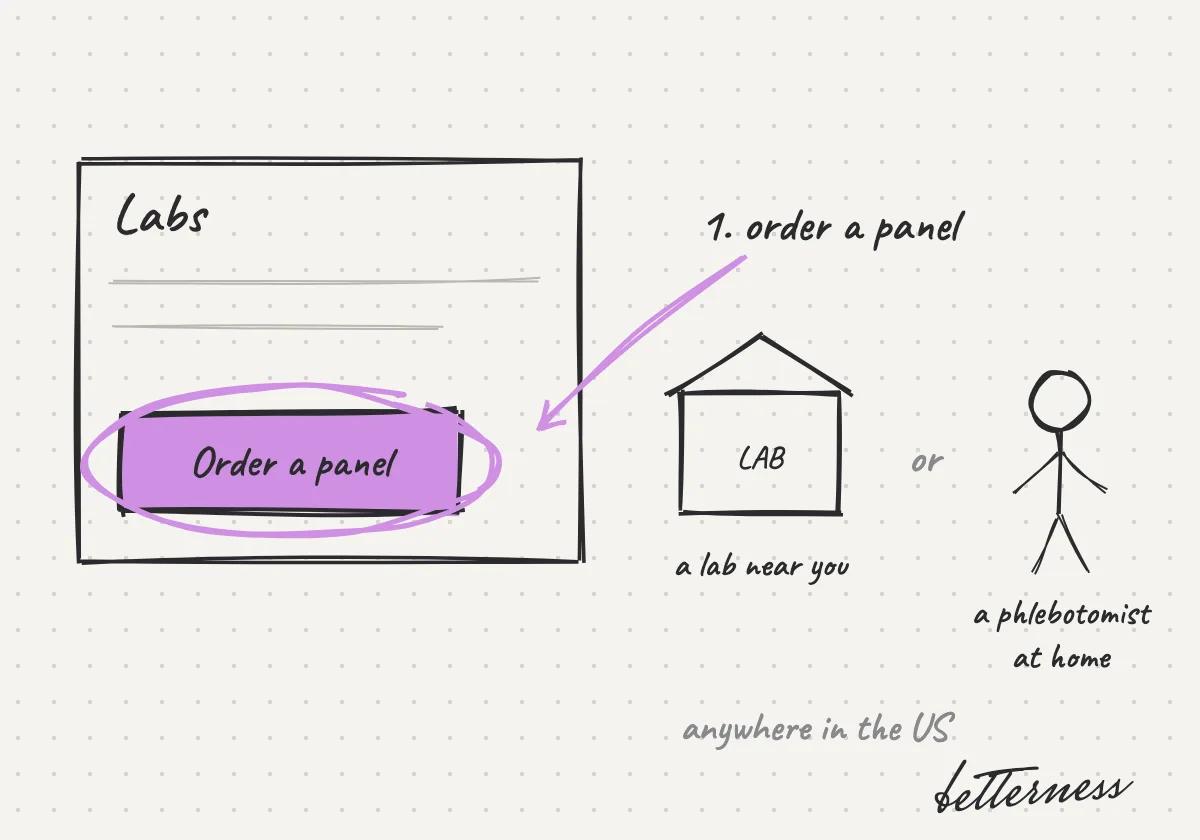
  1. 1Order a panel in Labs, anywhere in the US. Visit a lab near you, or have a phlebotomist come to your home.
    Sketch: the Order a panel button, then a lab near you or a phlebotomist at home, anywhere in the US.
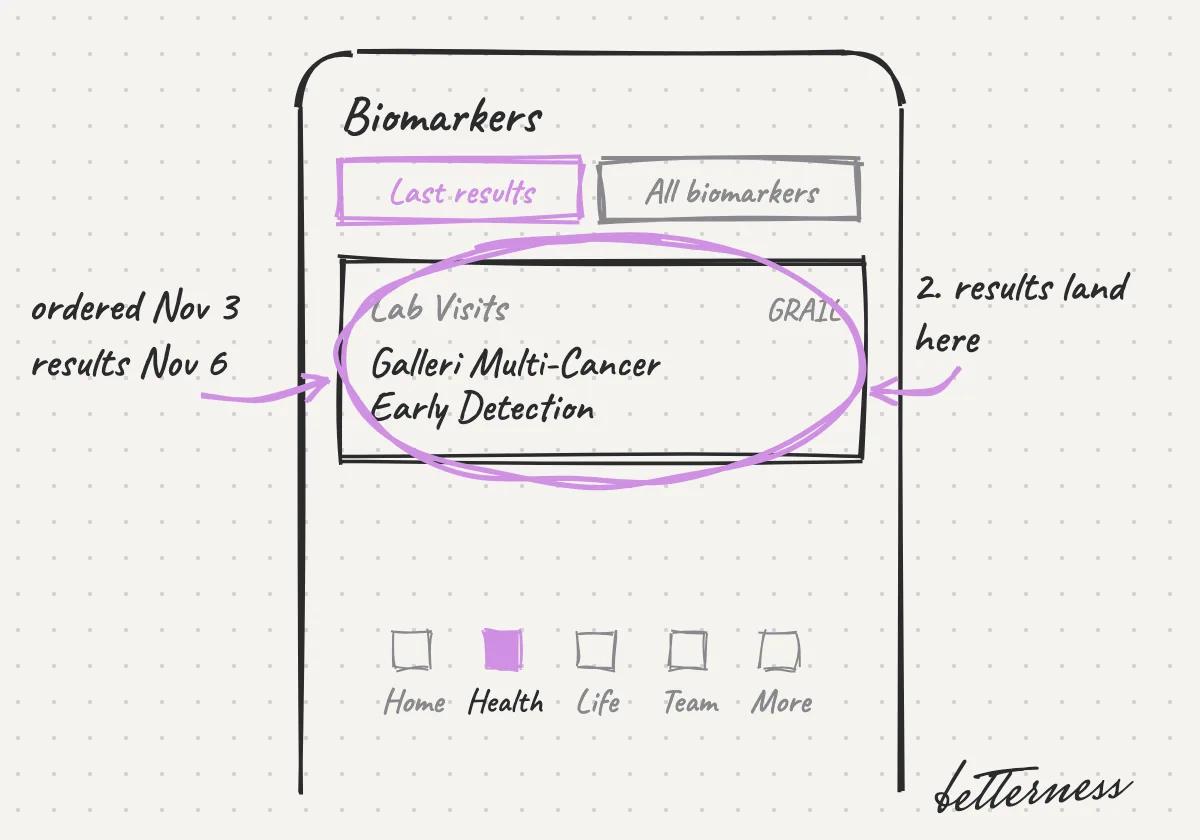
  2. 2Results appear in Health, Biomarkers.
    Sketch: Biomarkers, Lab Visits: Galleri Multi-Cancer Early Detection, ordered Nov 3, results Nov 6.
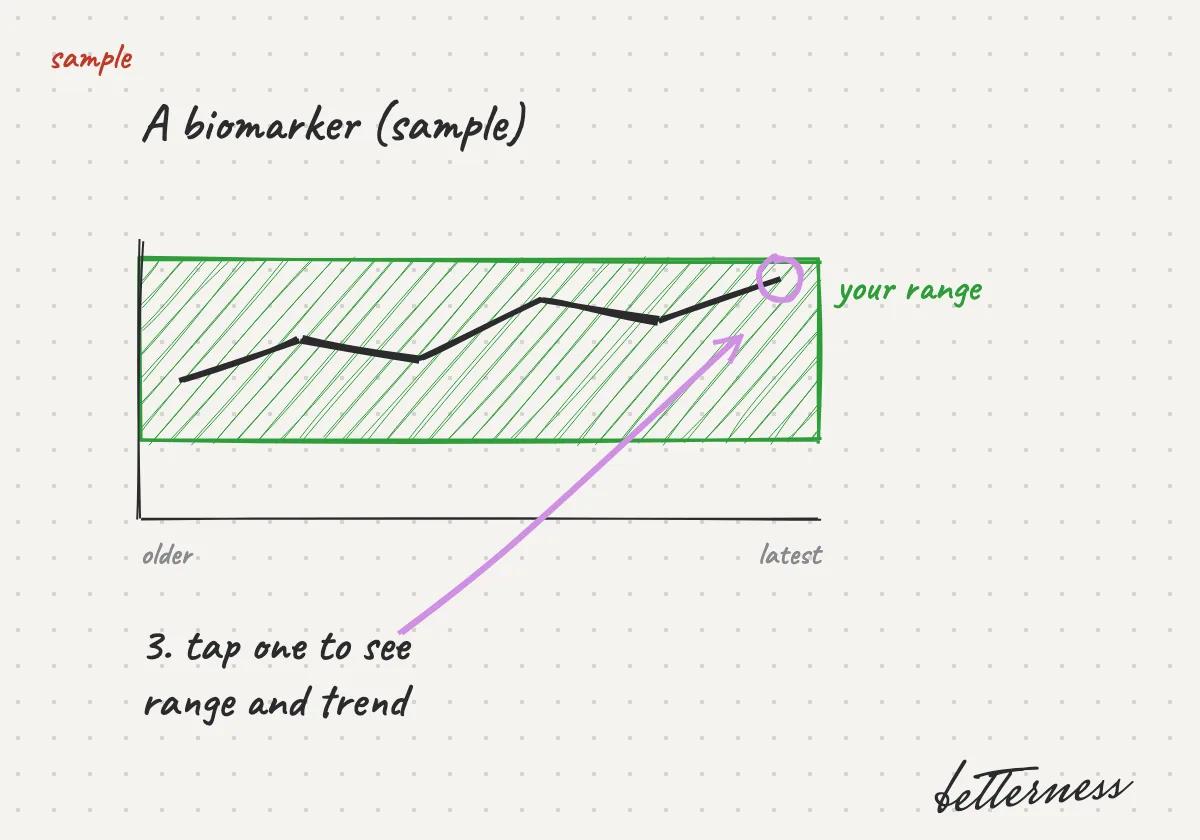
  3. 3Open a biomarker to see your range and trend.
    Sketch: a sample biomarker trend inside its range band.
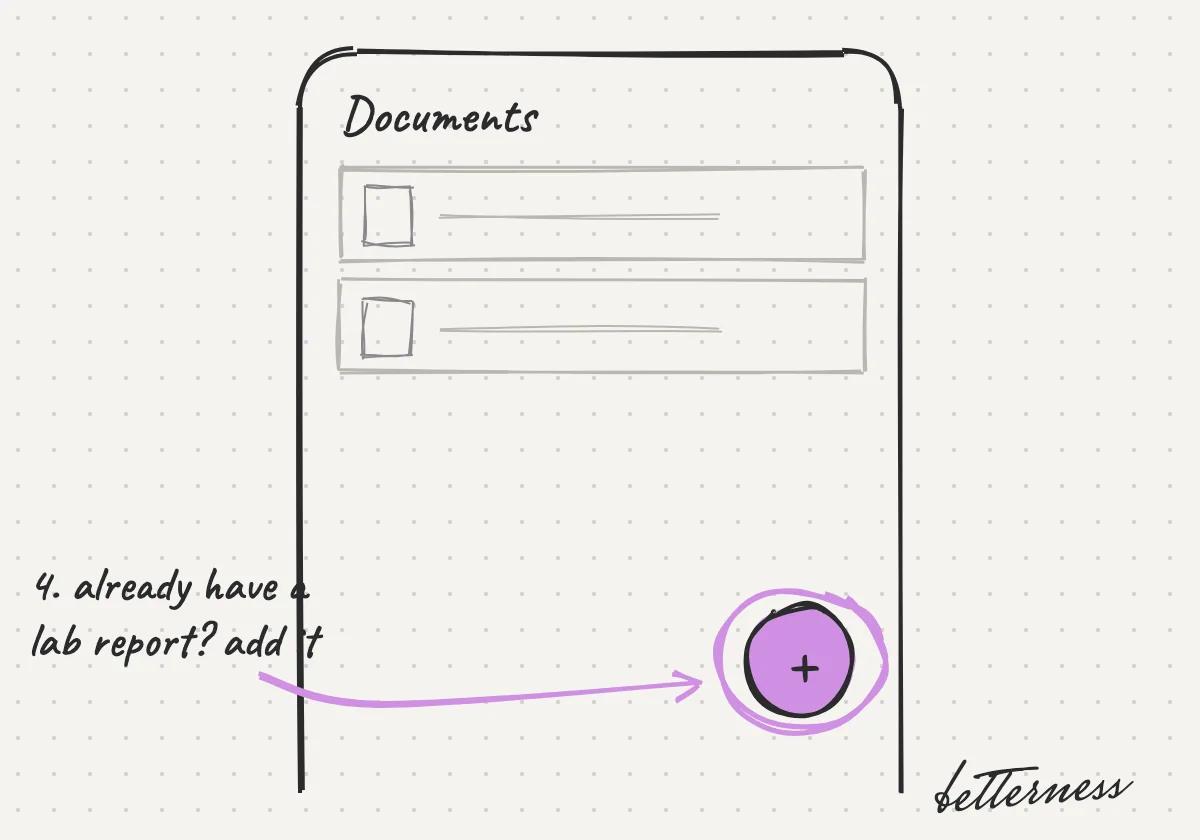
  4. 4Upload your own lab reports in Documents.
    Sketch: Documents with the add button circled.
Open in the app

Related articles

See your day in Health

Previous

Relive a workout, beat by beat

Next

Log a meal with one photo

2.4

Log a meal with one photo

Take one photo of your plate. Bett-i lists what it found and adds it to your day.

Updated Nov 8, 2026

Why we built it. Food is the part most people stop logging. One photo is fast enough to keep doing it.

Steps

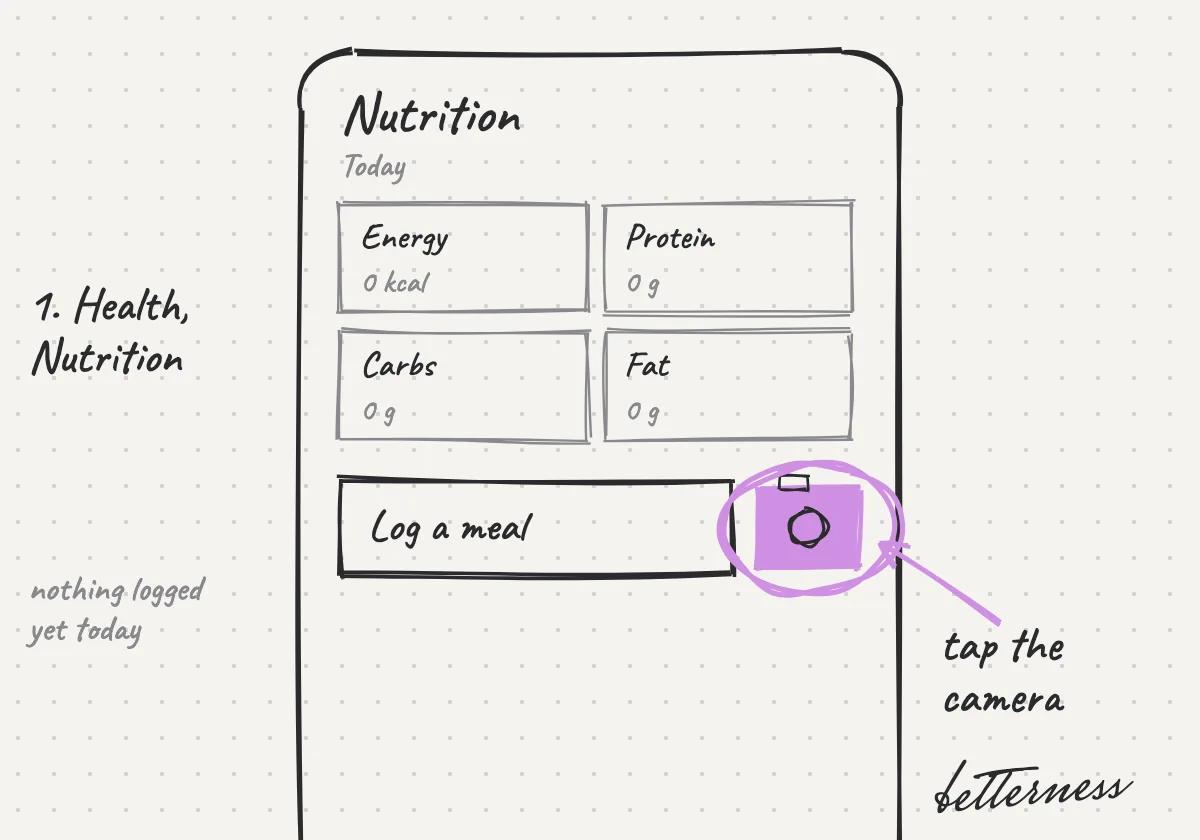
  1. 1Open Health, Nutrition, and tap the camera.
    Sketch: Open Health, Nutrition, and tap the camera.
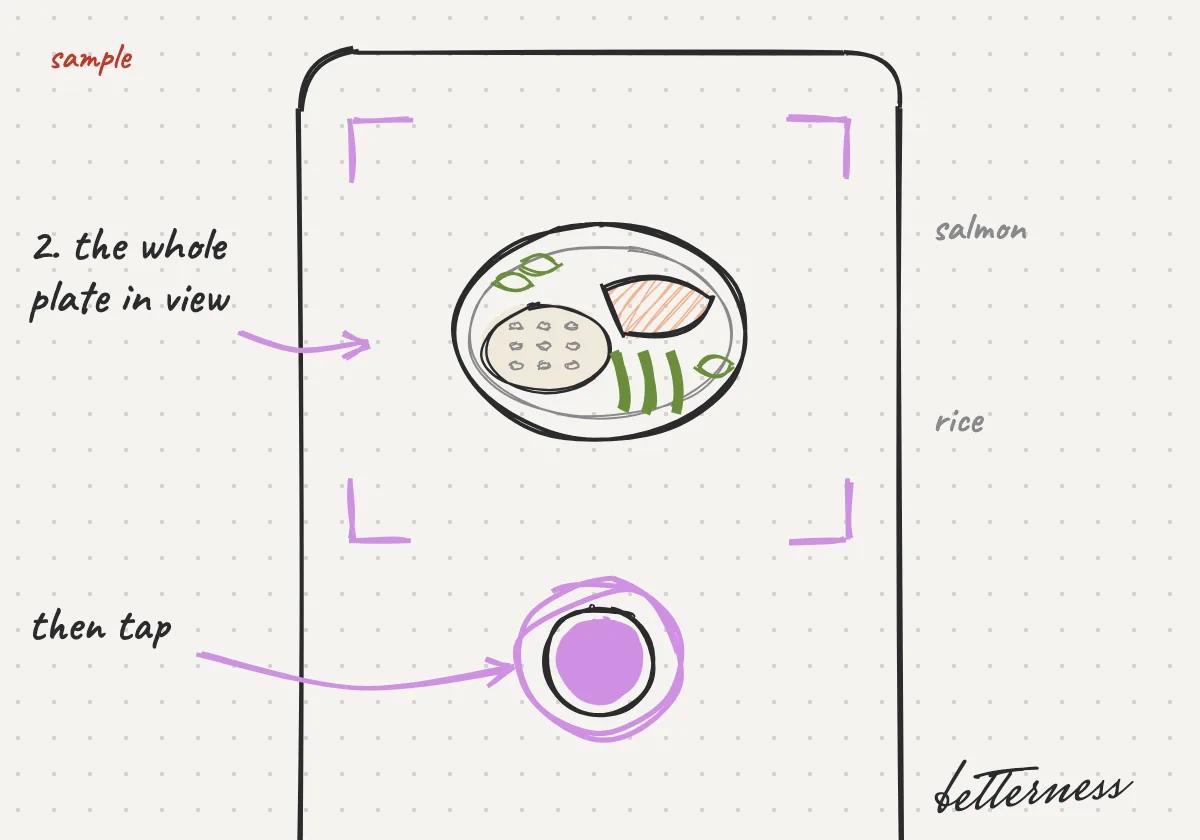
  2. 2Take a photo of your plate.
    Sketch: Take a photo of your plate.
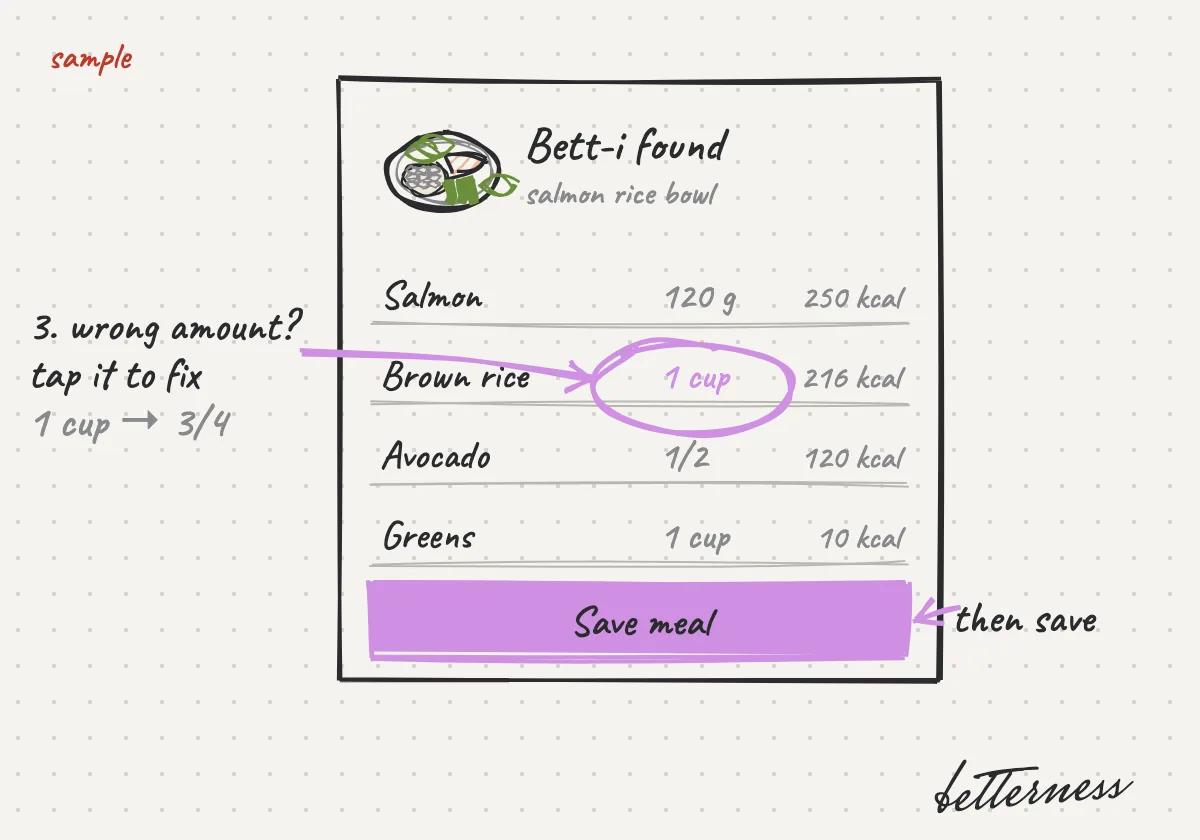
  3. 3Check what Bett-i found and fix anything wrong.
    Sketch: Check what Bett-i found and fix anything wrong.
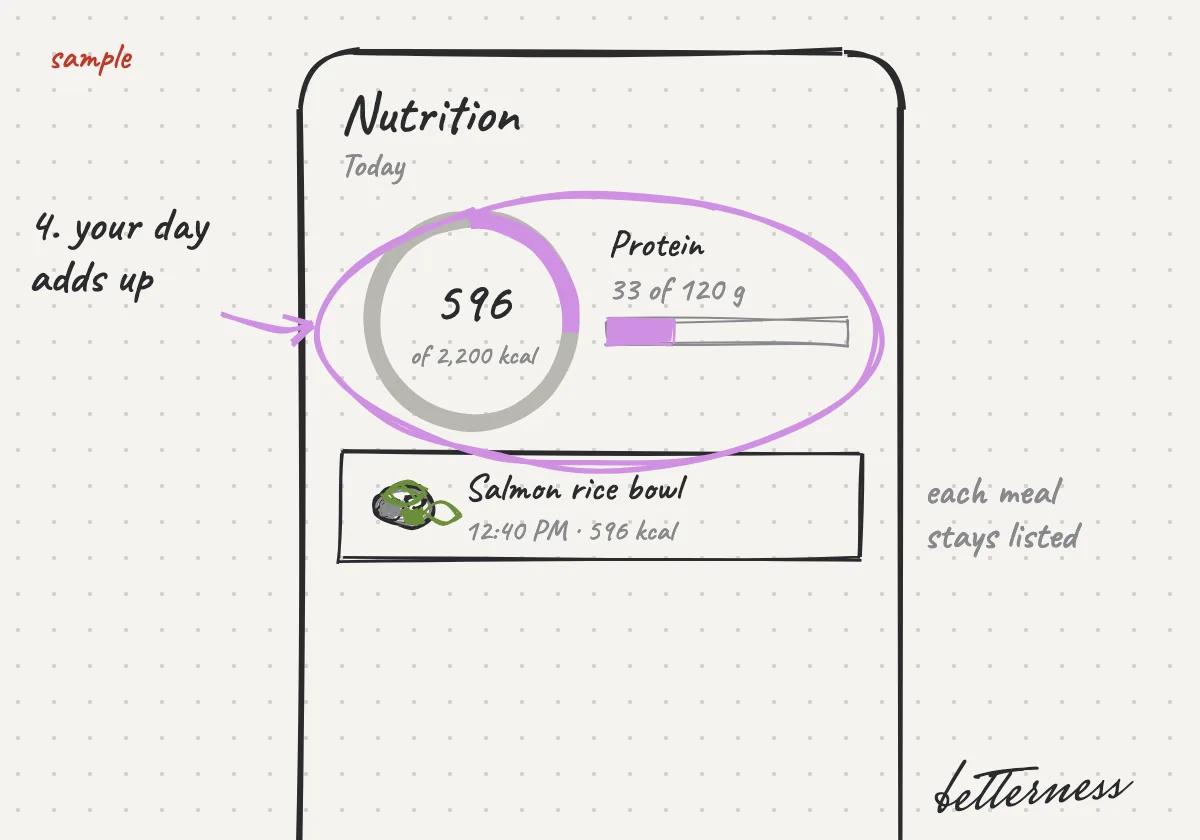
  4. 4See your energy and protein for the day.
    Sketch: See your energy and protein for the day.
Open in the app

Previous

Know your lab results

Next

Start your day with Today

Betterness

Product

  • How it works
  • Bett-i

Resources

  • Tutorials
  • Podcast

Company

  • About
  • News
  • Contact

Legal

  • Privacy
  • Terms
  • Health data
  • Delete your account

For businesses

  • Betterness One ↗, opens Betterness One in a new tab

News from Betterness: the Friday Letter, launches and stories, by email.

  • Instagram ↗, opens in a new tab
  • X ↗, opens in a new tab
  • YouTube ↗, opens in a new tab
  • LinkedIn ↗, opens in a new tab
Download on the App StoreGet it on Google Play
HIPAA, powered by Vanta

HIPAA compliance monitored by Vanta.

Betterness, Inc. · Betterness gives health information, not medical advice. Our stories use fictional people.