
Betterness
How it worksBett-iTutorialsAboutFor businesses ↗, opens Betterness One in a new tabLog inSign up
How it worksBett-iTutorialsAboutFor businesses: Betterness One ↗, opens Betterness One in a new tab
Log inSign up
Skip to content
1. Getting started2. Better Health3. Better Life4. Together5. Bett-i and settings6. Betterness One: Grow, free forever7. Betterness One: Host, Coach, Shop8. Betterness One: Members and Inbox9. Betterness One: your AI10. Home11. Health12. Bett-i coaching13. Apple Watch14. Life15. Team and Inbox16. Labs17. Settings18. Privacy and support
4.1 Tap in at your gymSteps4.2 Invite your coach or gym, free for them4.3 Choose what you share4.4 What your coach, gym or doctor asks for, and why4.5 Your class pass on Home4.6 Move your class to another time4.7 Find perks by category

1. Getting started

2. Better Health

3. Better Life

4. Together

4.1 Tap in at your gymSteps4.2 Invite your coach or gym, free for them4.3 Choose what you share4.4 What your coach, gym or doctor asks for, and why4.5 Your class pass on Home4.6 Move your class to another time4.7 Find perks by category

5. Bett-i and settings

6. Betterness One: Grow, free forever

7. Betterness One: Host, Coach, Shop

8. Betterness One: Members and Inbox

9. Betterness One: your AI

10. Home

11. Health

12. Bett-i coaching

13. Apple Watch

14. Life

15. Team and Inbox

16. Labs

17. Settings

18. Privacy and support

4

Together

4.1

Tap in at your gym

One tap on the Betterness tag adds your coach, gym or doctor to your Team.

Updated Nov 8, 2026

Why we built it. One tap on the tag at your gym, studio or clinic adds their Space to your Team. No forms.

Steps

  1. 1Tap your phone on the Betterness tag, or scan its QR code.
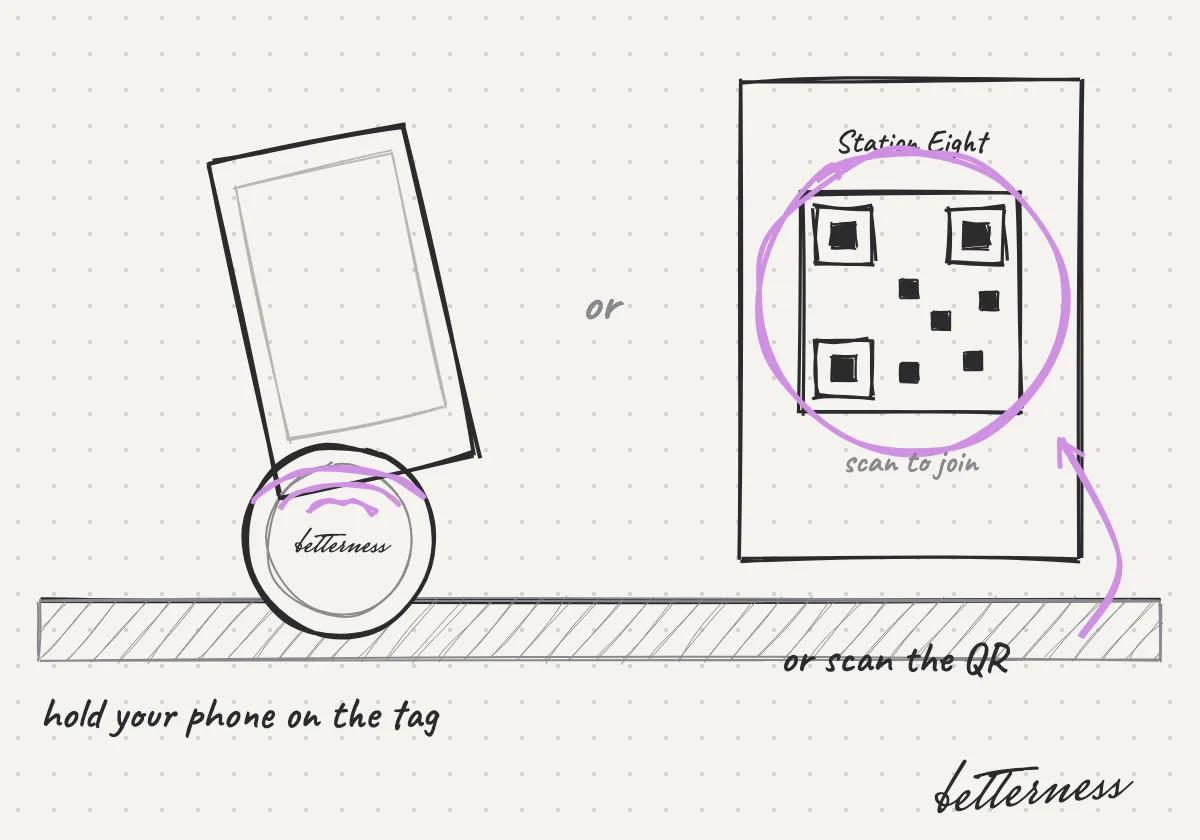
    Sketch: Tap your phone on the Betterness tag, or scan its QR code.
  2. 2Add the Space of your coach, gym or doctor to your Team.
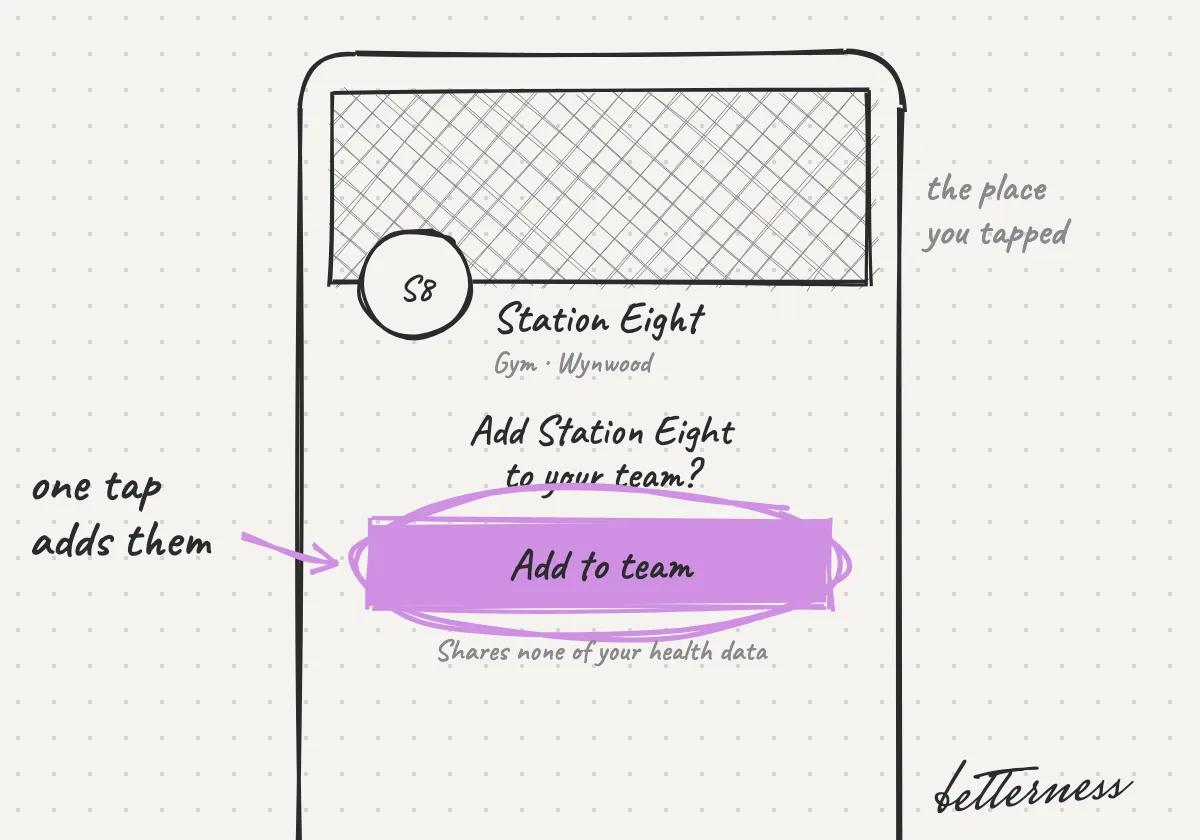
    Sketch: Add the Space of your coach, gym or doctor to your Team.
  3. 3Or open Team and enter the code they gave you.
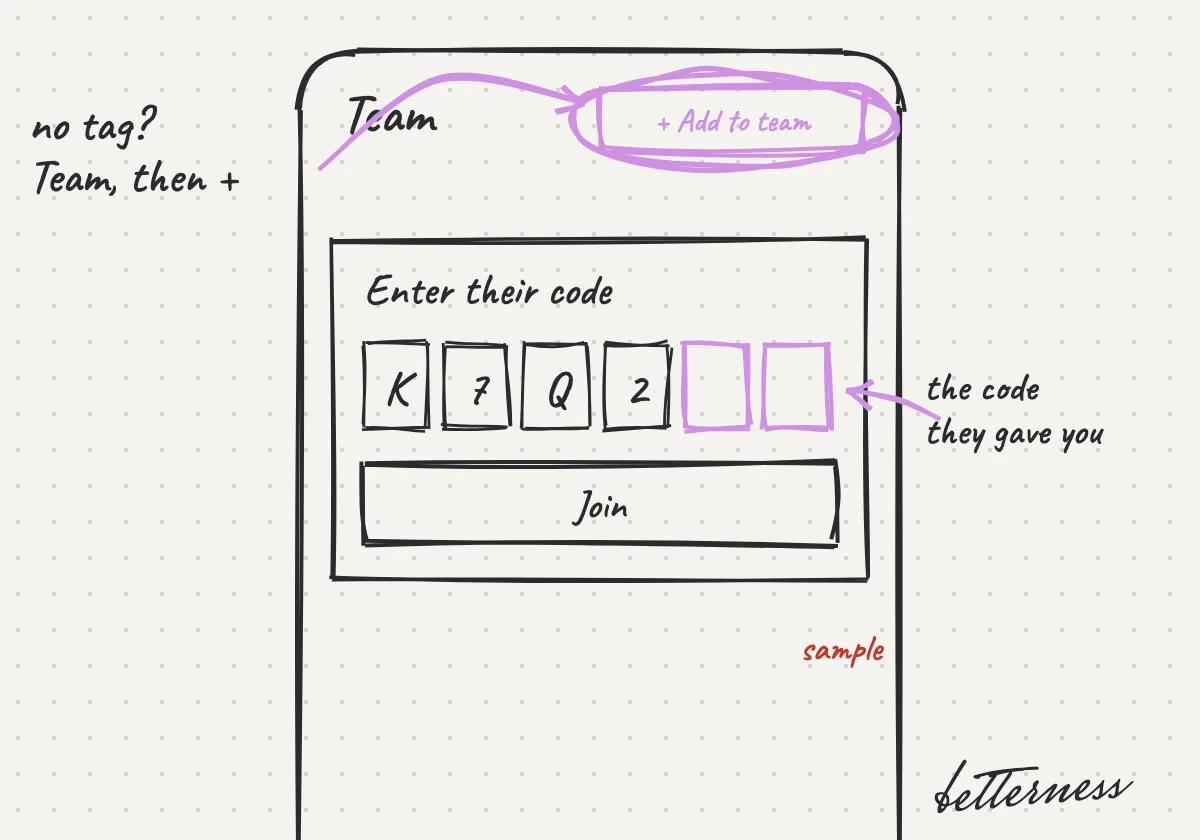
    Sketch: Or open Team and enter the code they gave you.
  4. 4Joining shares none of your health data.
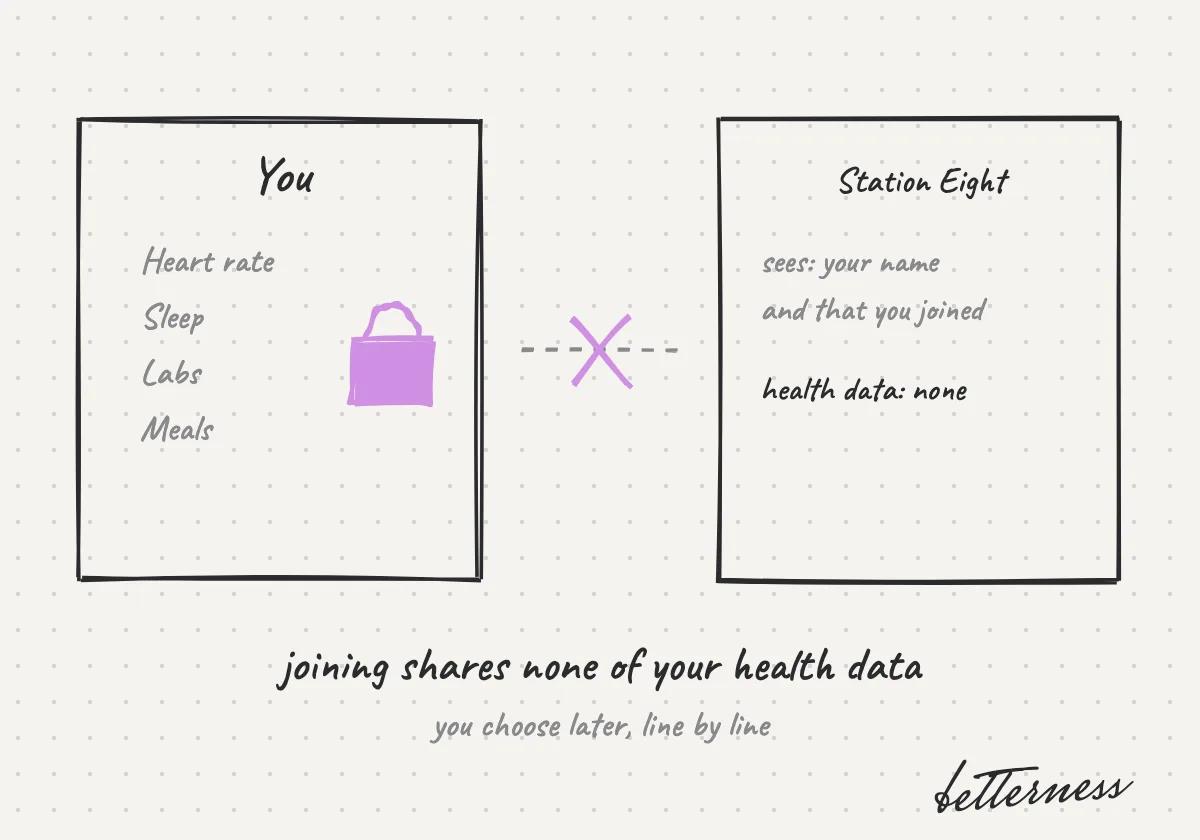
    Sketch: Joining shares none of your health data.
Open in the app

Previous

See where things fit in Calendar

Next

Invite your coach or gym, free for them

4.2

Invite your coach or gym, free for them

Send a name and an email. They get their own Space with you already in it.

Updated Nov 11, 2026

Why we built it. You probably already train with someone. Inviting them is free for them.

Steps

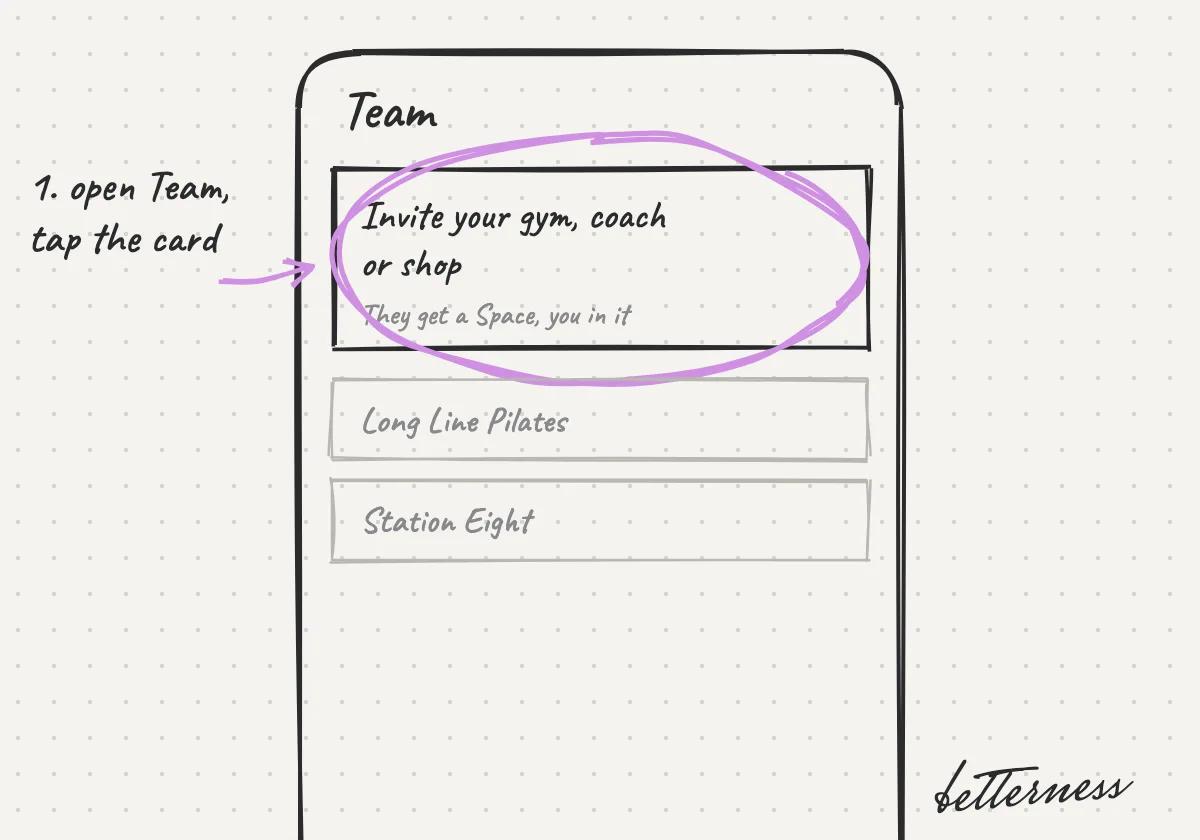
  1. 1Open Team and tap Invite your gym, coach or shop.
    Sketch: the Team tab with the invite card circled, above Long Line Pilates and Station Eight.
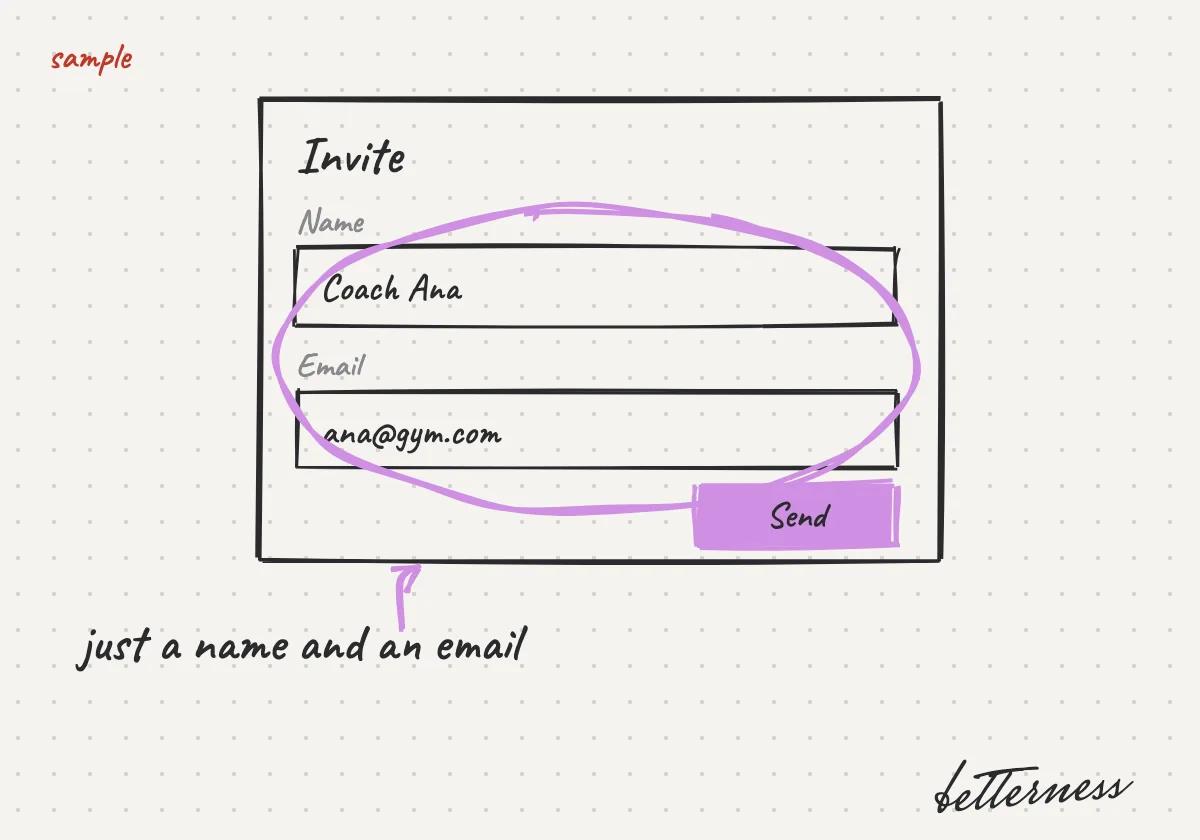
  2. 2Add their name and email.
    Sketch: the invite form with a sample name and email, and Send.
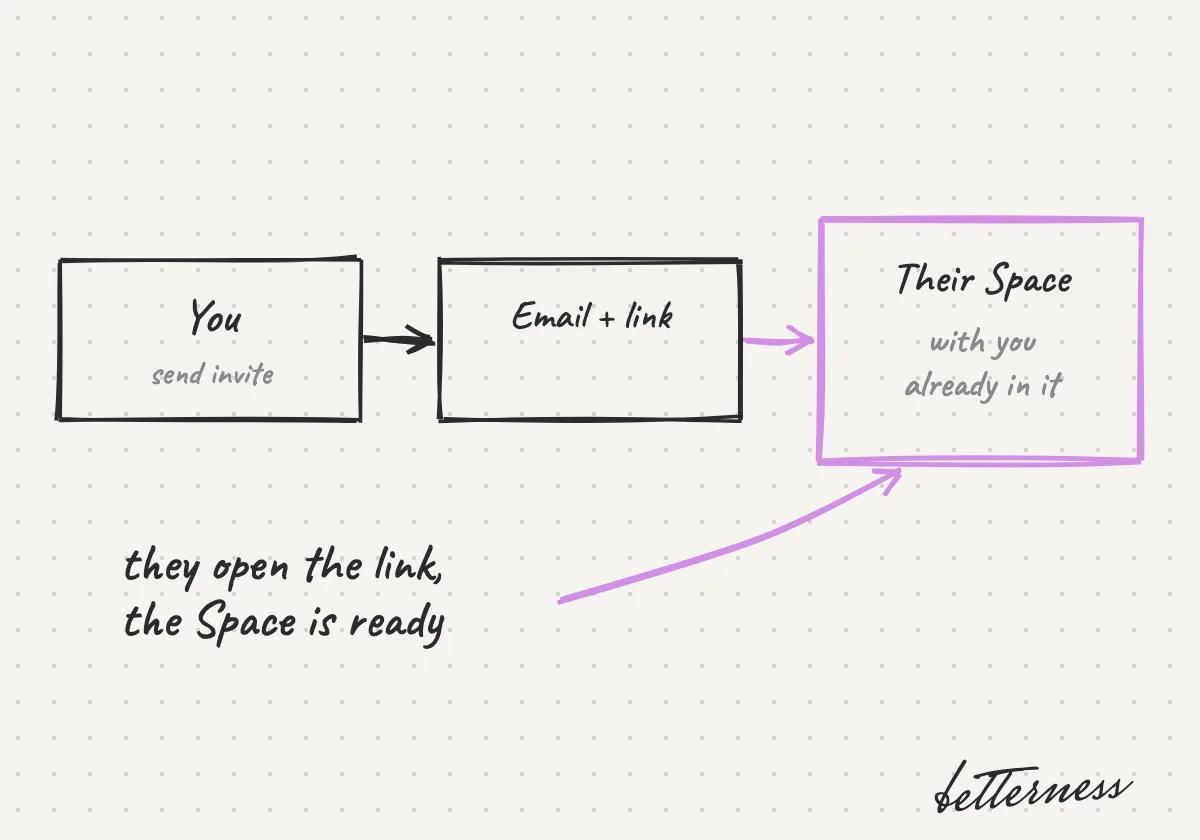
  3. 3We email them a link to their own Space, with you already in it.
    Sketch: you send the invite, they get an email with a link, their Space opens with you in it.
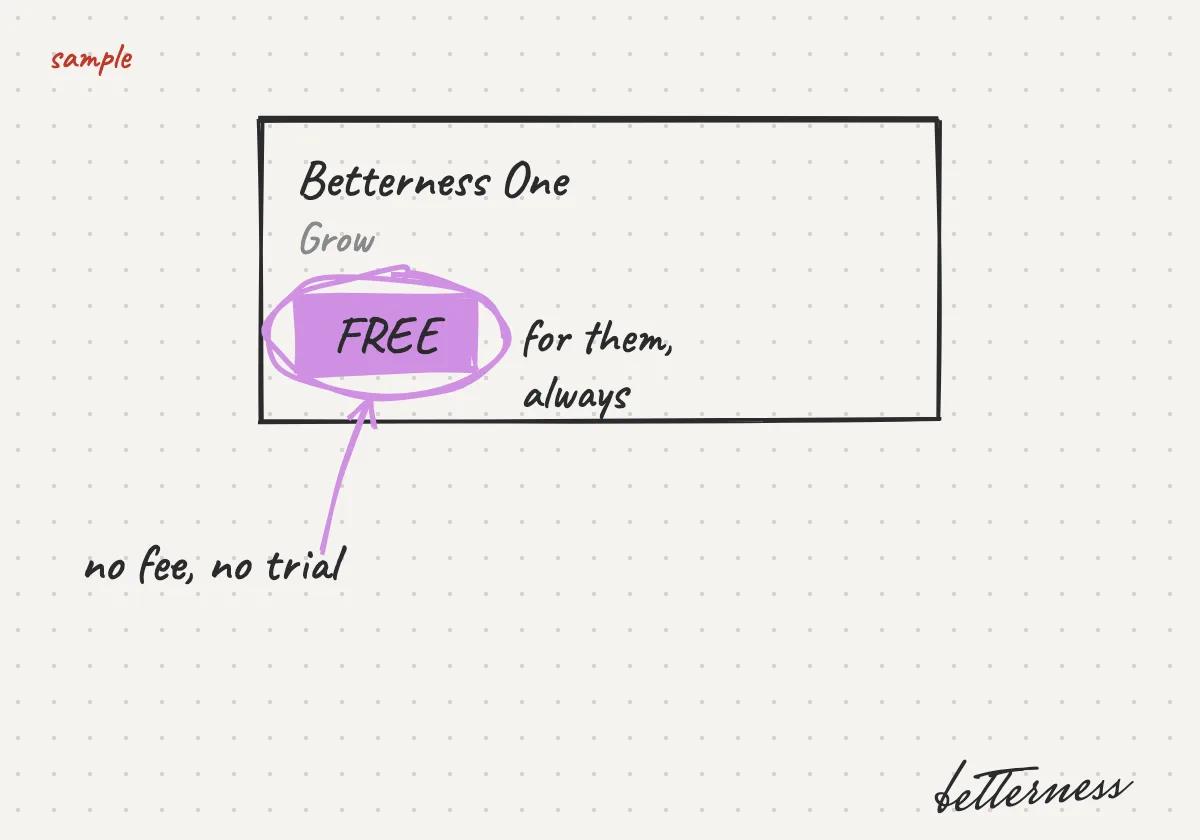
  4. 4Grow, their Betterness One module, is free.
    Sketch: Betterness One Grow marked FREE, with no fee and no trial.
Open in the app

Related articles

Your first five minutes

Previous

Tap in at your gym

Next

Choose what you share

4.3

Choose what you share

You decide line by line what each Space sees, and you can stop at any time.

Updated Nov 8, 2026

Why we built it. Your trainer or doctor helps more when they see your data. You choose what each one sees.

Note

Coming soon: share line by line. Today each kind of data has one switch.

Steps

  1. 1Your coach, gym or doctor will ask for some of your data, and say why.
    Sketch: Your coach, gym or doctor will ask for some of your data, and say why.
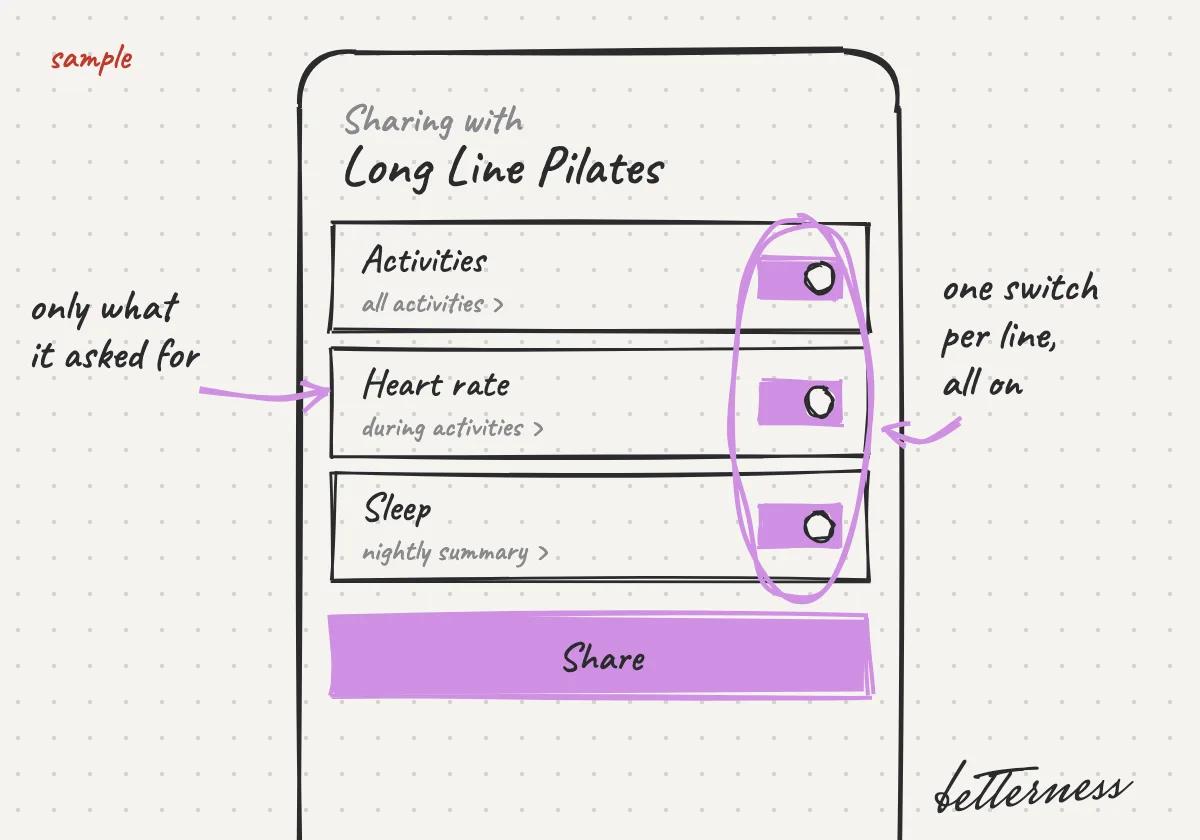
  2. 2You will see only the lines it asked for. Each will have a switch, all on.
    Sketch: You will see only the lines it asked for. Each will have a switch, all on.
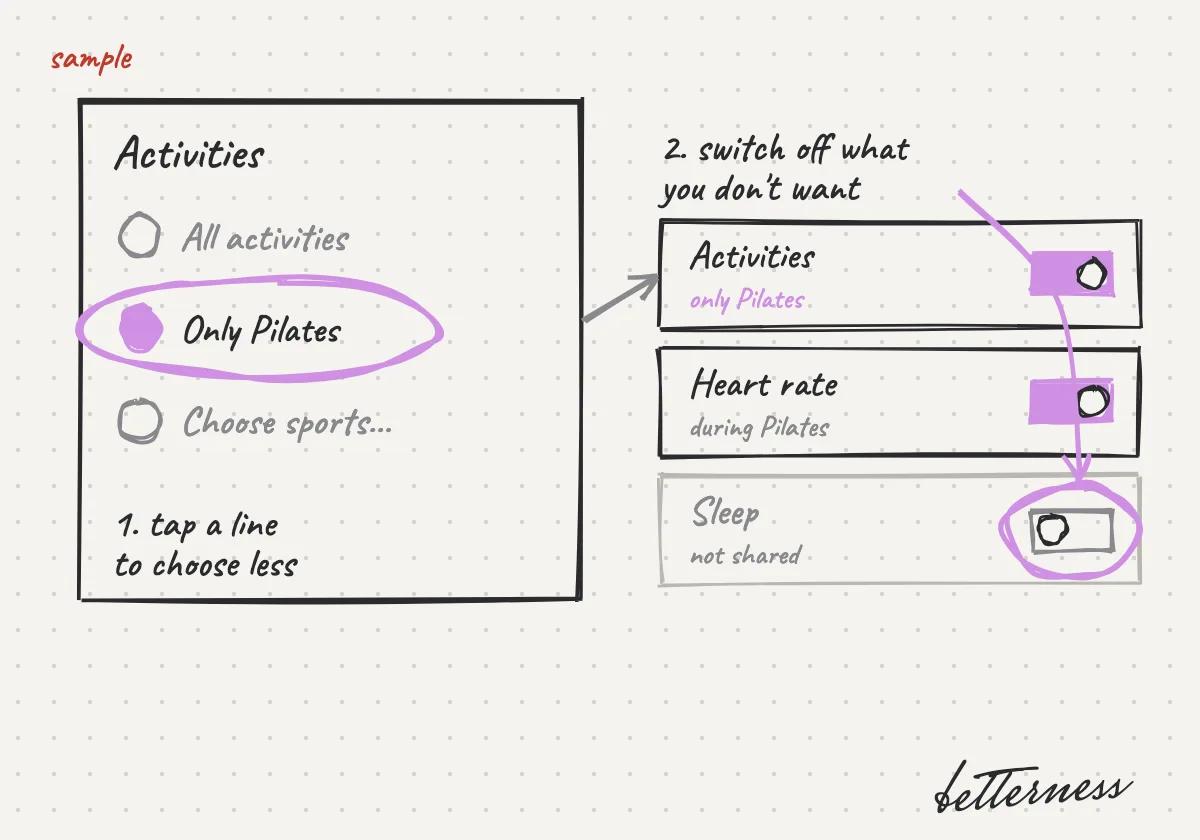
  3. 3You will tap a line to choose less, for example only Pilates, and turn off anything you don't want to share.
    Sketch: You will tap a line to choose less, for example only Pilates, and turn off anything you don't want to share.
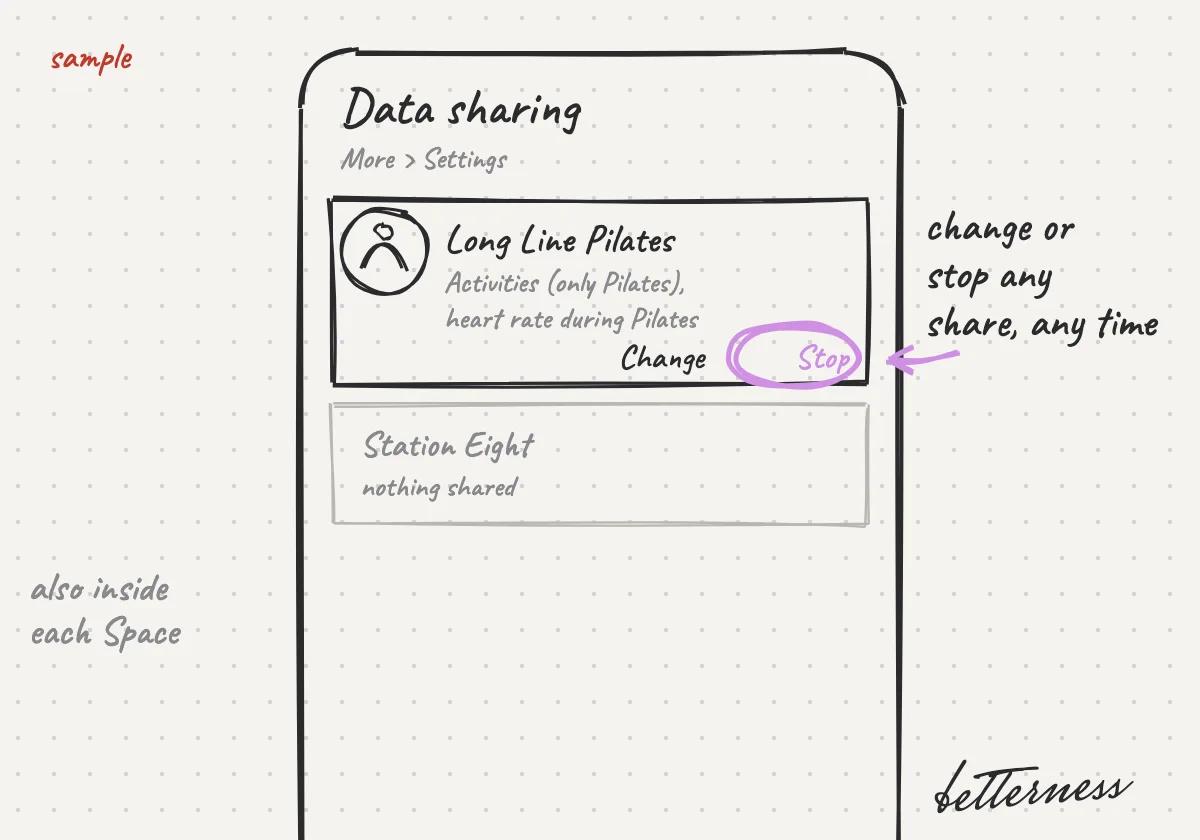
  4. 4You will change or stop any share later, in the Space or in Settings, Data sharing.
    Sketch: You will change or stop any share later, in the Space or in Settings, Data sharing.
Open in the app

Previous

Invite your coach or gym, free for them

Next

What your coach, gym or doctor asks for, and why

4.4

What your coach, gym or doctor asks for, and why

Read who is asking and why, then accept, choose less or say no.

Updated Nov 8, 2026

Why we built it. Your trainer, gym or doctor asks only for the data their work needs, and says why.

Note

Coming soon: requests suggested by the kind of Space.

Steps

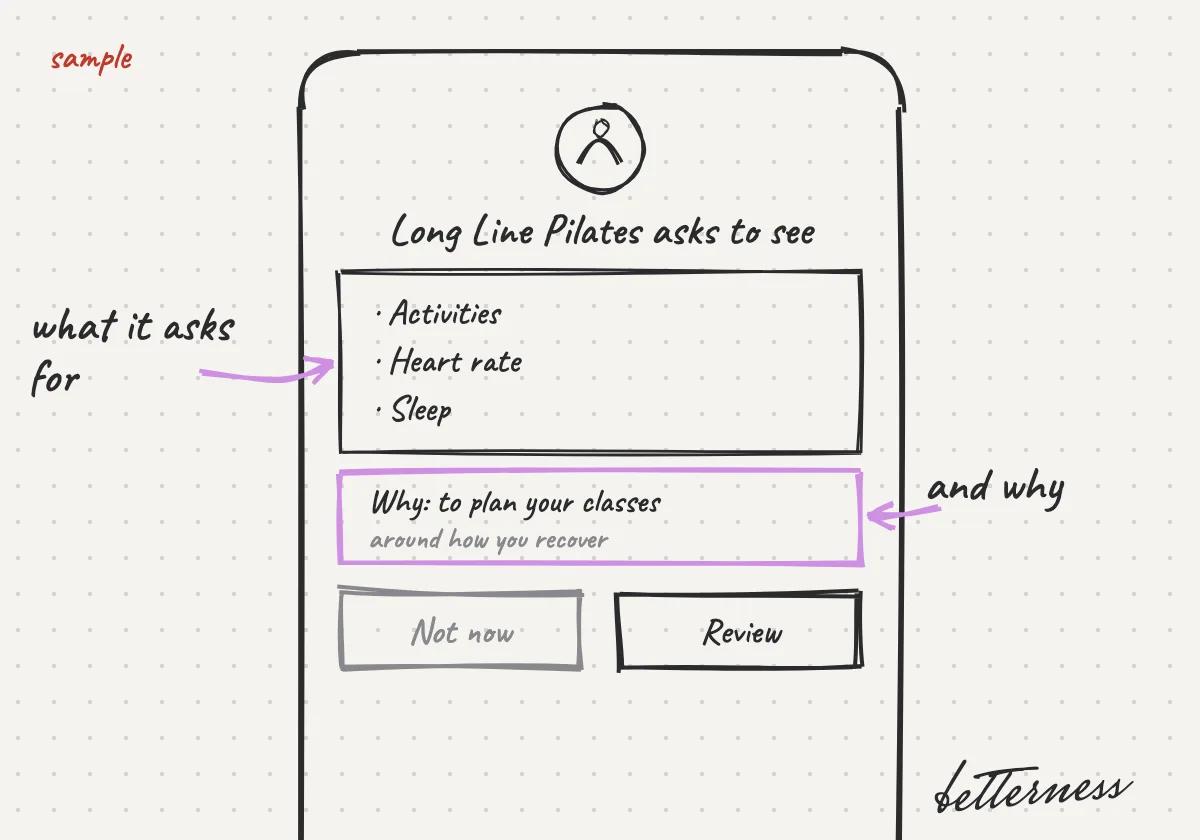
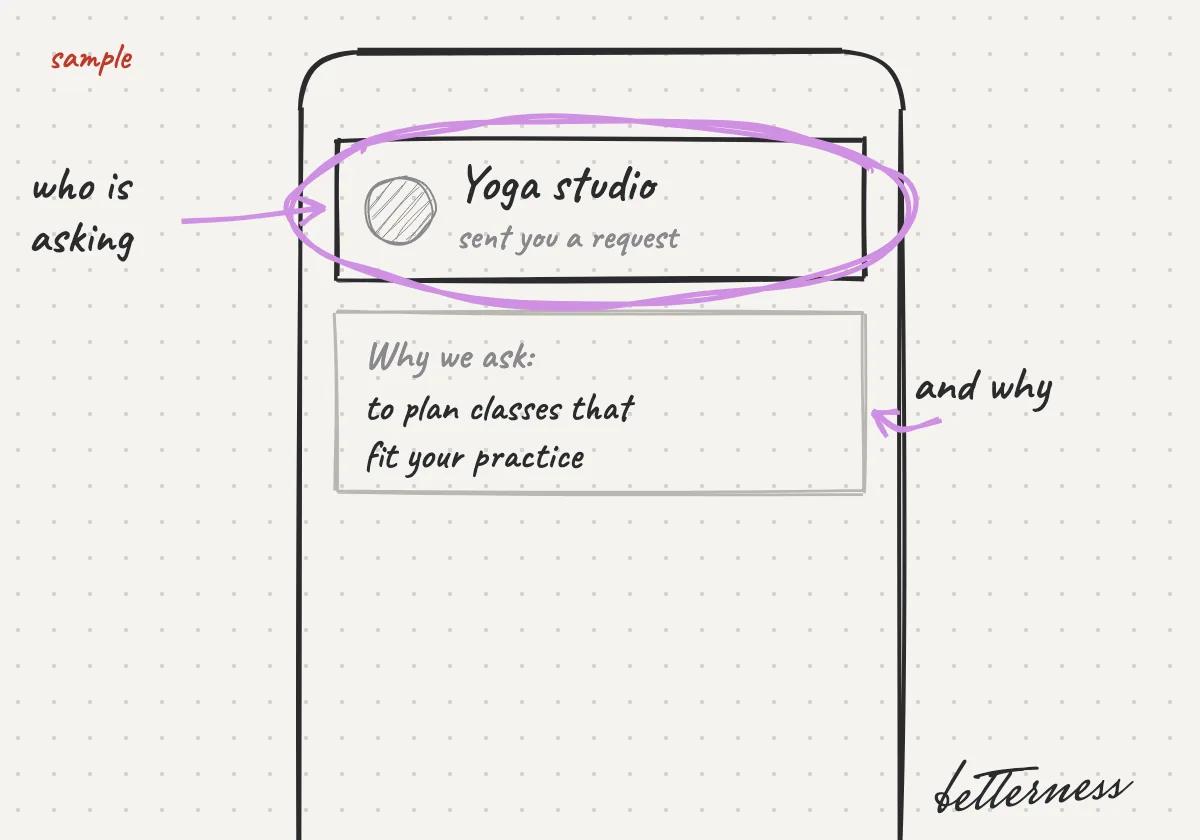
  1. 1You will open the request and read who is asking and why.
    Sketch: You will open the request and read who is asking and why.
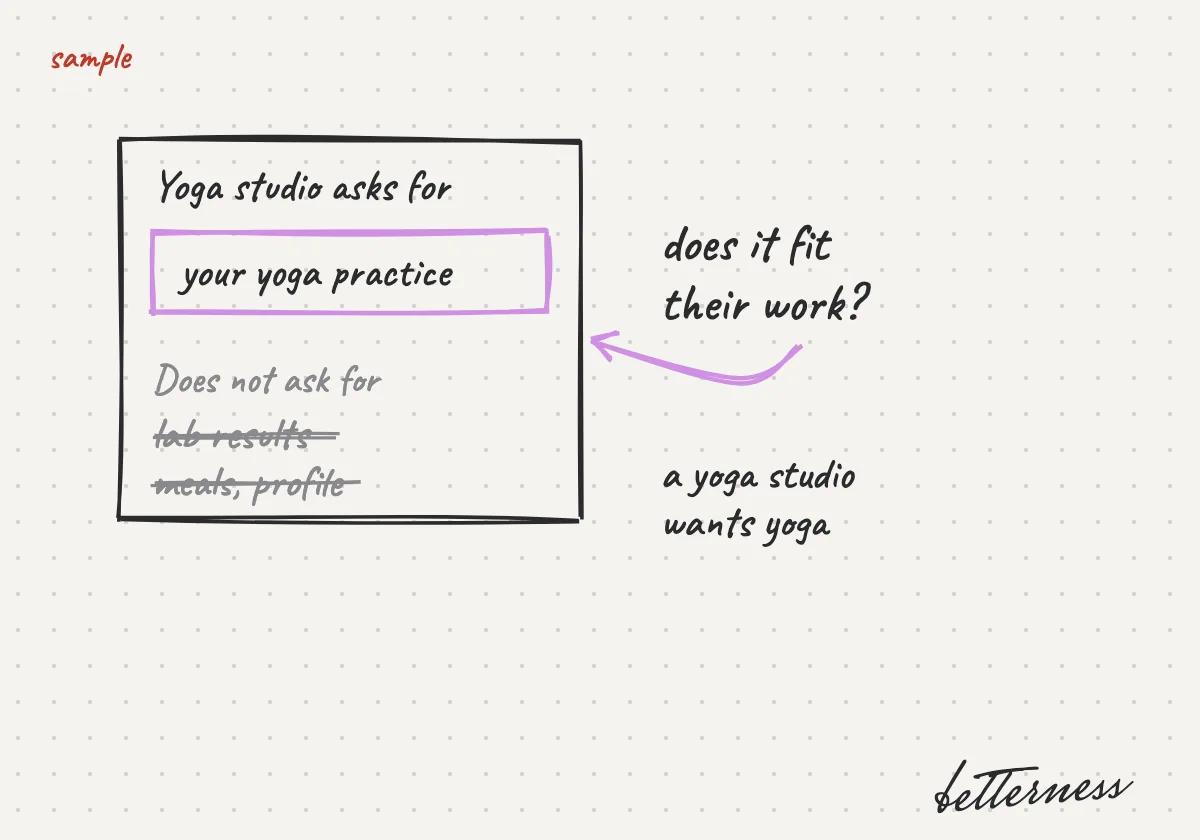
  2. 2You will check that it fits: a yoga studio asks for your yoga practice, not your lab results.
    Sketch: You will check that it fits: a yoga studio asks for your yoga practice, not your lab results.
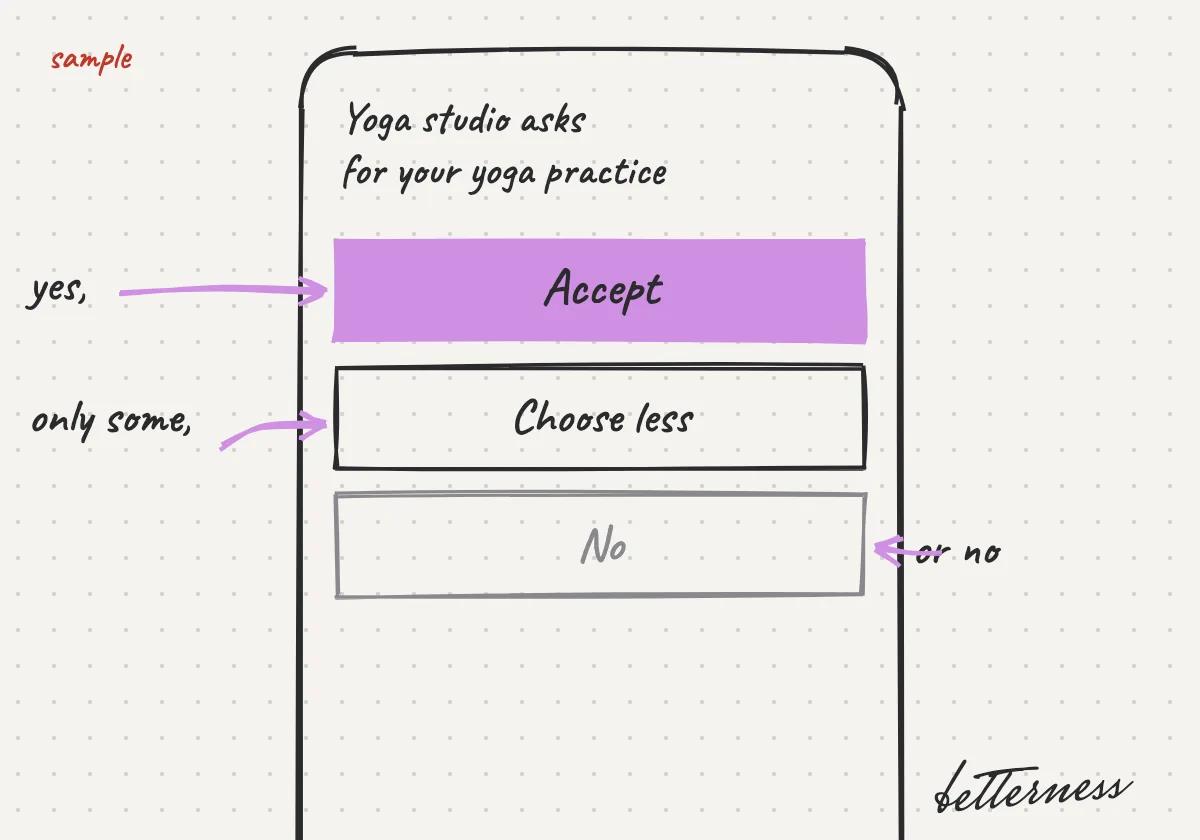
  3. 3You will accept, choose less, or say no.
    Sketch: You will accept, choose less, or say no.
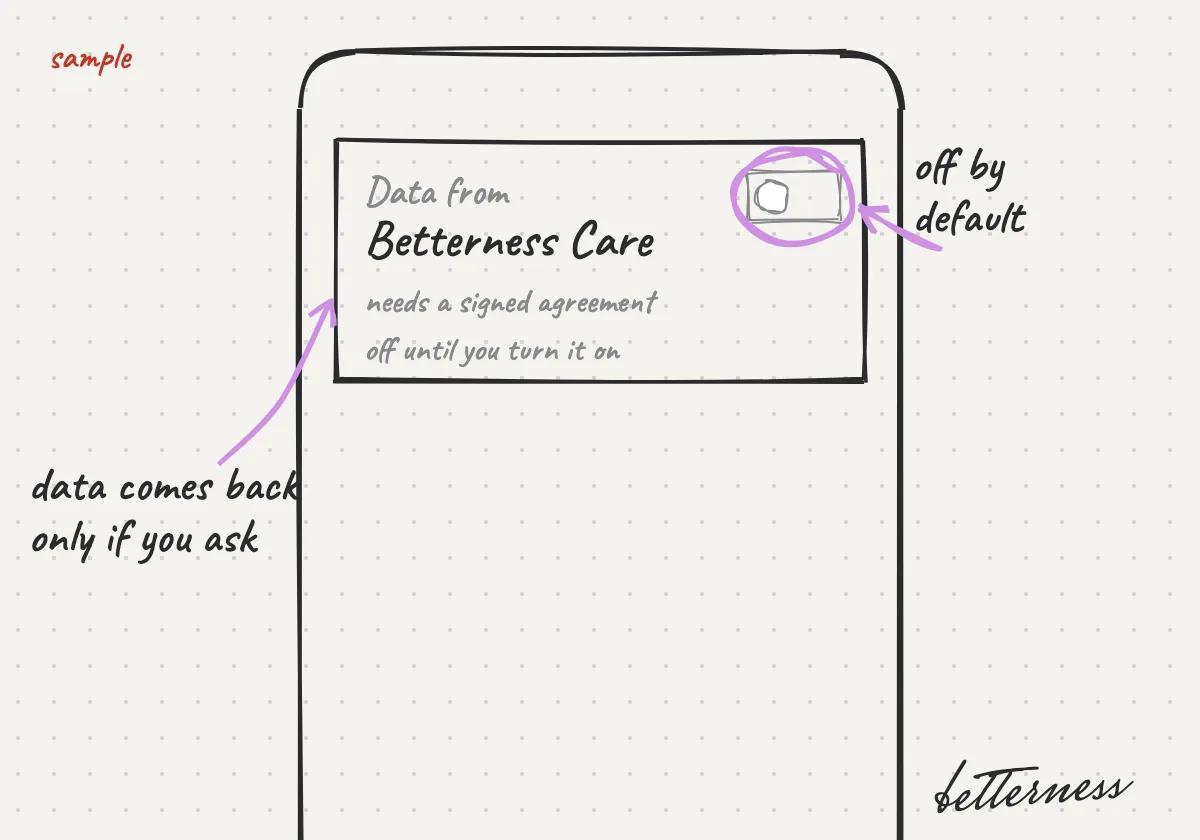
  4. 4Results back from a clinical partner, through Betterness Care, stay off until you sign an agreement and turn them on.
    Sketch: You will turn on data from Betterness Care only if you want it back. It will need a signed agreement and stay off until you turn it on.

Previous

Choose what you share

Next

Your class pass on Home

4.5

Your class pass on Home

Your next class, your credits, and one tap to book or check in.

Updated Nov 11, 2026

Why we built it. Your next class and your credits sit on Home, so booking, checking in and finding the place each take one tap.

Steps

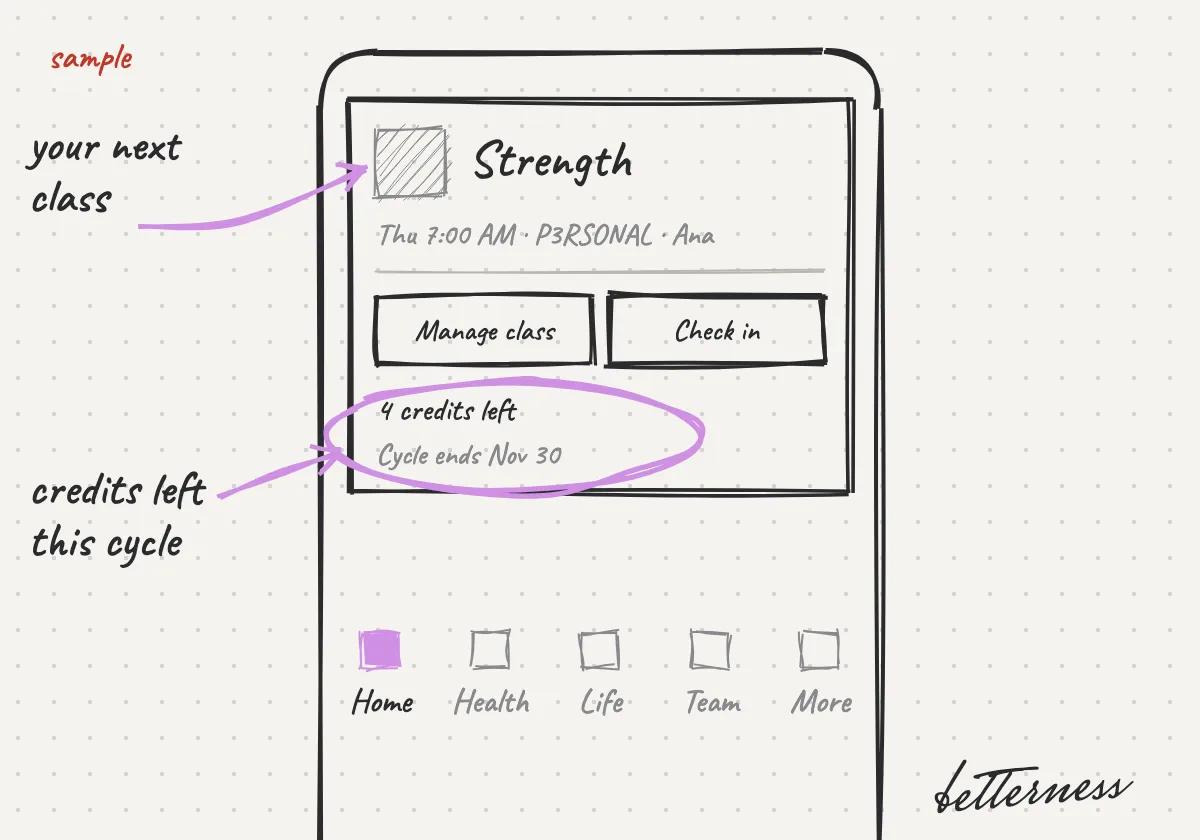
  1. 1Your class pass is the first card on Home: your next class, and the credits you have left.
    Sketch: Your class pass is the first card on Home: your next class, and the credits you have left.
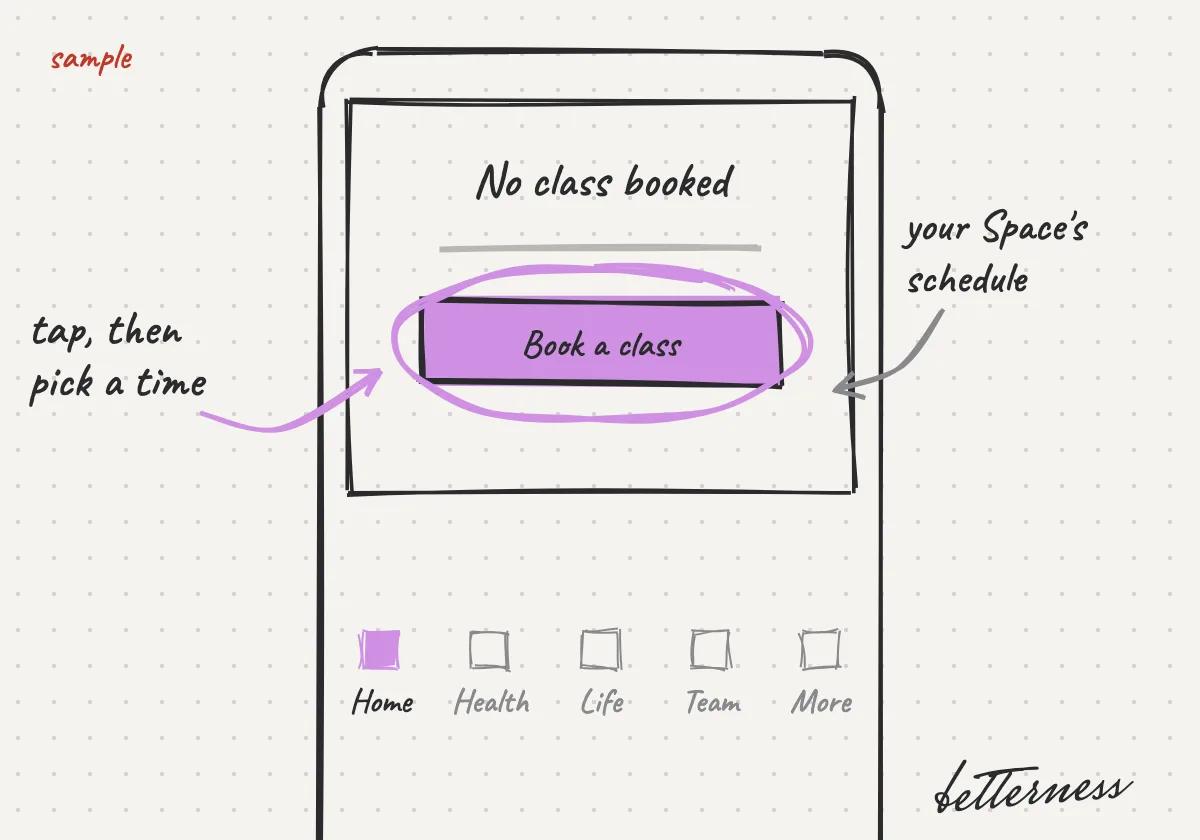
  2. 2No class booked? Tap Book a class and pick a time in your Space's schedule.
    Sketch: No class booked? Tap Book a class and pick a time in your Space's schedule.
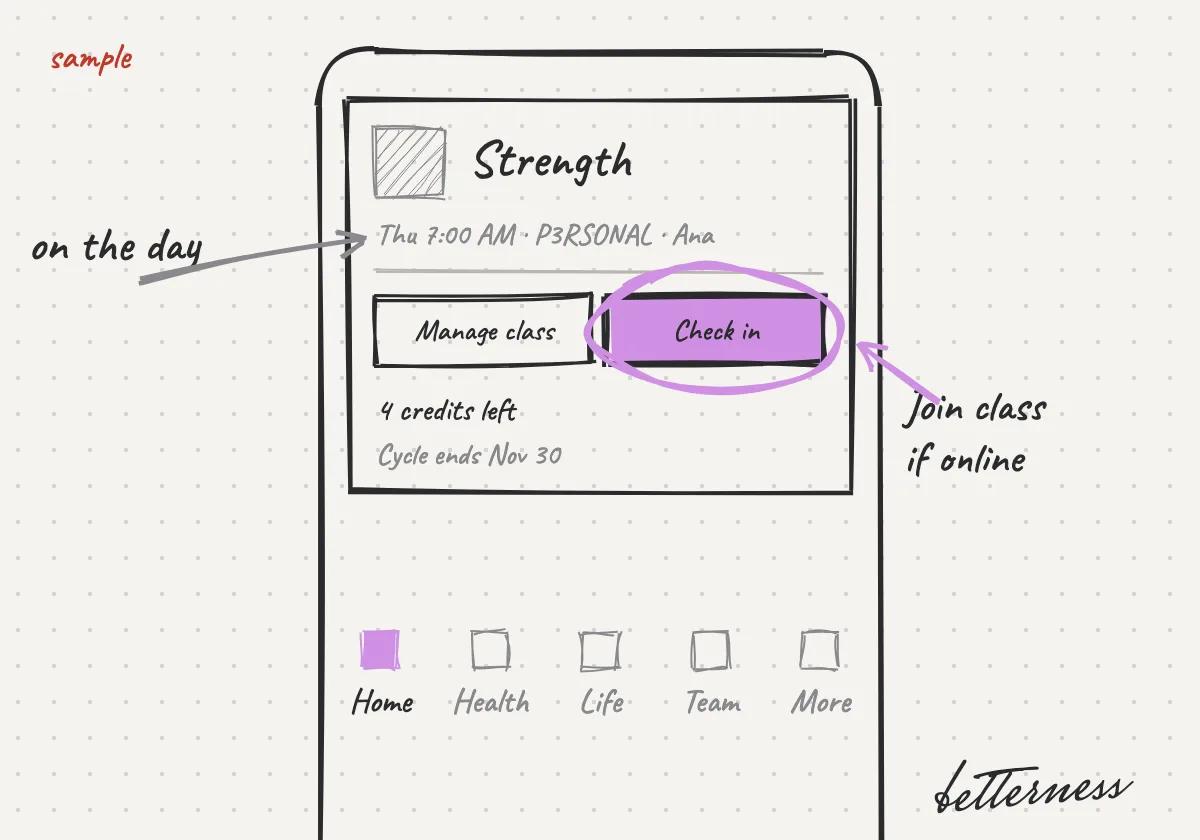
  3. 3On the day, tap Check in, or Join class if it is online.
    Sketch: On the day, tap Check in, or Join class if it is online.

Previous

What your coach, gym or doctor asks for, and why

Next

Move your class to another time

4.6

Move your class to another time

Change the time yourself. Your place and your credit come with you.

Updated Nov 11, 2026

Why we built it. Plans change. Moving your own class keeps your place and your credit, without writing to the studio.

Note

You can move a class until its free cancellation ends. After that, Move to another time is turned off, unless the studio changed the class.

Steps

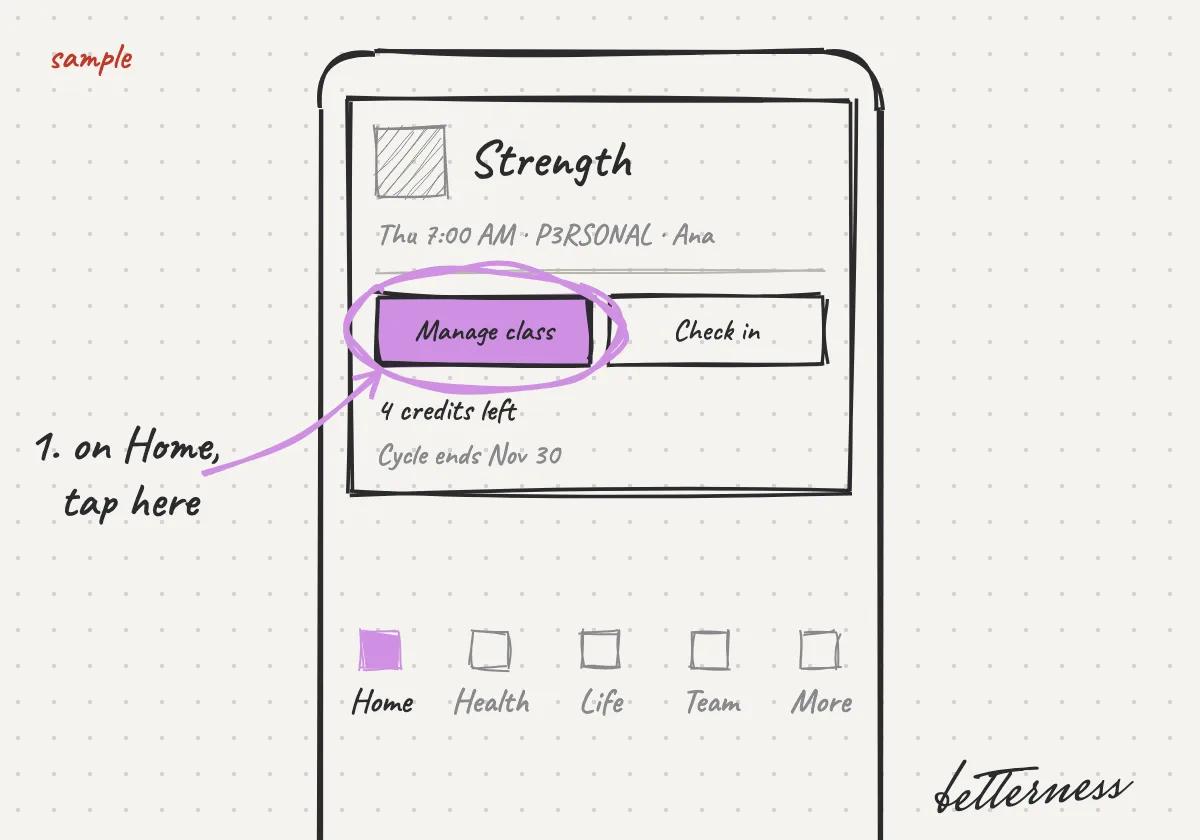
  1. 1On Home, tap Manage class on your class pass.
    Sketch: On Home, tap Manage class on your class pass.
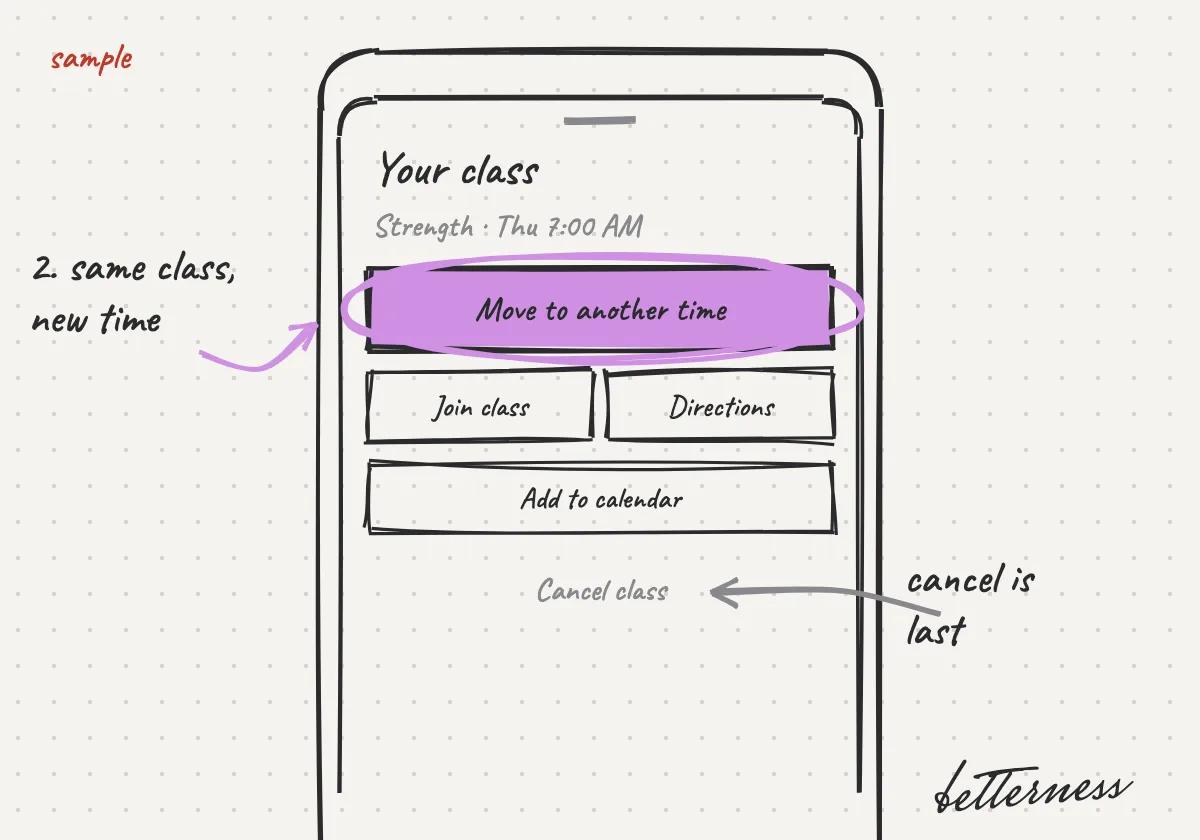
  2. 2Tap Move to another time.
    Sketch: Tap Move to another time.
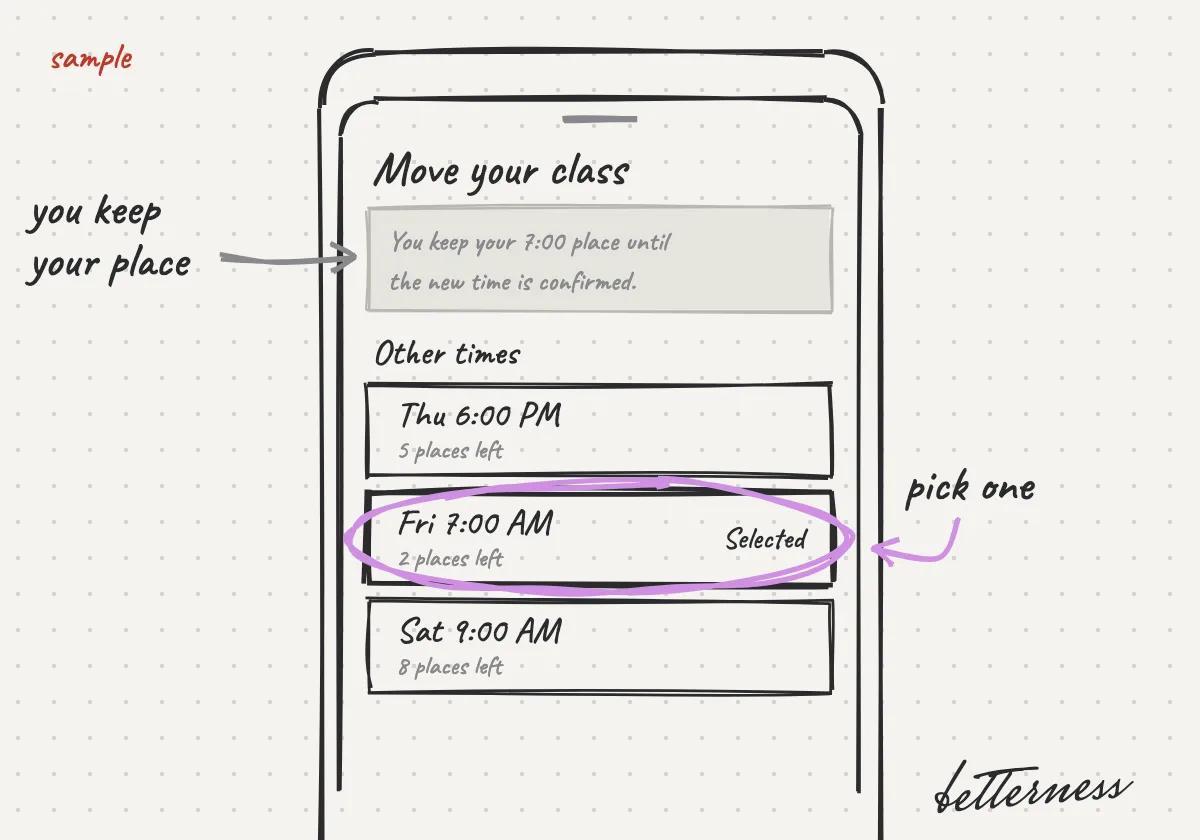
  3. 3Pick a time under Other times. You keep your place until the new time is confirmed.
    Sketch: Pick a time under Other times. You keep your place until the new time is confirmed.
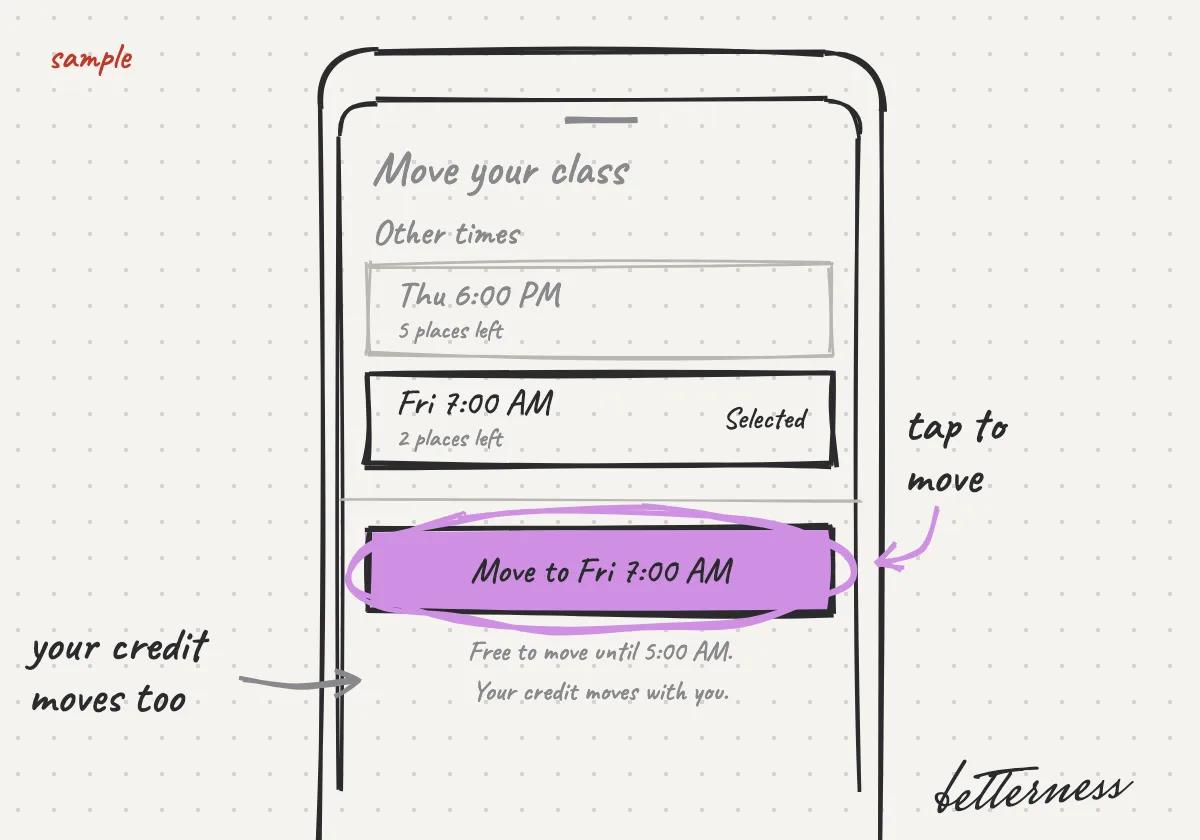
  4. 4Tap Move to and the time. Your credit moves with you, and the card shows the new time.
    Sketch: Tap Move to and the time. Your credit moves with you, and the card shows the new time.

Previous

Your class pass on Home

Next

Find perks by category

4.7

Find perks by category

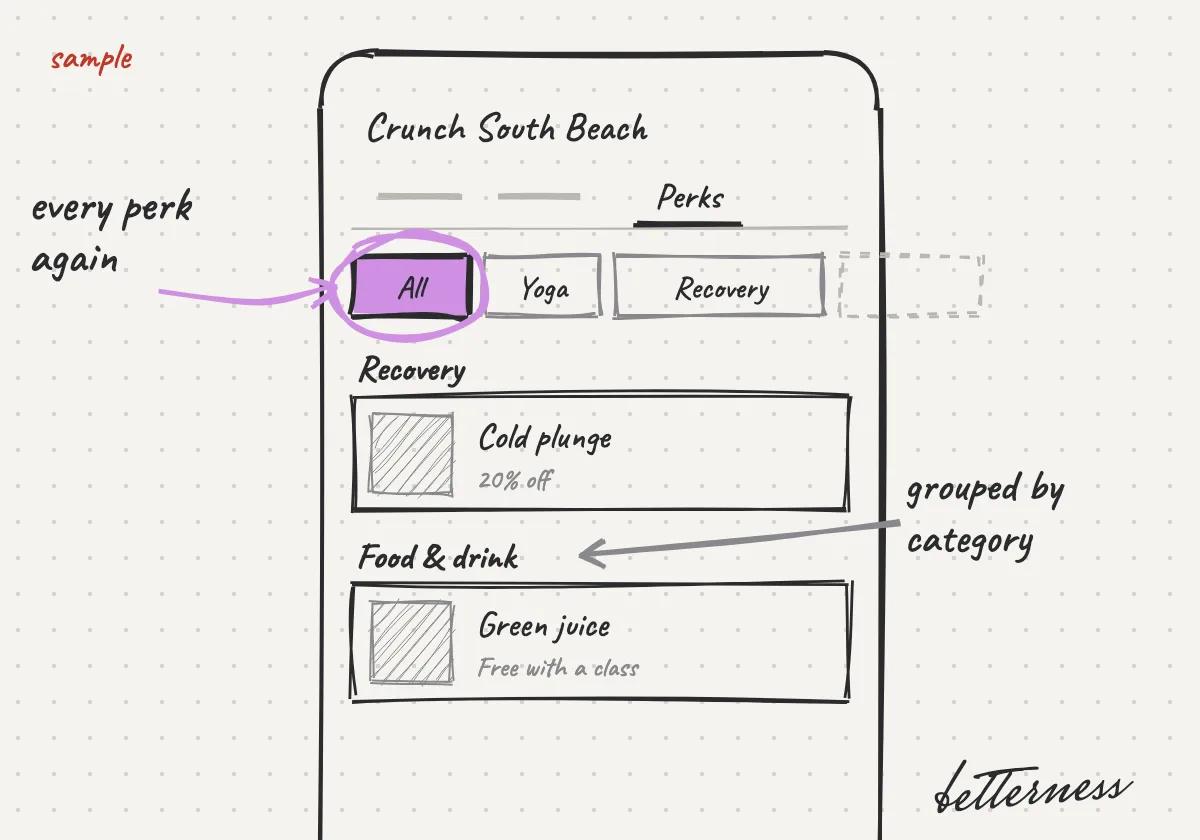
Browse a Space's perks by what you need: yoga, recovery, food and more.

Updated Nov 11, 2026

Why we built it. A Space can offer many perks. Categories take you straight to the ones you came for.

Steps

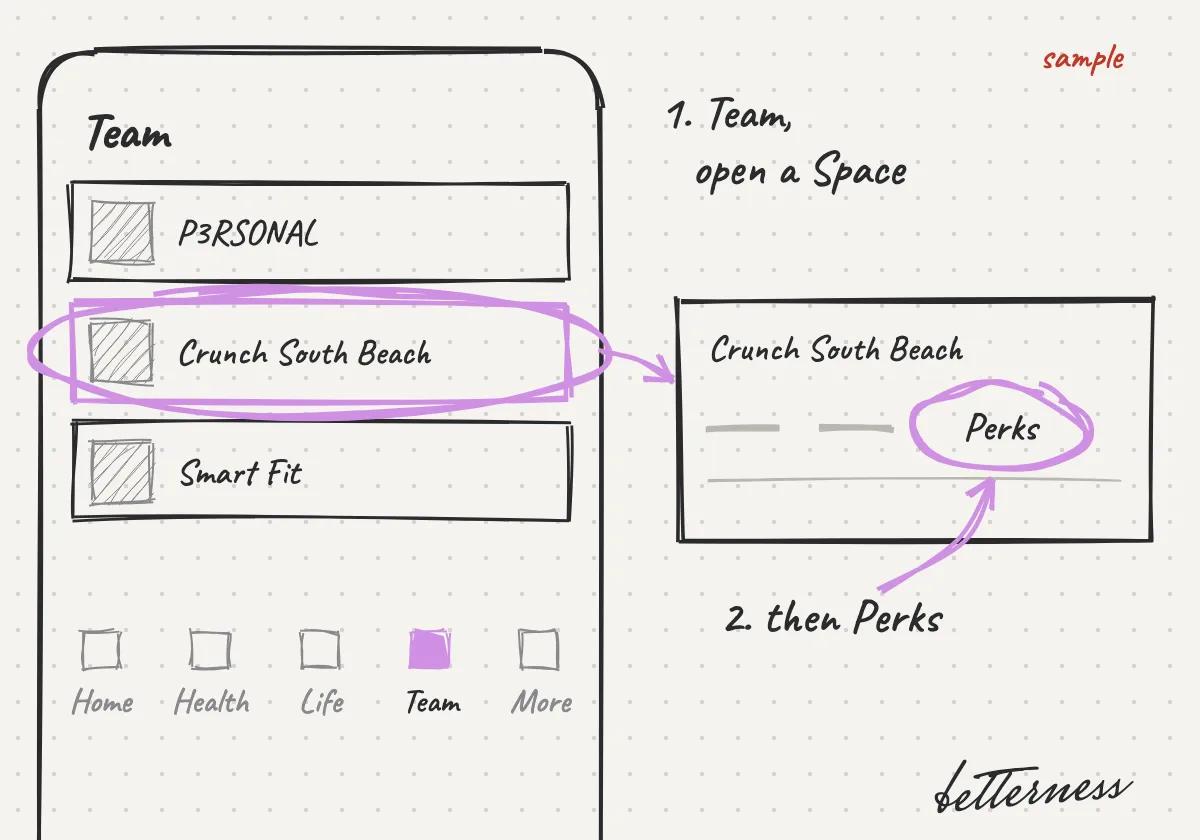
  1. 1On Team, open a Space, then Perks.
    Sketch: On Team, open a Space, then Perks.
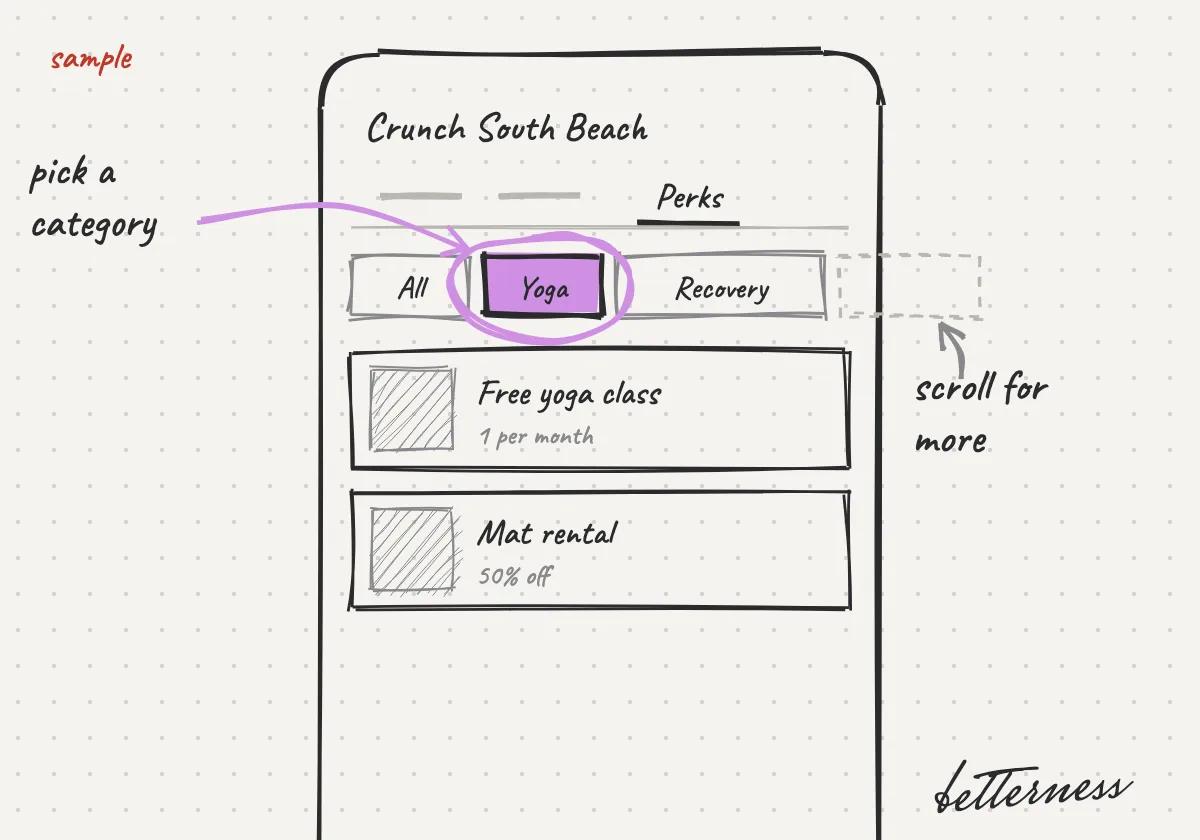
  2. 2Tap a category: Yoga, Recovery, Food & drink and more.
    Sketch: Tap a category: Yoga, Recovery, Food & drink and more.
  3. 3Tap All to see every perk again, grouped by category.
    Sketch: Tap All to see every perk again, grouped by category.

Previous

Move your class to another time

Next

Ask Bett-i from any screen

Betterness

Product

  • How it works
  • Bett-i

Resources

  • Tutorials
  • Podcast

Company

  • About
  • News
  • Contact

Legal

  • Privacy
  • Terms
  • Health data
  • Delete your account

For businesses

  • Betterness One ↗, opens Betterness One in a new tab

News from Betterness: the Friday Letter, launches and stories, by email.

  • Instagram ↗, opens in a new tab
  • X ↗, opens in a new tab
  • YouTube ↗, opens in a new tab
  • LinkedIn ↗, opens in a new tab
Download on the App StoreGet it on Google Play
HIPAA, powered by Vanta

HIPAA compliance monitored by Vanta.

Betterness, Inc. · Betterness gives health information, not medical advice. Our stories use fictional people.