

Betterness
How it worksBett-iTutorialsAboutFor businesses ↗, opens Betterness One in a new tabLog inSign up
How it worksBett-iTutorialsAboutFor businesses: Betterness One ↗, opens Betterness One in a new tab
Log inSign up
Skip to content
1. Getting started2. Better Health3. Better Life4. Together5. Bett-i and settings6. Betterness One: Grow, free forever7. Betterness One: Host, Coach, Shop8. Betterness One: Members and Inbox9. Betterness One: your AI10. Home11. Health12. Bett-i coaching13. Apple Watch14. Life15. Team and Inbox16. Labs17. Settings18. Privacy and support
9.1 Connect Betterness One to your AISteps

1. Getting started

2. Better Health

3. Better Life

4. Together

5. Bett-i and settings

6. Betterness One: Grow, free forever

7. Betterness One: Host, Coach, Shop

8. Betterness One: Members and Inbox

9. Betterness One: your AI

9.1 Connect Betterness One to your AISteps

10. Home

11. Health

12. Bett-i coaching

13. Apple Watch

14. Life

15. Team and Inbox

16. Labs

17. Settings

18. Privacy and support

9

Betterness One: your AI

9.1

Connect Betterness One to your AI

Use your business in Claude or ChatGPT. You sign in; no key needed.

Updated Nov 11, 2026

Why we built it. Connect ChatGPT or Claude to your Betterness One workspace. Ask about your channels, your members and your neighborhood, and draft and schedule posts, all from the chat you already work in.

Note

ChatGPT needs a plan with developer mode: Plus, Pro, Business, Enterprise or Edu. On Claude's Free plan you can add one custom connector.

Steps

  1. 1Add the address to Claude: open Settings, Customize, Connectors. Tap + Add, then Add custom connector, name it Betterness One and paste https://api.betterness.one/mcp.
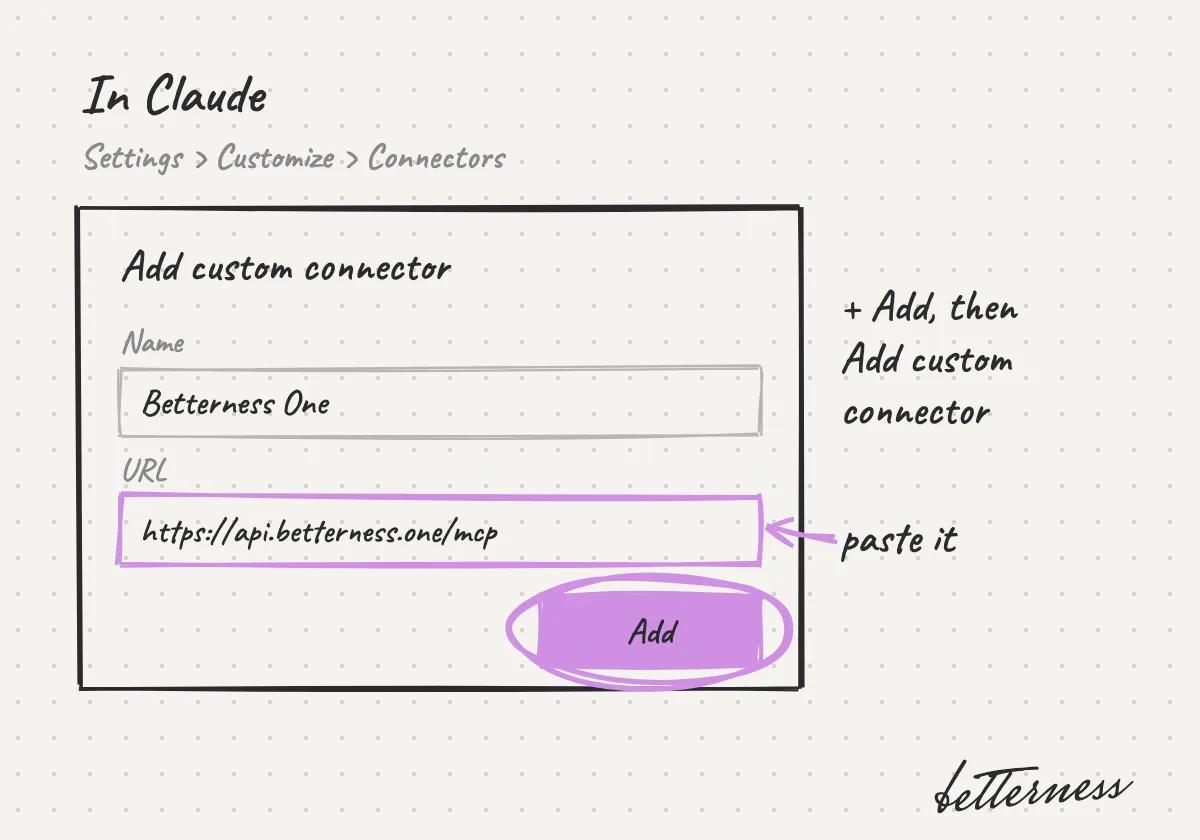
    Sketch: the Add custom connector form in Claude, with a name, the pasted address and Add circled.
  2. 2Or add it to ChatGPT: turn on developer mode, open Plugins and add a custom MCP server with the same address. Choose OAuth.
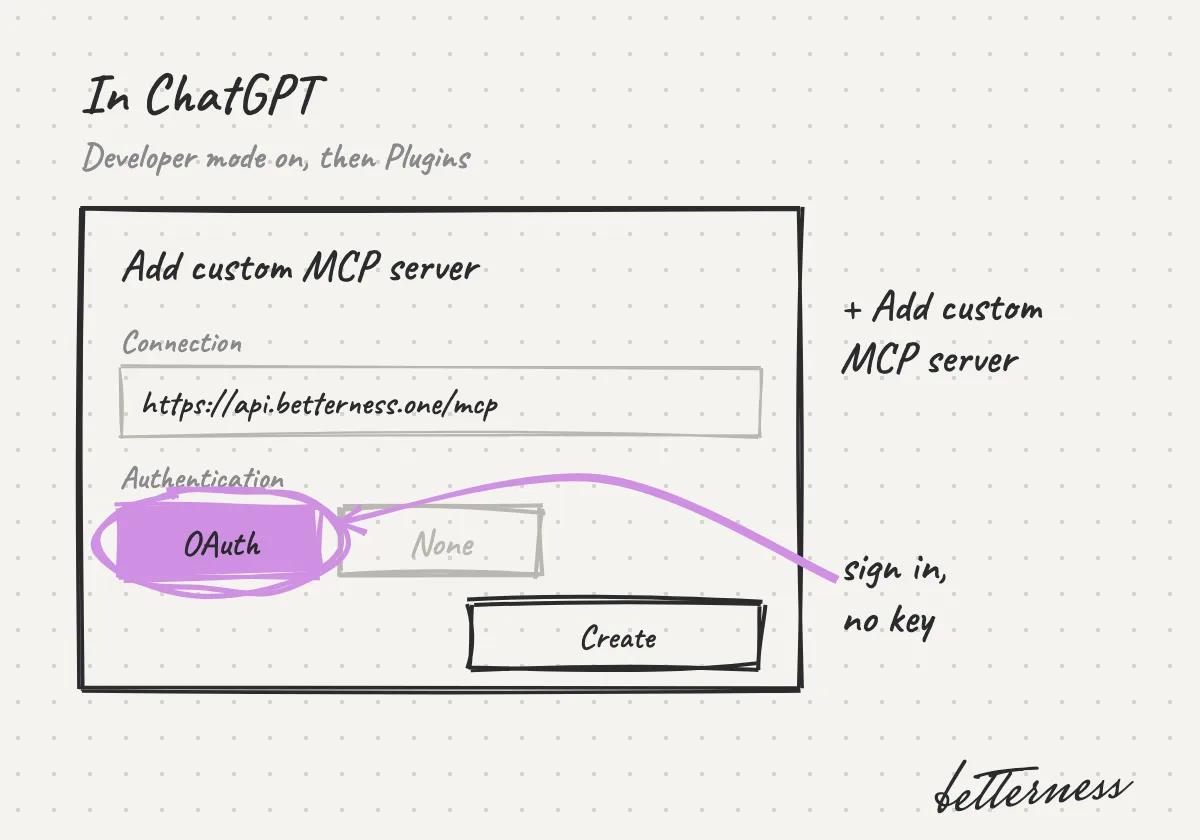
    Sketch: the Add custom MCP server form in ChatGPT, with the address and OAuth circled.
  3. 3Sign in with the Betterness account you use for Betterness One: type your email, or tap Continue with a passkey to use Face ID or your fingerprint.
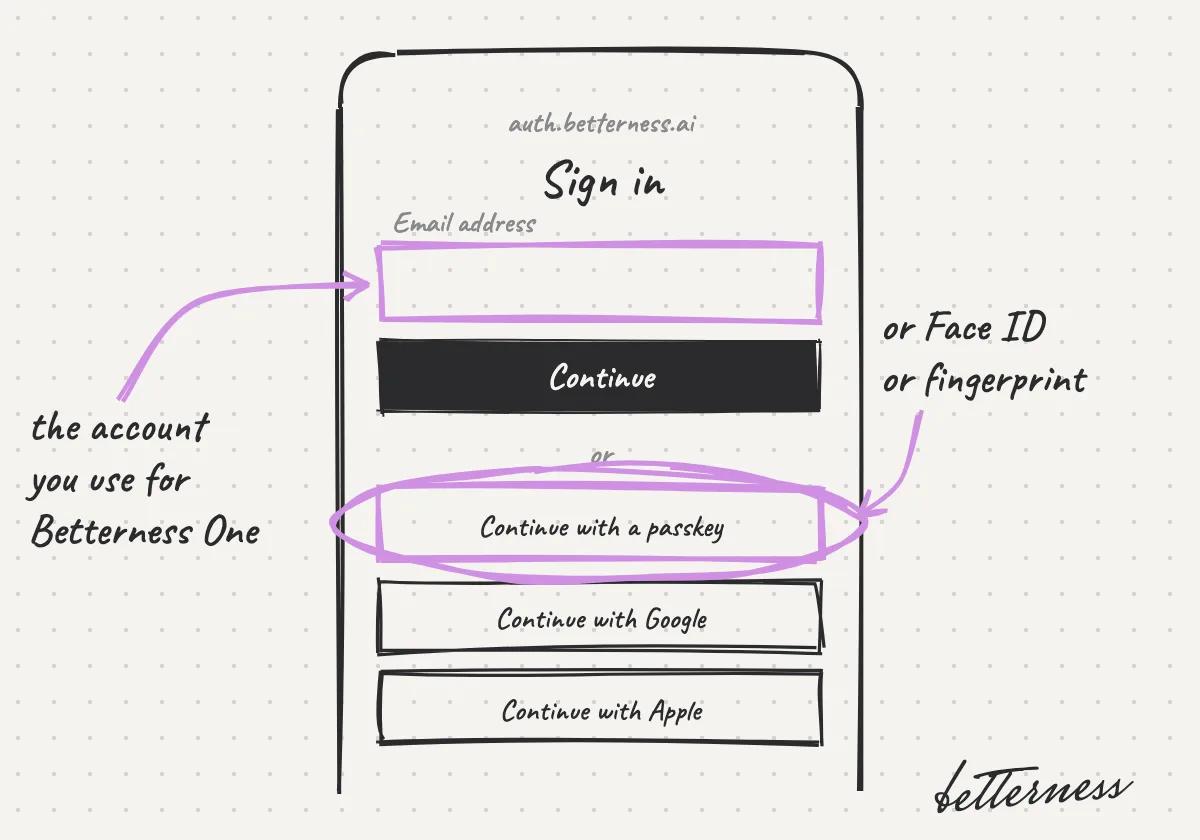
    Sketch: the Betterness sign-in screen, email first, with Continue with a passkey circled.
  4. 4Pick the workspace. If you belong to more than one business, choose the one this connection works in. With just one, this step continues by itself.
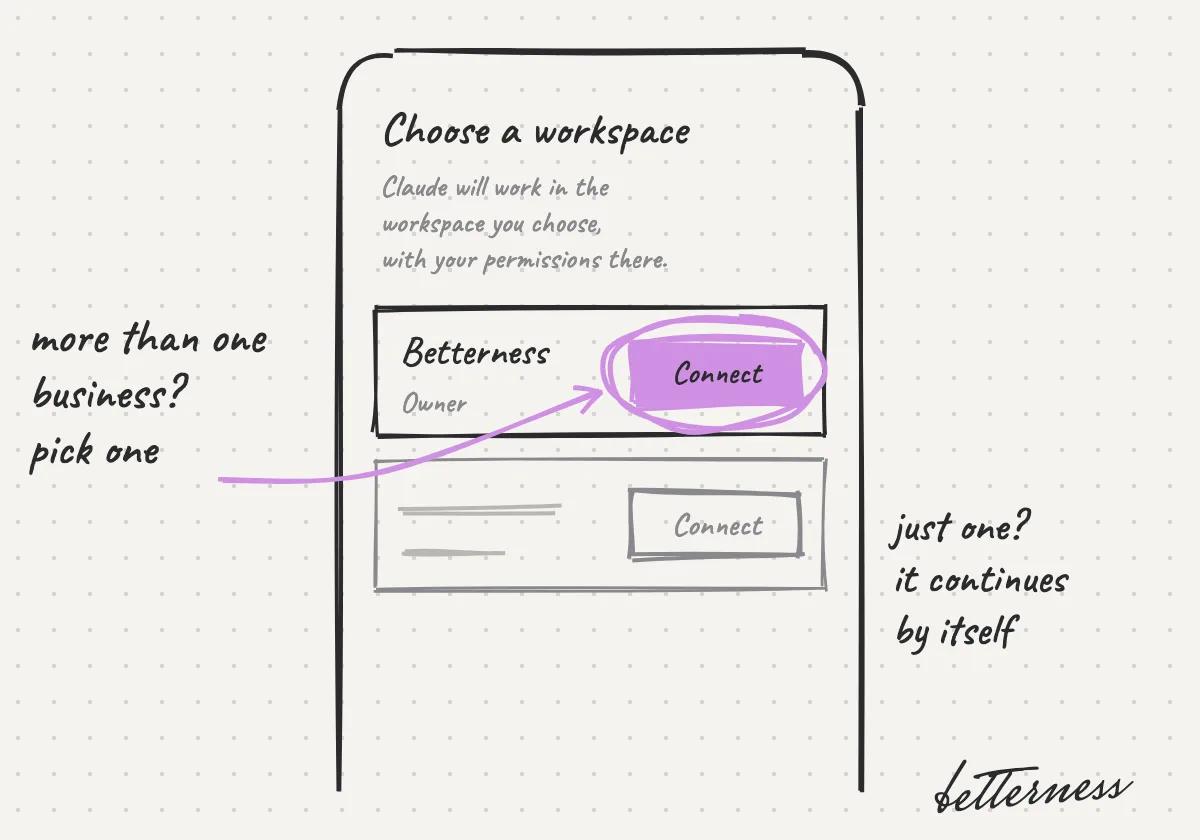
    Sketch: Choose a workspace, with Betterness, Owner, and its Connect button circled.
  5. 5Accept the consent screen. The connection works in that workspace, as you, with your role there.
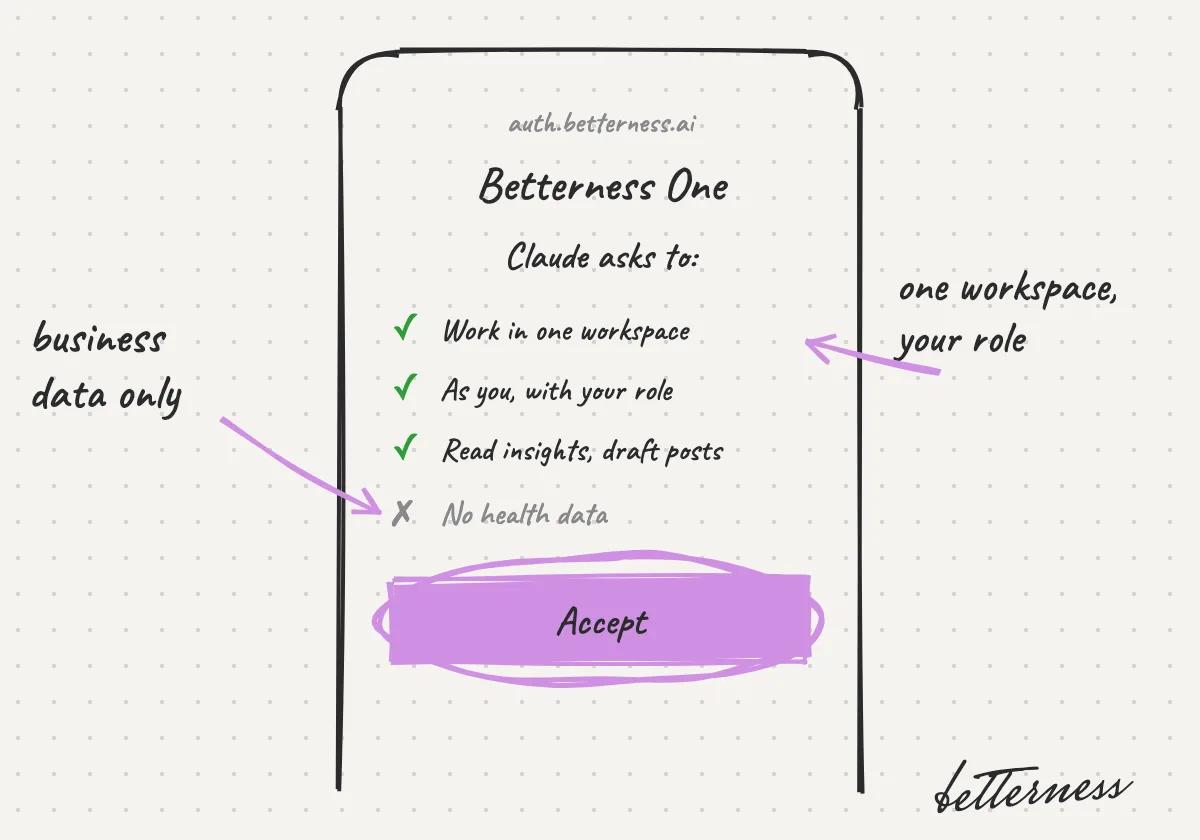
    Sketch: the consent screen: work in one workspace, as you with your role, read insights and draft posts, no health data. Accept is circled.
  6. 6In a new chat, turn Betterness One on and ask in your own words: which clients found me on Instagram this month?
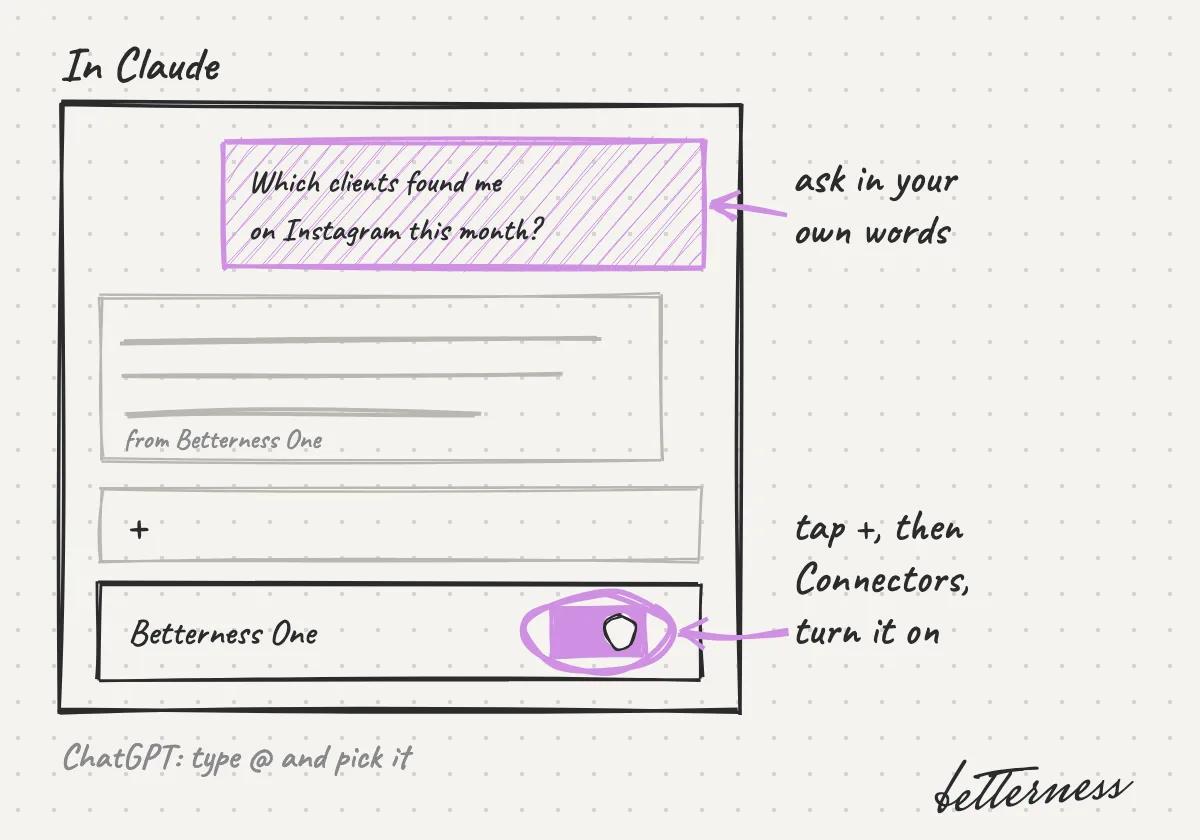
    Sketch: a Claude chat with Betterness One turned on and the question asked.
Read the developer guide

Previous

Answer clients and invite your team

Next

Your latest snapshot

Betterness

Product

  • How it works
  • Bett-i

Resources

  • Tutorials
  • Podcast

Company

  • About
  • News
  • Contact

Legal

  • Privacy
  • Terms
  • Health data
  • Delete your account

For businesses

  • Betterness One ↗, opens Betterness One in a new tab

News from Betterness: the Friday Letter, launches and stories, by email.

  • Instagram ↗, opens in a new tab
  • X ↗, opens in a new tab
  • YouTube ↗, opens in a new tab
  • LinkedIn ↗, opens in a new tab
Download on the App StoreGet it on Google Play
HIPAA, powered by Vanta

HIPAA compliance monitored by Vanta.

Betterness, Inc. · Betterness gives health information, not medical advice. Our stories use fictional people.