
Betterness
How it worksBett-iTutorialsAboutFor businesses ↗, opens Betterness One in a new tabLog inSign up
How it worksBett-iTutorialsAboutFor businesses: Betterness One ↗, opens Betterness One in a new tab
Log inSign up
Skip to content
1. Getting started2. Better Health3. Better Life4. Together5. Bett-i and settings6. Betterness One: Grow, free forever7. Betterness One: Host, Coach, Shop8. Betterness One: Members and Inbox9. Betterness One: your AI10. Home11. Health12. Bett-i coaching13. Apple Watch14. Life15. Team and Inbox16. Labs17. Settings18. Privacy and support
6.1 Set up your SpaceSteps6.2 Add a perk for your clients6.3 Invite clients with a tap, a QR code or a link6.4 See who joined, and how6.5 Connect Instagram

1. Getting started

2. Better Health

3. Better Life

4. Together

5. Bett-i and settings

6. Betterness One: Grow, free forever

6.1 Set up your SpaceSteps6.2 Add a perk for your clients6.3 Invite clients with a tap, a QR code or a link6.4 See who joined, and how6.5 Connect Instagram

7. Betterness One: Host, Coach, Shop

8. Betterness One: Members and Inbox

9. Betterness One: your AI

10. Home

11. Health

12. Bett-i coaching

13. Apple Watch

14. Life

15. Team and Inbox

16. Labs

17. Settings

18. Privacy and support

6

Betterness One: Grow, free forever

6.1

Set up your Space

Your page on Betterness: name, photos, what you offer, published in minutes.

Updated Nov 11, 2026

Why we built it. Your Space is your home inside your clients' everyday app: who you are, what you offer, and where you'll be.

Steps

  1. 1Tap Setup at the top left, then Create your Space. Or open Grow, then Space.
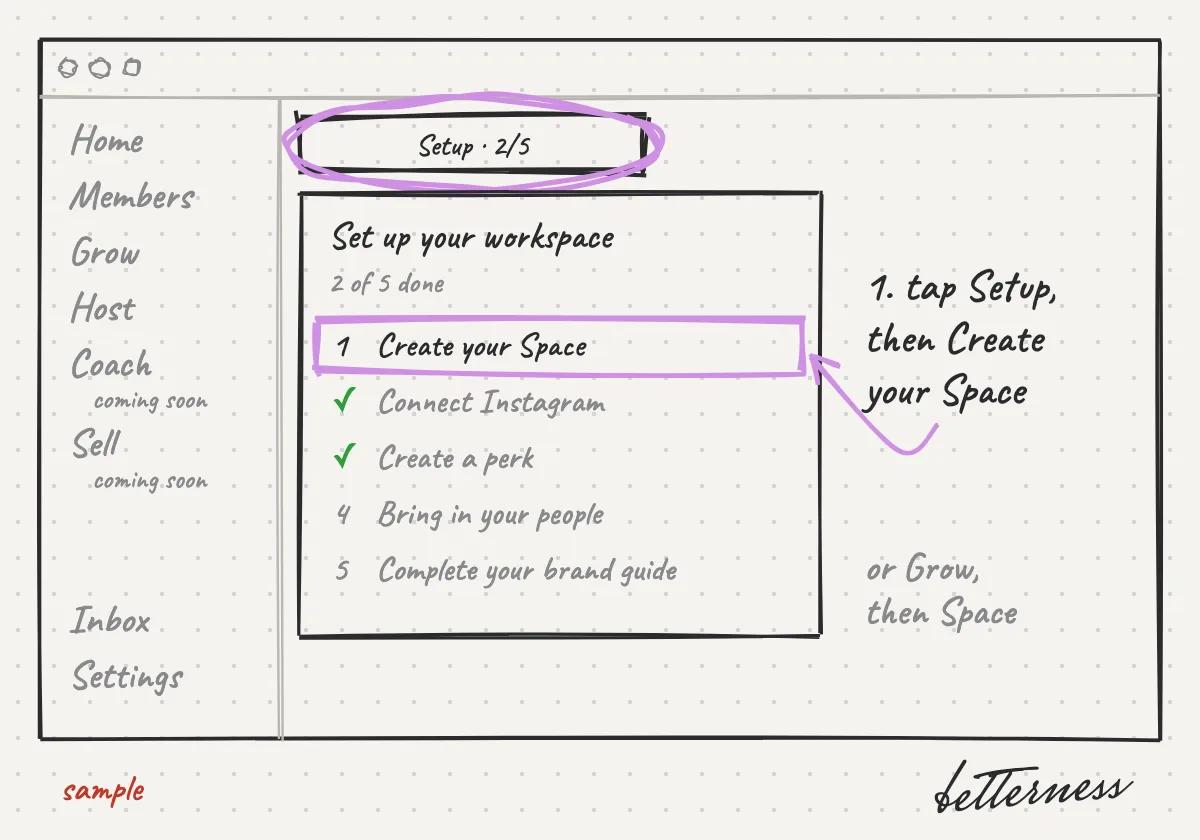
    Sketch: Tap Setup at the top left, then Create your Space. Or open Grow, then Space.
  2. 2Add who you are, what you offer and your photos.
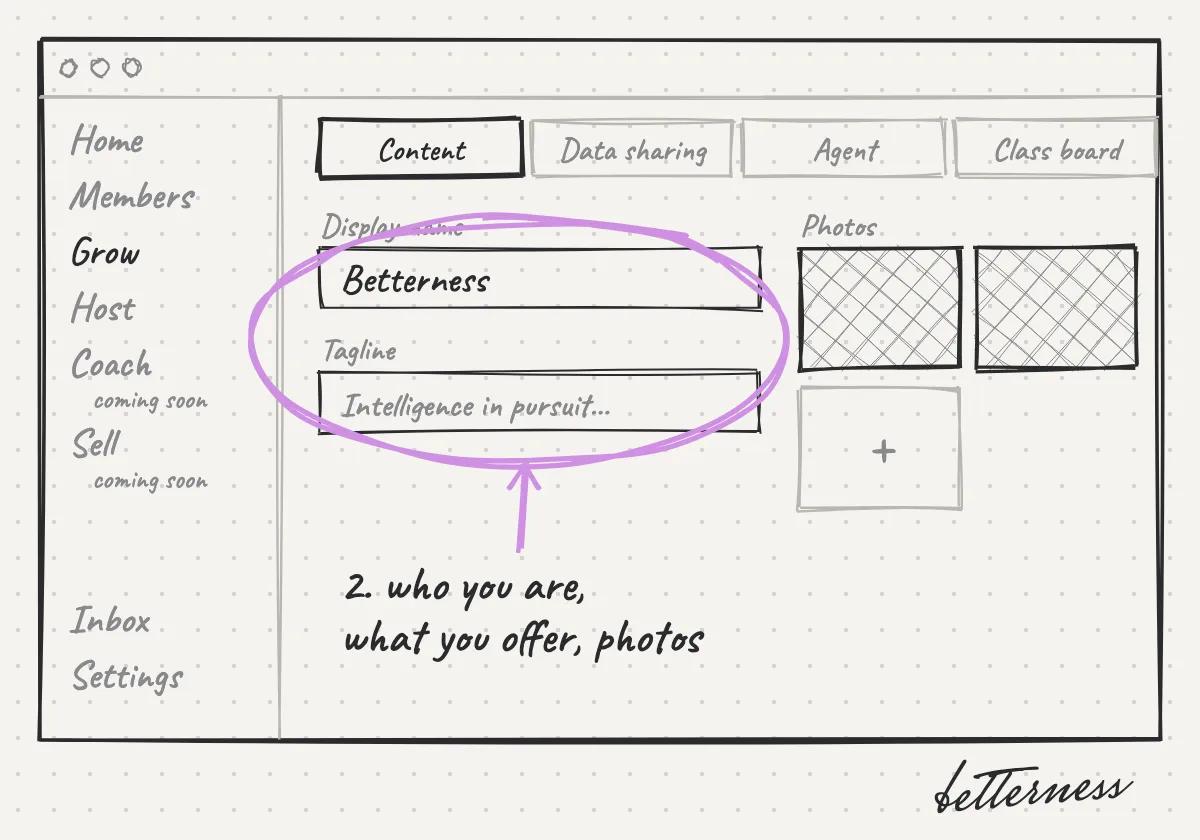
    Sketch: Add who you are, what you offer and your photos.
  3. 3Turn on your agent so it answers clients' questions.
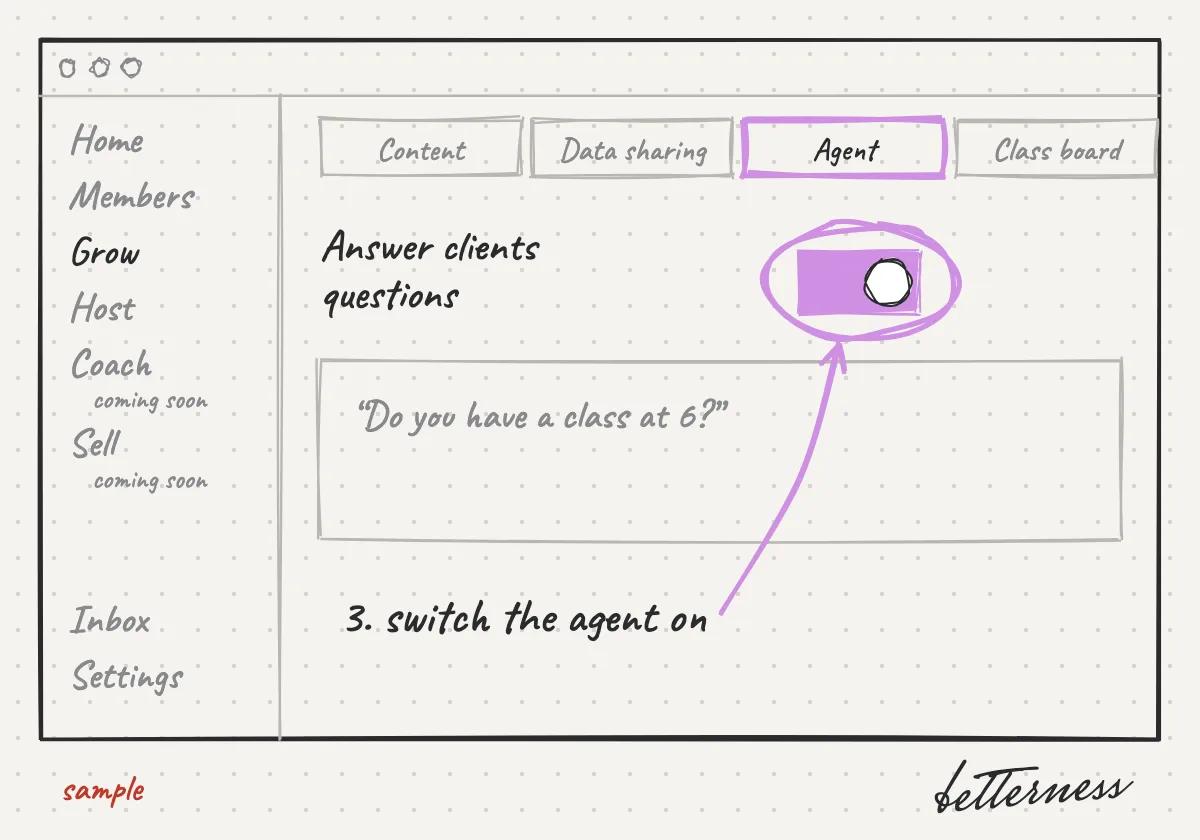
    Sketch: Turn on your agent so it answers clients' questions.
  4. 4Publish. Clients see your Space only after you publish it.
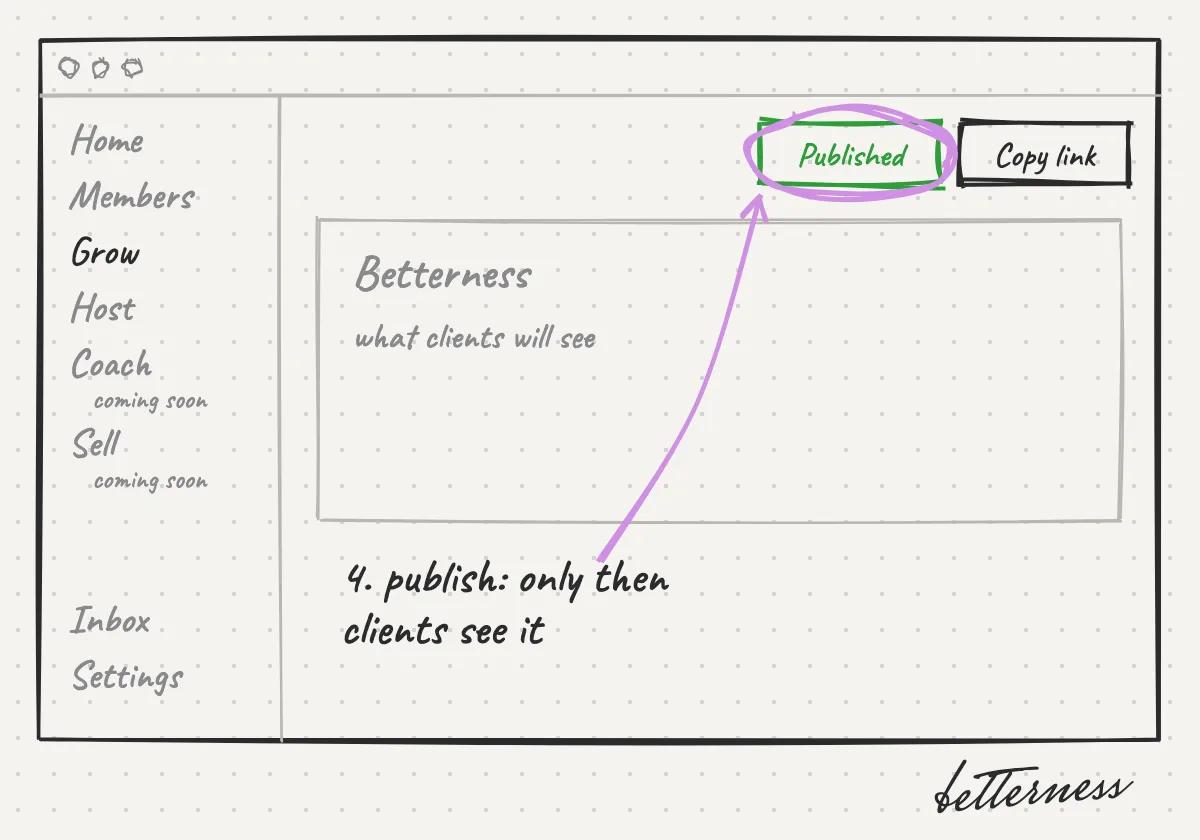
    Sketch: Publish. Clients see your Space only after you publish it.
Previous

Your Inbox

Next

Add a perk for your clients

6.2

Add a perk for your clients

A free class, a discount or a tasting for new or existing clients.

Updated Nov 11, 2026

Why we built it. A perk turns a first visit into a reason to come back, and thanks the clients who already do.

Steps

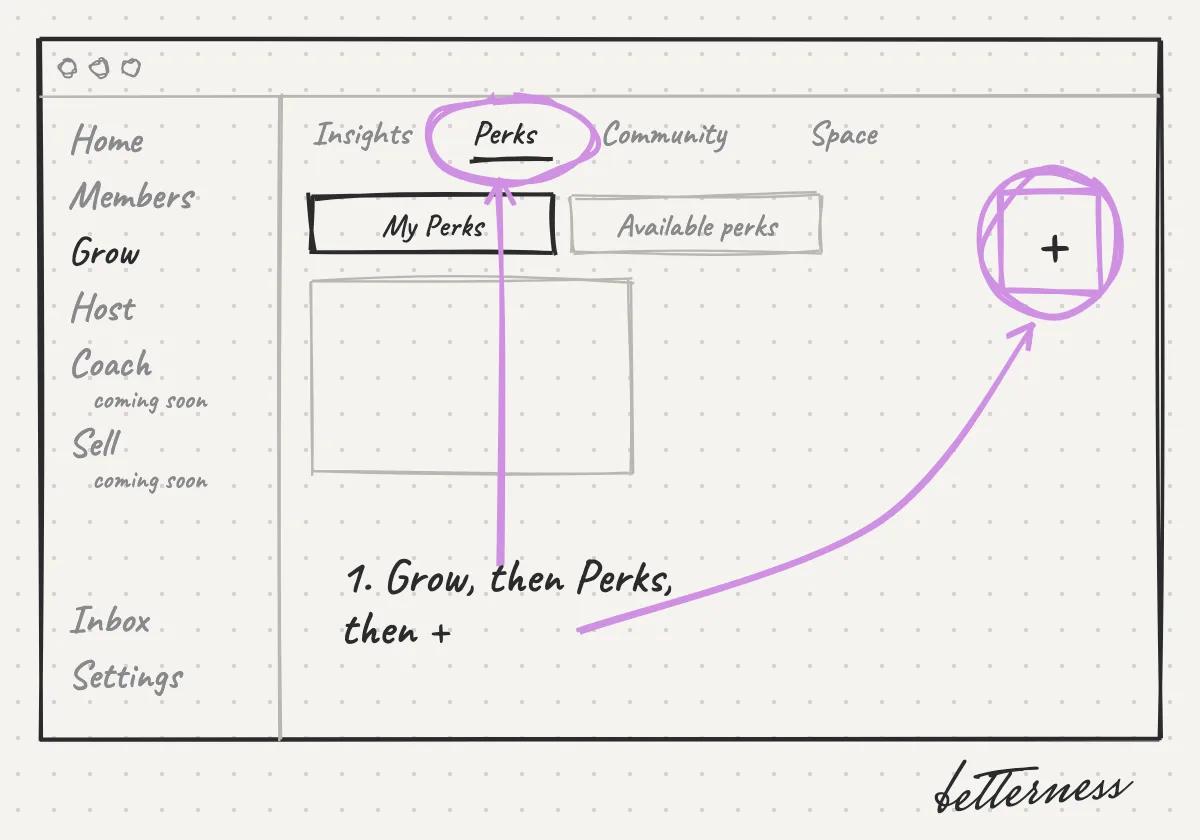
  1. 1Open Grow, then Perks, and tap +.
    Sketch: Open Grow, then Perks, and tap +.
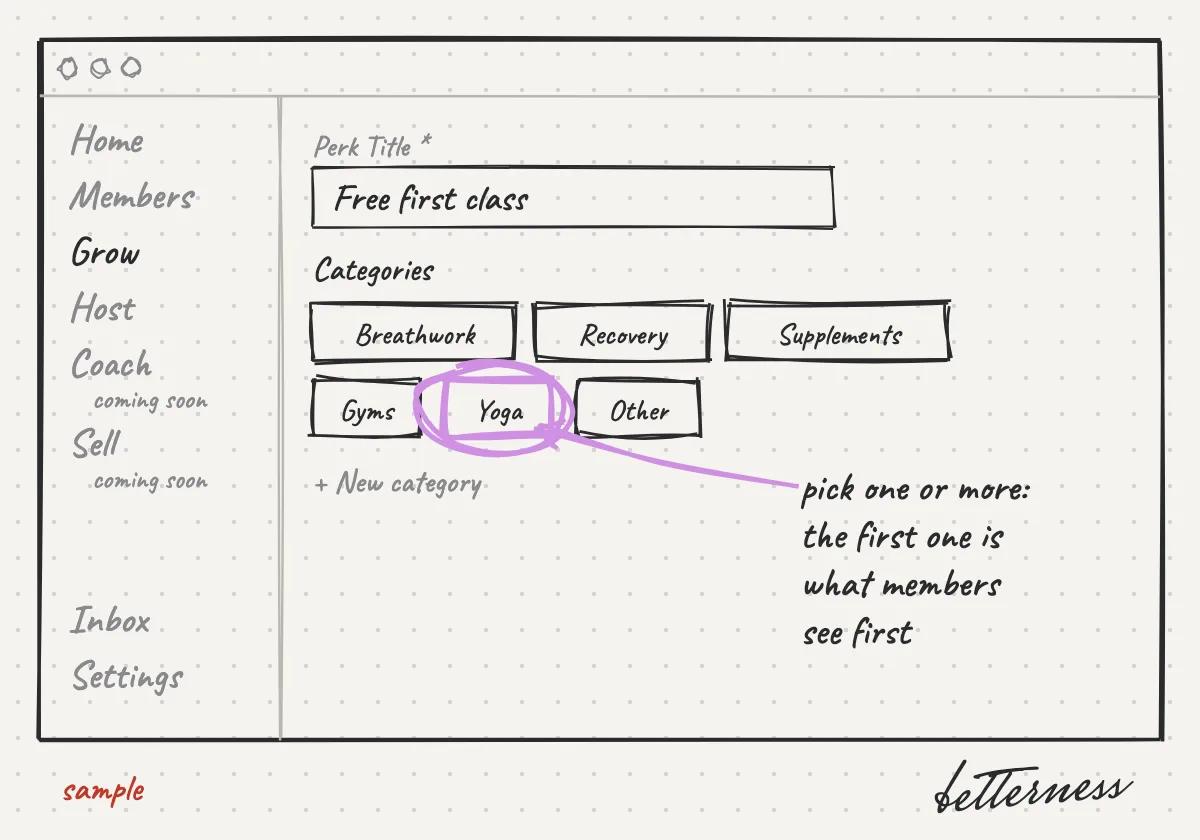
  2. 2Name the perk and pick its categories. The first one you pick is the one members see first.
    Sketch: Name the perk and pick its categories. The first one you pick is the one members see first.
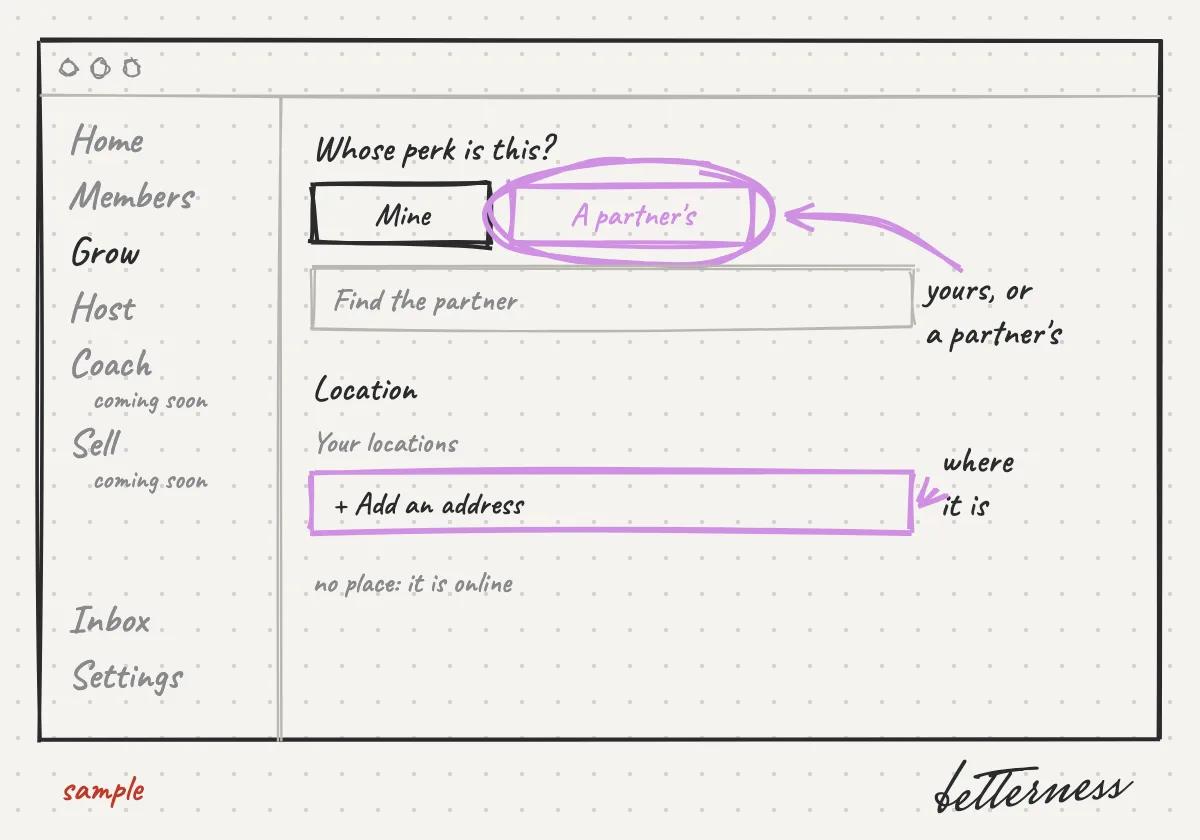
  3. 3Say whose perk it is, yours or a partner's, and add its address.
    Sketch: Say whose perk it is, yours or a partner's, and add its address.
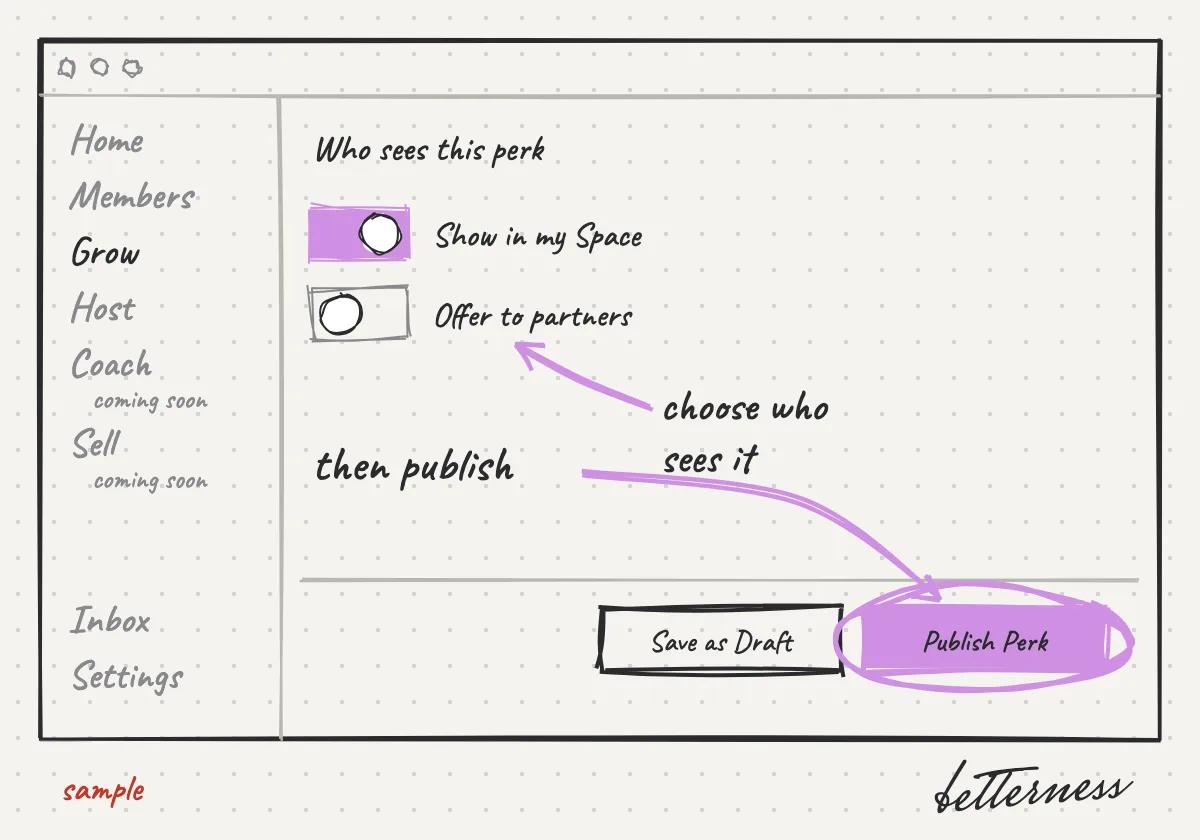
  4. 4Choose who sees it: your Space, partners or both. Then tap Publish Perk.
    Sketch: Choose who sees it: your Space, partners or both. Then tap Publish Perk.

Previous

Set up your Space

Next

Invite clients with a tap, a QR code or a link

6.3

Invite clients with a tap, a QR code or a link

Clients join your Space with a tag, a QR code or a link.

Updated Nov 8, 2026

Why we built it. Relationships start in person. A tap, a scan or a link brings a client in the moment you meet.

Steps

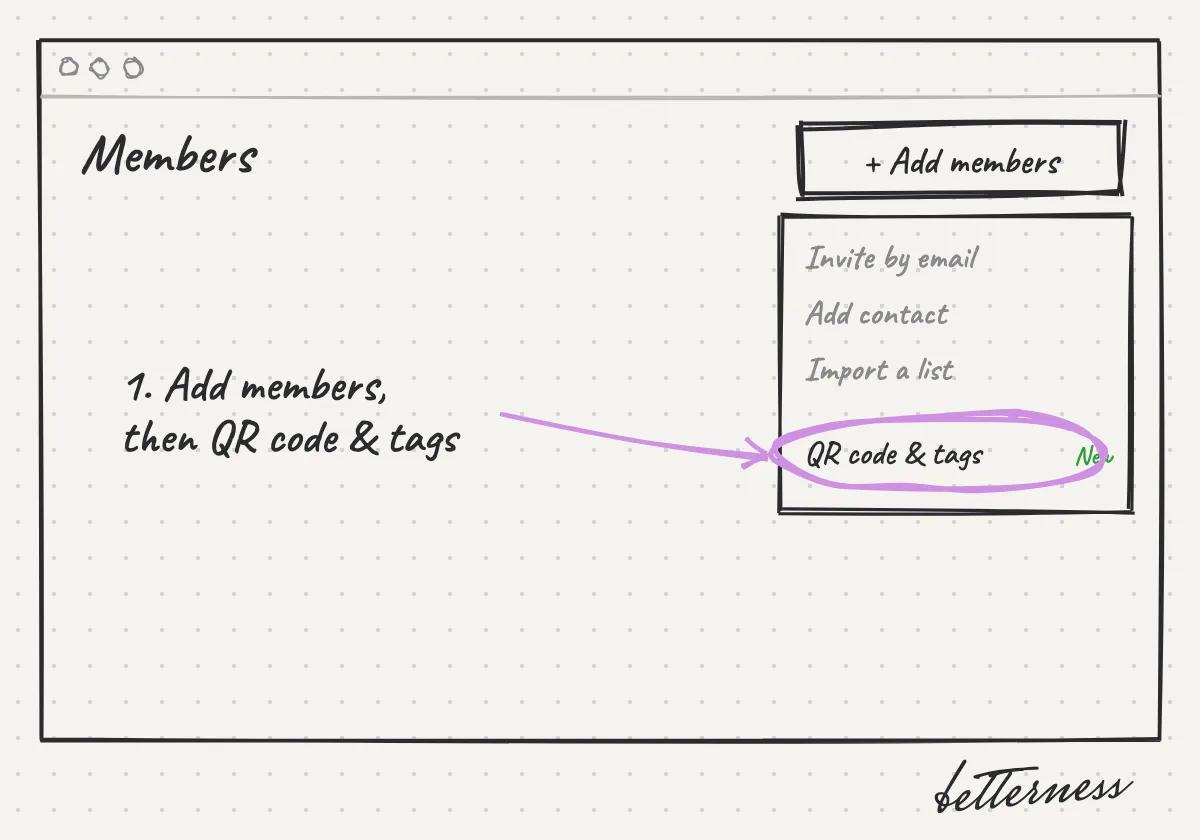
  1. 1Open Members and tap Add members, then QR code & tags.
    Sketch: Open Members and tap Add members, then QR code & tags.
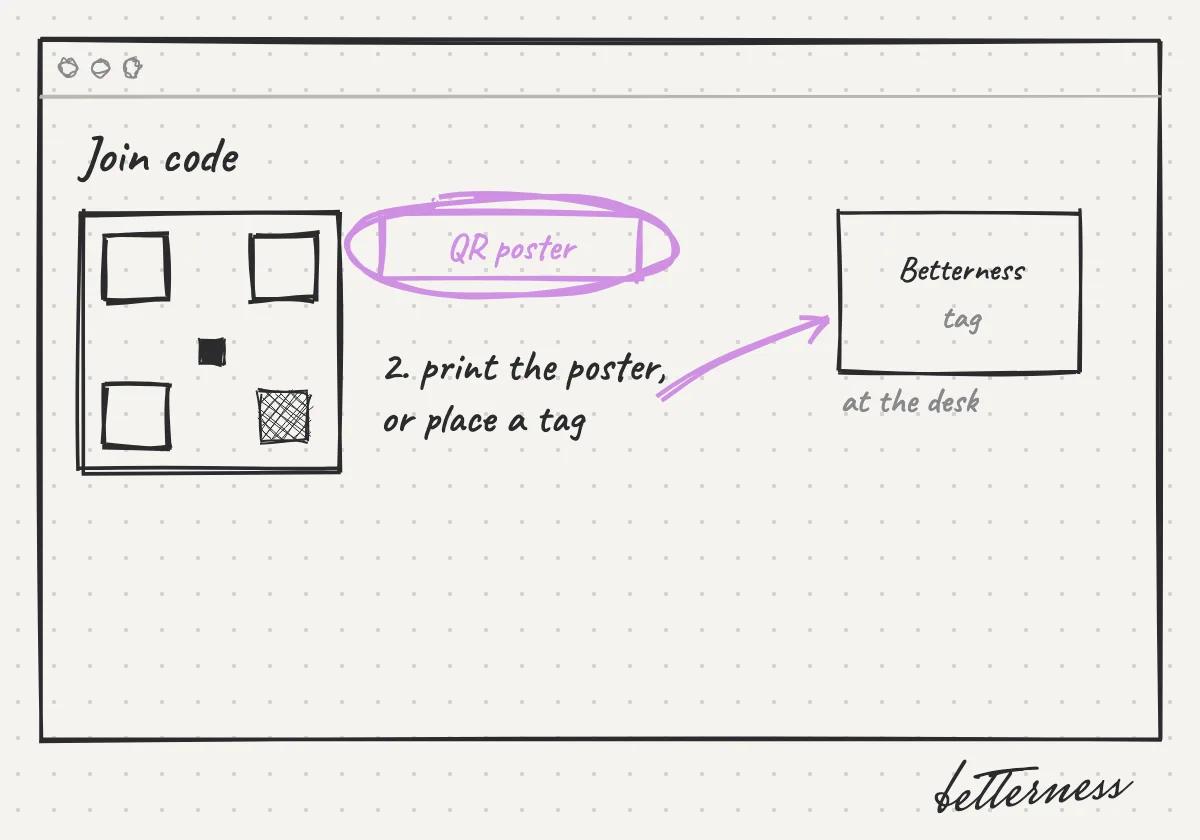
  2. 2Print the QR poster or place a Betterness tag at the desk, the stand or the event table.
    Sketch: Print the QR poster or place a Betterness tag at the desk, the stand or the event table.
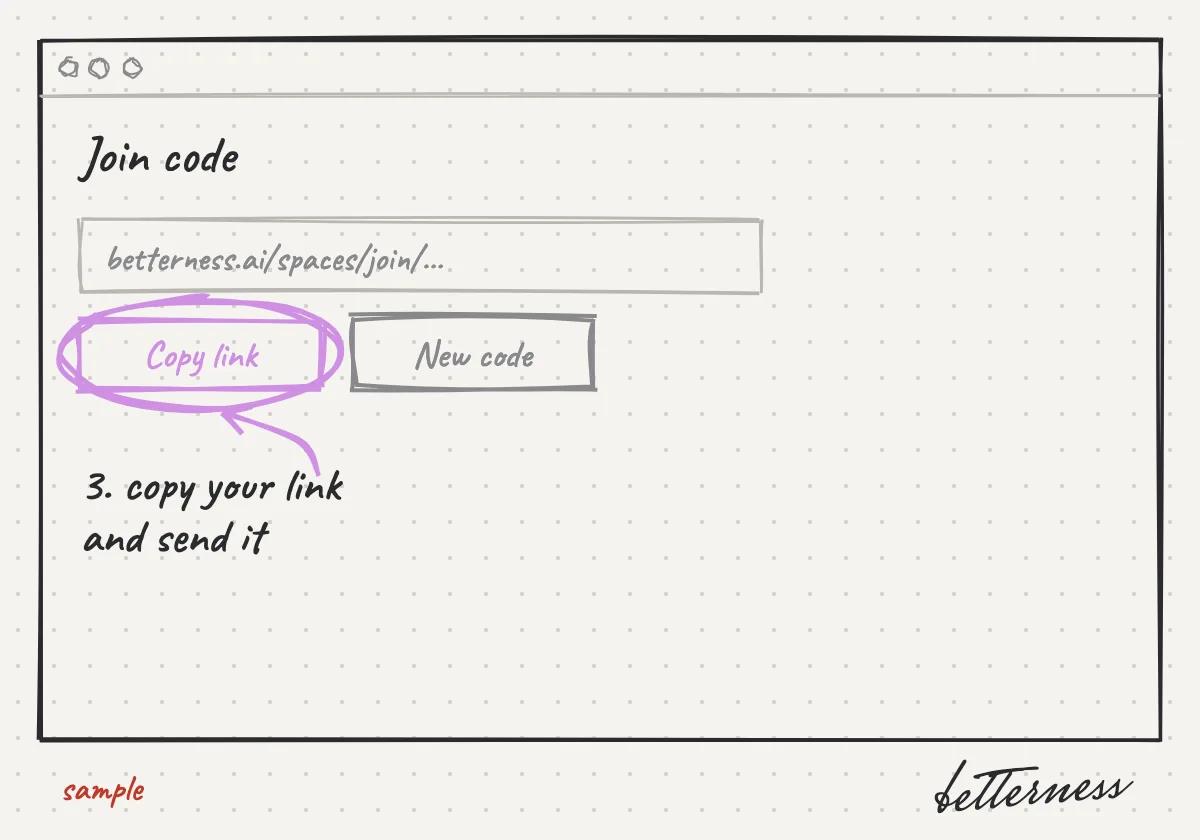
  3. 3Or copy your link and send it.
    Sketch: Or copy your link and send it.
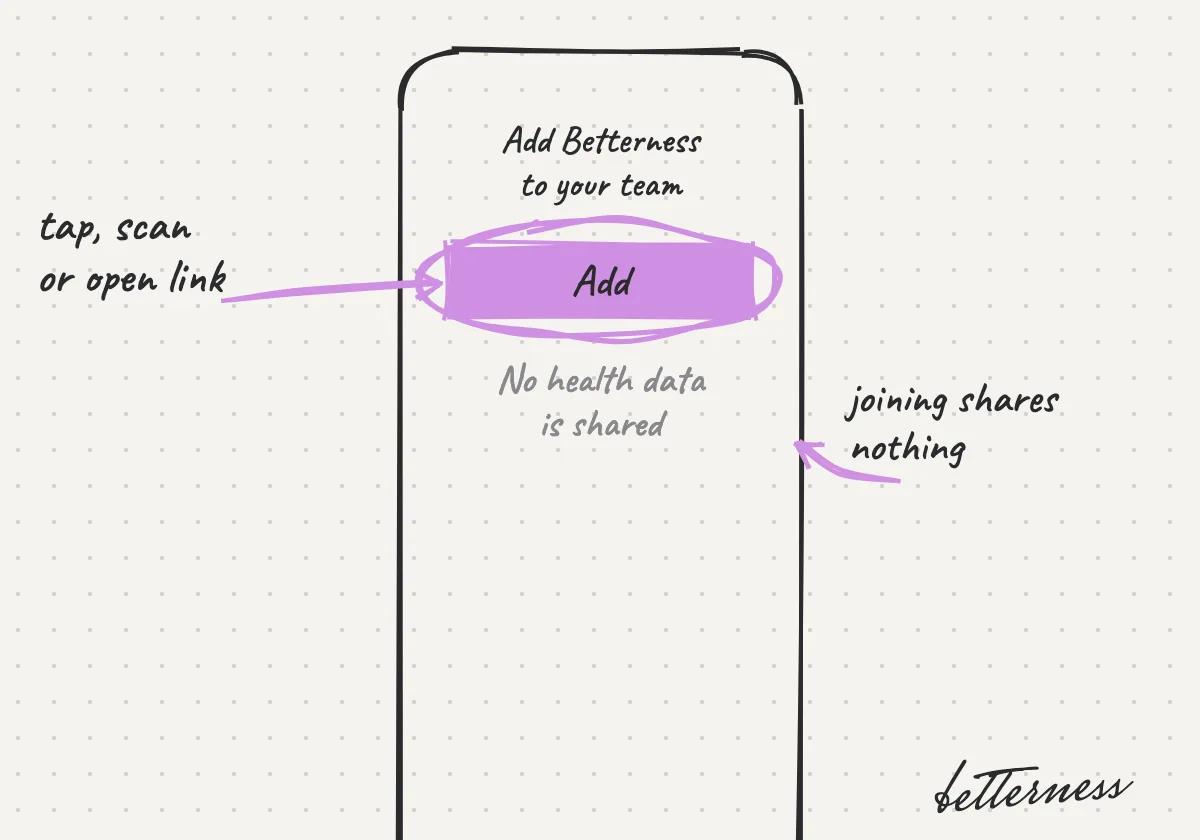
  4. 4A client taps, scans or opens it and joins. No health data is shared.
    Sketch: A client taps, scans or opens it and joins. No health data is shared.

Previous

Add a perk for your clients

Next

See who joined, and how

6.4

See who joined, and how

Who joined, when, and through which invite.

Updated Nov 11, 2026

Why we built it. Knowing how people found you tells you what is working.

Steps

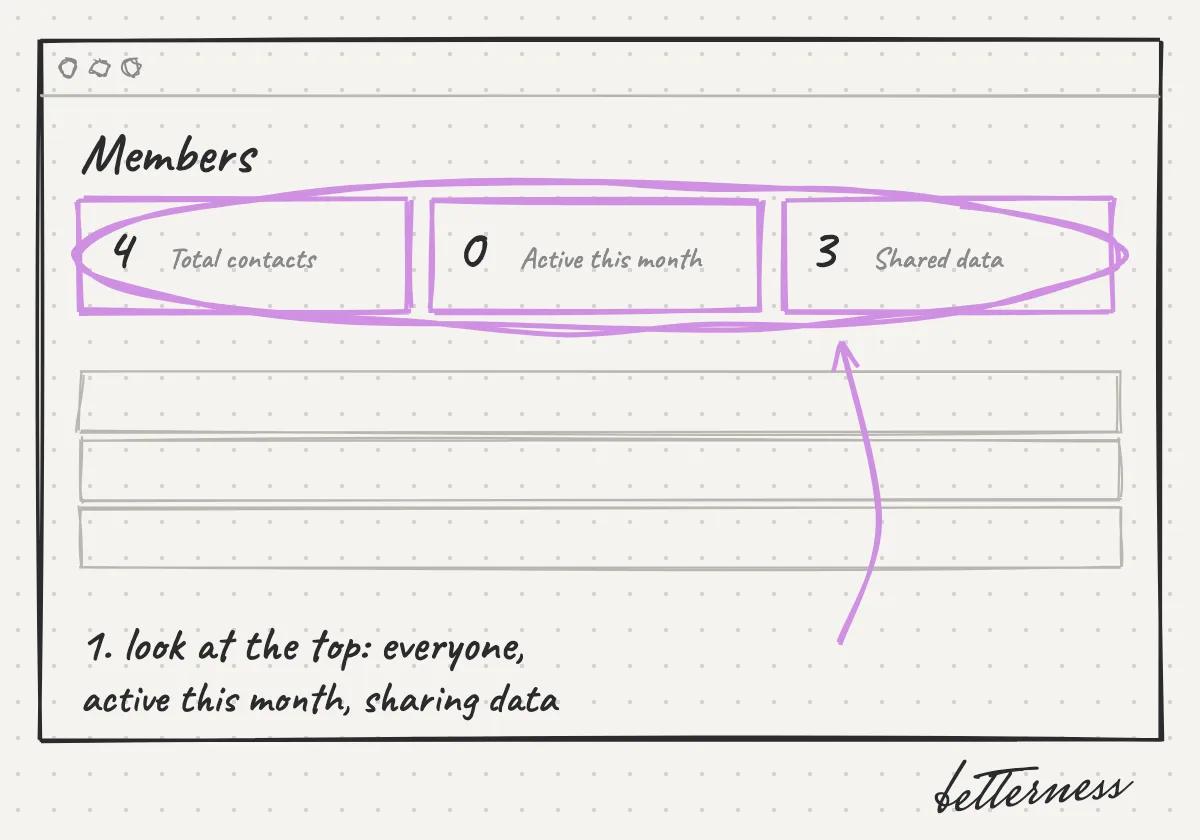
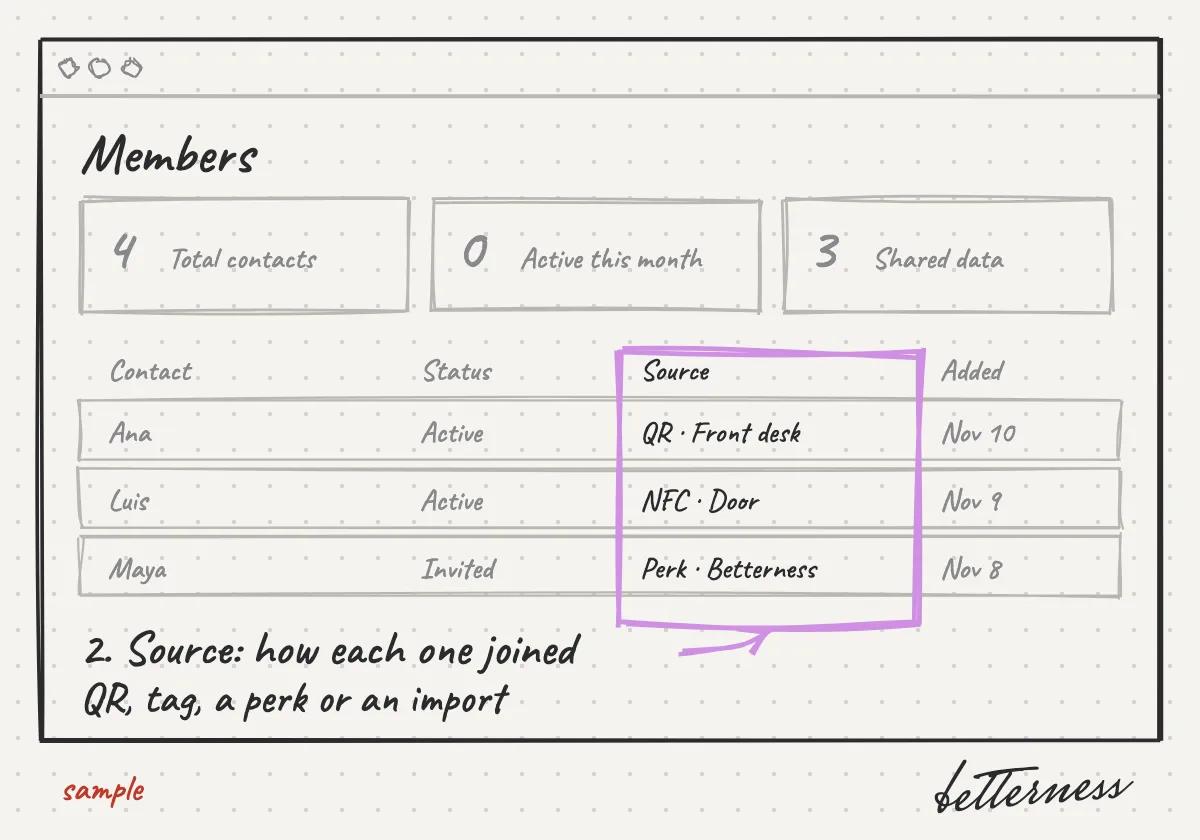
  1. 1Open Members and look at the top: total contacts, who was active this month, and who shares data.
    Sketch: Open Members and look at the top: total contacts, who was active this month, and who shares data.
  2. 2The Source column shows how each member joined: a QR code, a tag, a perk or an import.
    Sketch: The Source column shows how each member joined: a QR code, a tag, a perk or an import.
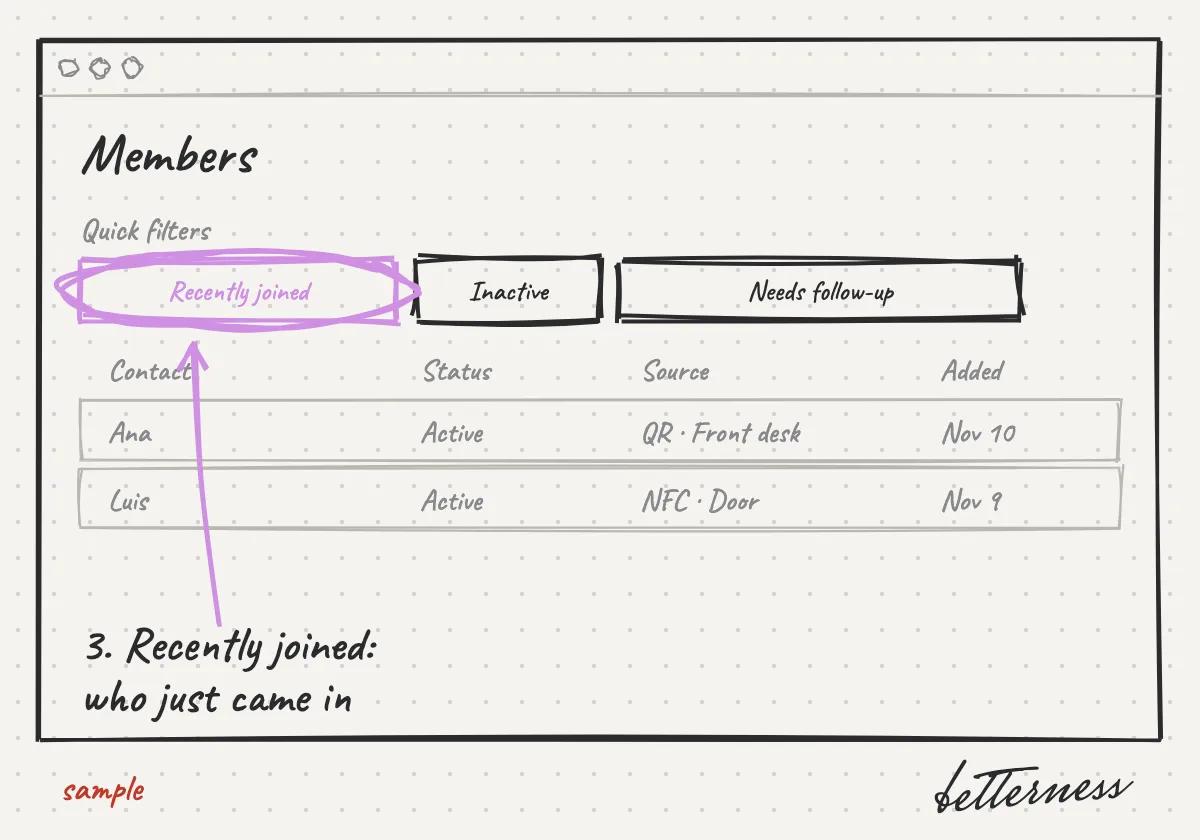
  3. 3Tap Recently joined to see who just came in.
    Sketch: Tap Recently joined to see who just came in.

Previous

Invite clients with a tap, a QR code or a link

Next

Connect Instagram

6.5

Connect Instagram

See what your followers respond to, and what your members have in common.

Updated Nov 11, 2026

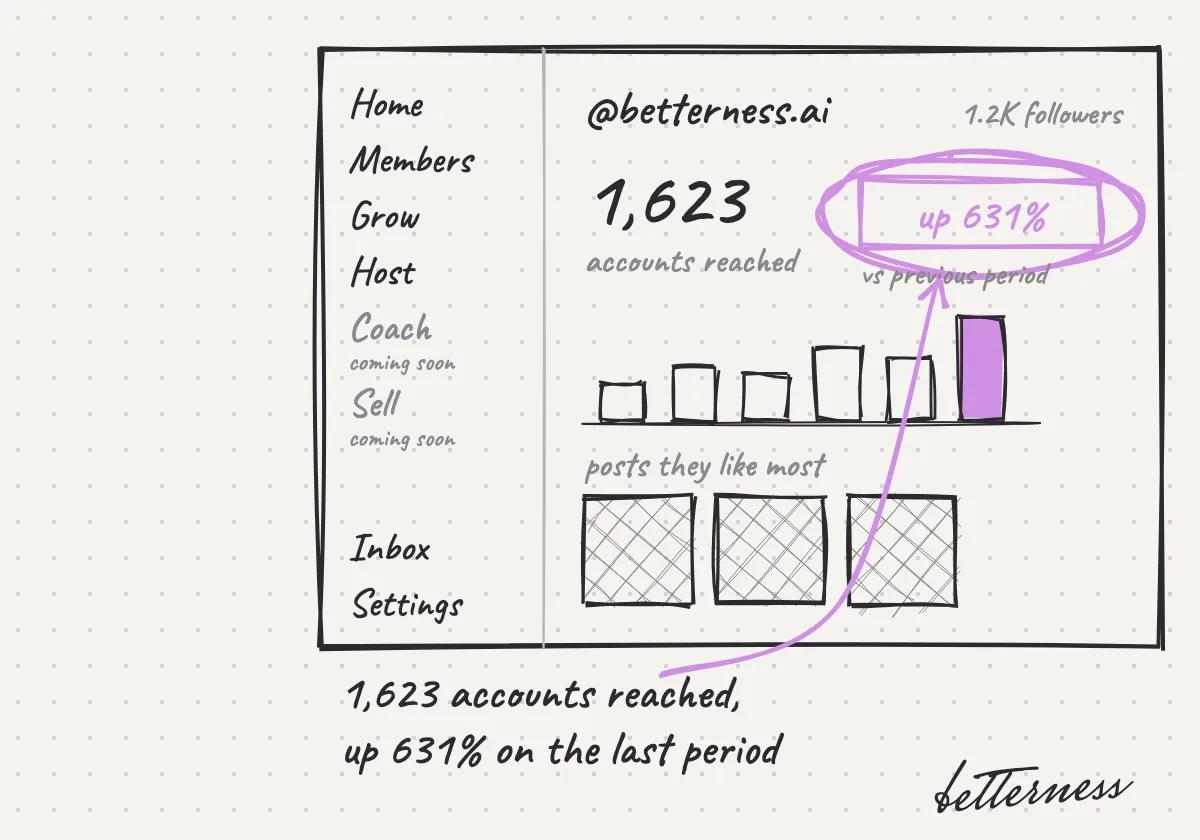
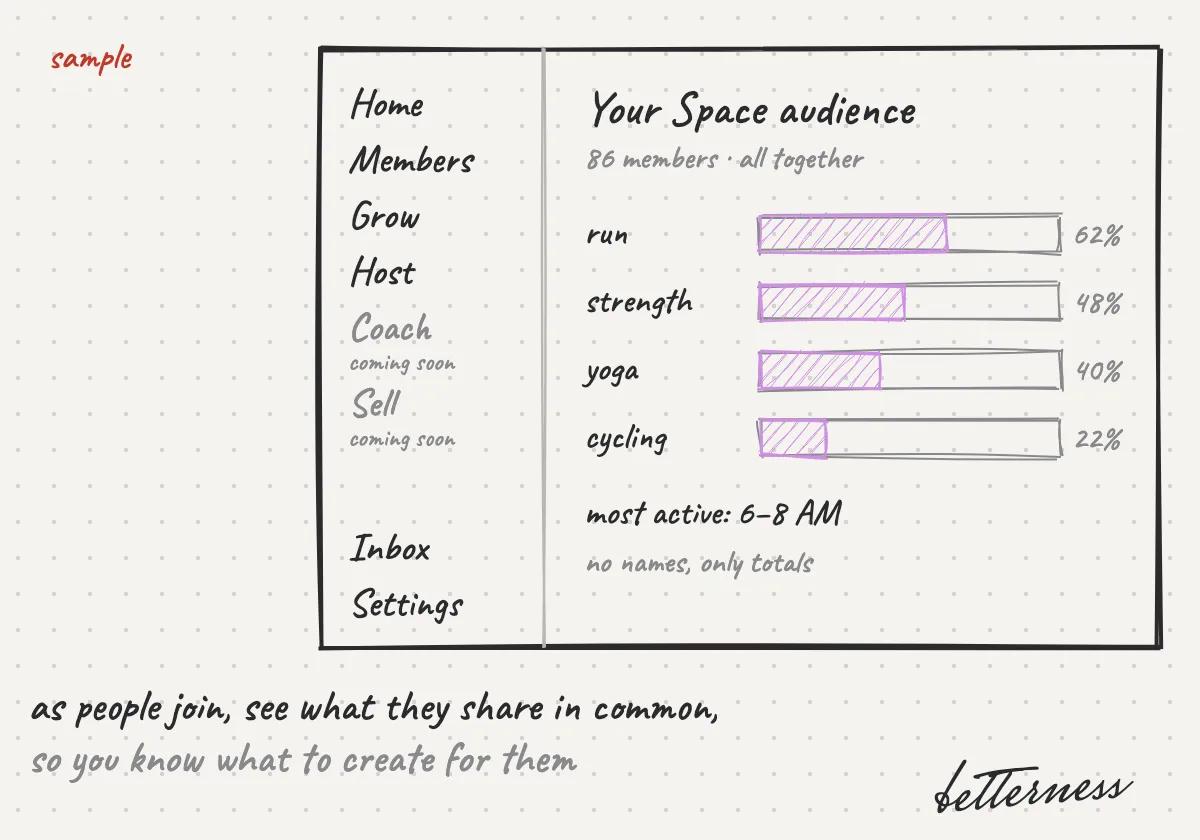
Why we built it. Your clients already follow you on Instagram. Connecting it shows what they respond to. As they join your Space, totals across members show what to create for them.

Note

Coming soon: Insights.

Steps

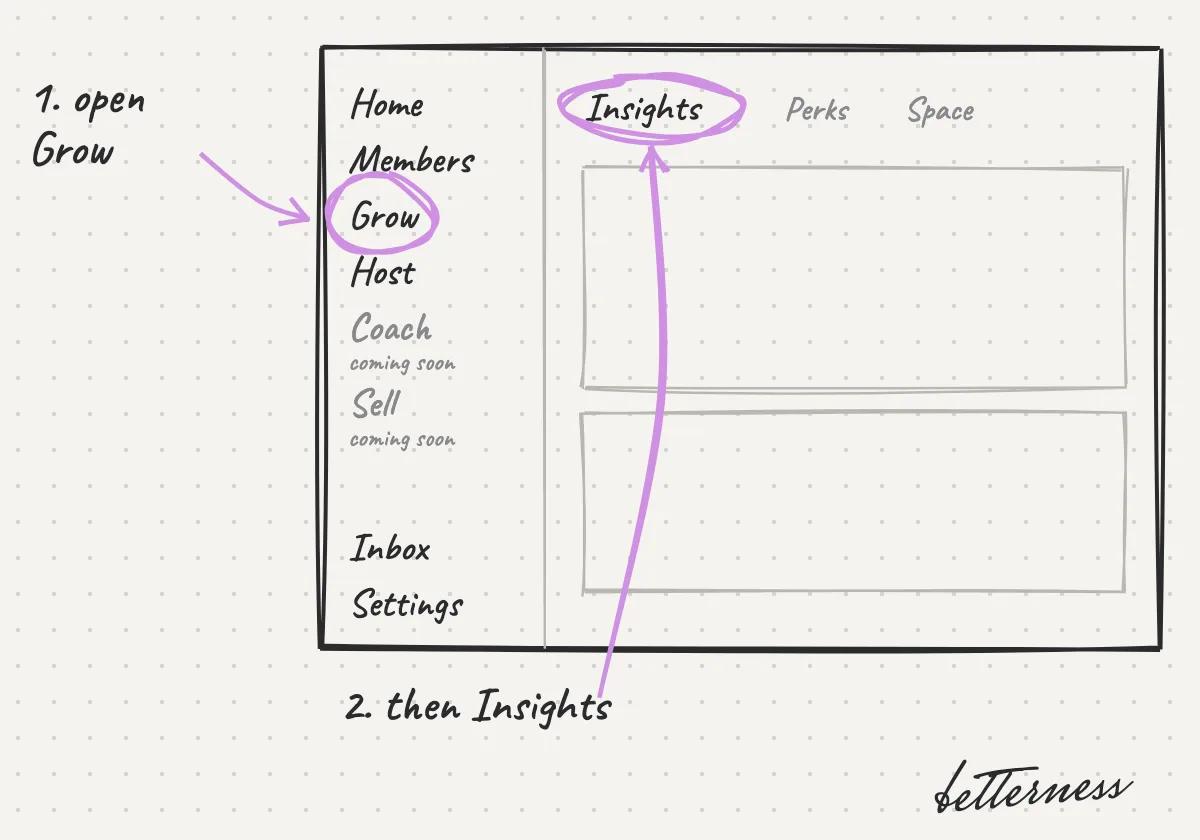
  1. 1Open Grow, then Insights.
    Sketch: Open Grow, then Insights.
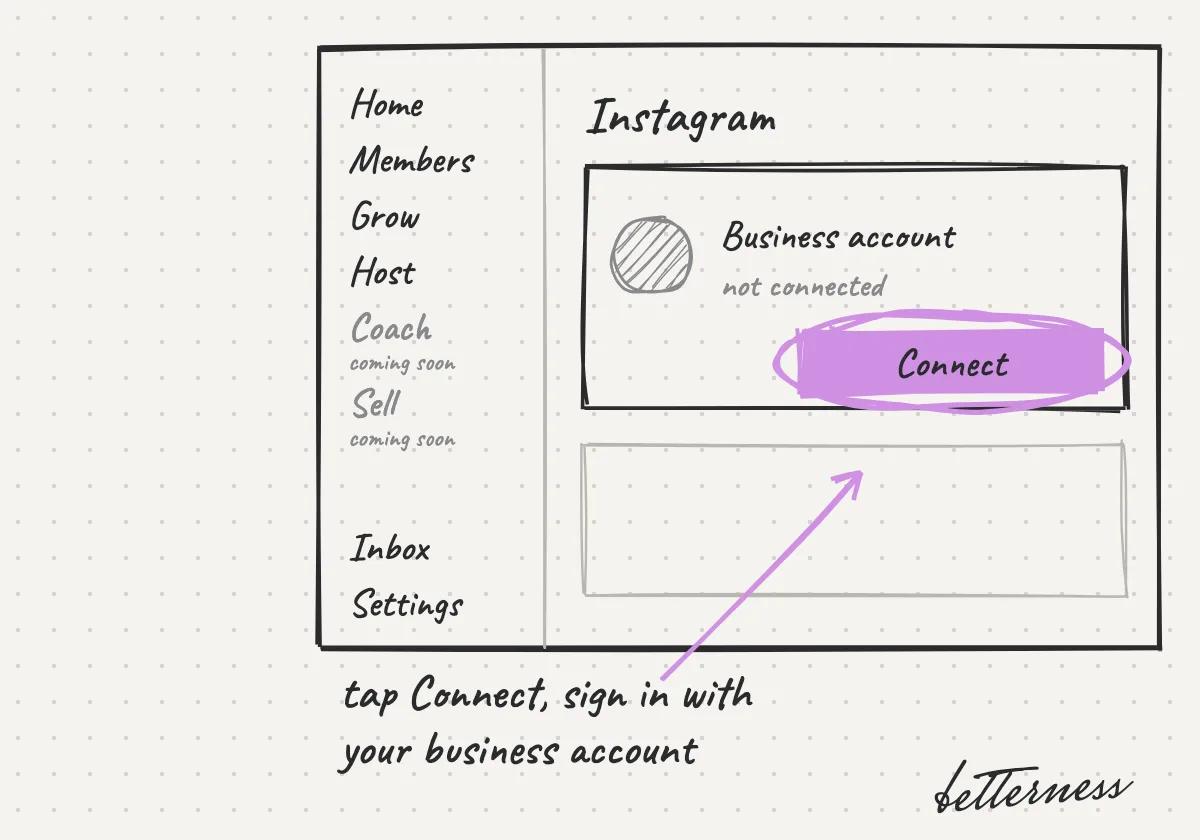
  2. 2Connect your Instagram business account.
    Sketch: Connect your Instagram business account.
  3. 3See what your followers respond to.
    Sketch: See what your followers respond to.
  4. 4As people join your Space, see what they have in common, in totals only, so you know what to create for them.
    Sketch: As people join your Space, see what they have in common, in totals only, so you know what to create for them.

Previous

See who joined, and how

Next

Host: when you want clients booking with you

Betterness

Product

  • How it works
  • Bett-i

Resources

  • Tutorials
  • Podcast

Company

  • About
  • News
  • Contact

Legal

  • Privacy
  • Terms
  • Health data
  • Delete your account

For businesses

  • Betterness One ↗, opens Betterness One in a new tab

News from Betterness: the Friday Letter, launches and stories, by email.

  • Instagram ↗, opens in a new tab
  • X ↗, opens in a new tab
  • YouTube ↗, opens in a new tab
  • LinkedIn ↗, opens in a new tab
Download on the App StoreGet it on Google Play
HIPAA, powered by Vanta

HIPAA compliance monitored by Vanta.

Betterness, Inc. · Betterness gives health information, not medical advice. Our stories use fictional people.