
Betterness
How it worksBett-iTutorialsAboutFor businesses ↗, opens Betterness One in a new tabLog inSign up
How it worksBett-iTutorialsAboutFor businesses: Betterness One ↗, opens Betterness One in a new tab
Log inSign up
Skip to content
1. Getting started2. Better Health3. Better Life4. Together5. Bett-i and settings6. Betterness One: Grow, free forever7. Betterness One: Host, Coach, Shop8. Betterness One: Members and Inbox9. Betterness One: your AI10. Home11. Health12. Bett-i coaching13. Apple Watch14. Life15. Team and Inbox16. Labs17. Settings18. Privacy and support
3.1 Start your day with Today3.2 Cheer your people in Community3.3 Learn, relax or get moving with Media3.4 See where things fit in CalendarSteps

1. Getting started

2. Better Health

3. Better Life

3.1 Start your day with Today3.2 Cheer your people in Community3.3 Learn, relax or get moving with Media3.4 See where things fit in CalendarSteps

4. Together

5. Bett-i and settings

6. Betterness One: Grow, free forever

7. Betterness One: Host, Coach, Shop

8. Betterness One: Members and Inbox

9. Betterness One: your AI

10. Home

11. Health

12. Bett-i coaching

13. Apple Watch

14. Life

15. Team and Inbox

16. Labs

17. Settings

18. Privacy and support

3

Better Life

3.1

Start your day with Today

A few things to do today, each with a picture and the reason why.

Updated Nov 8, 2026

Why we built it. Today suggests a few things that fit your day, and says why.

Steps

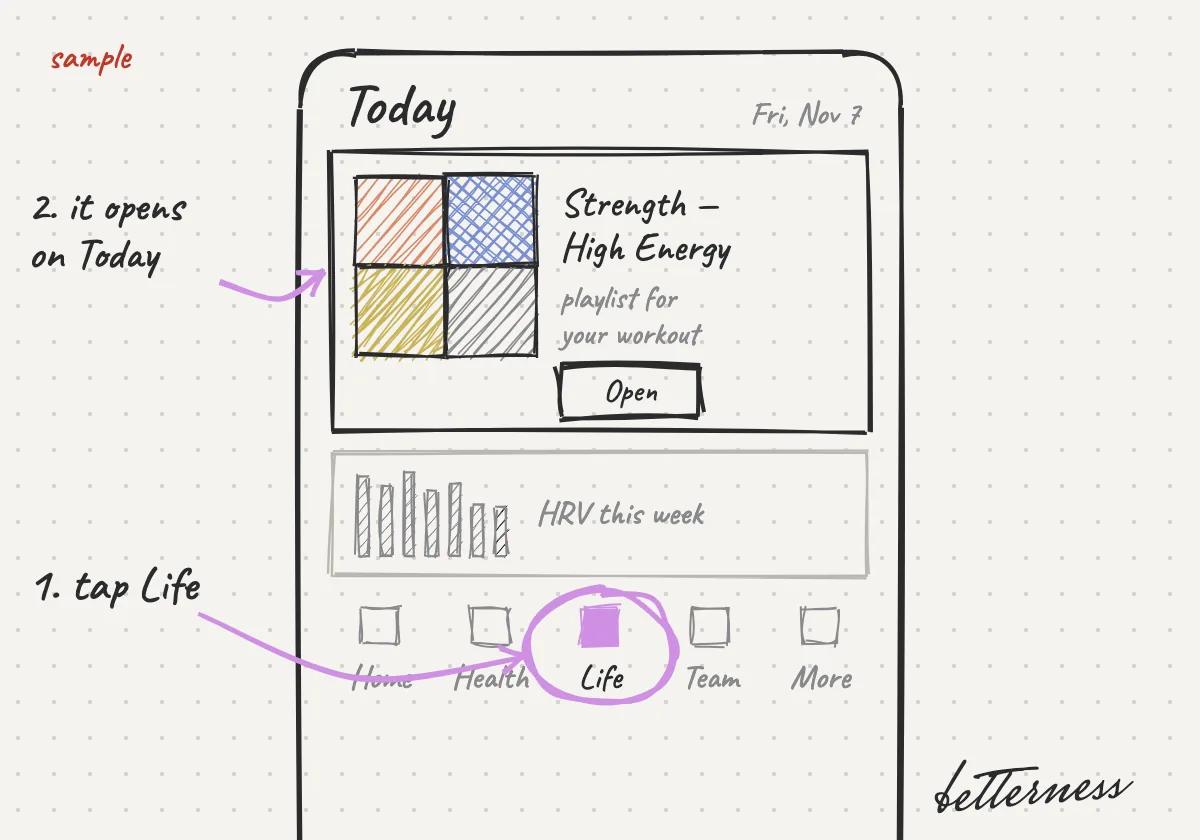
  1. 1Open Life. It opens on Today.
    Sketch: Open Life. It opens on Today.
  2. 2Read the few things Bett-i suggests for today, and why.
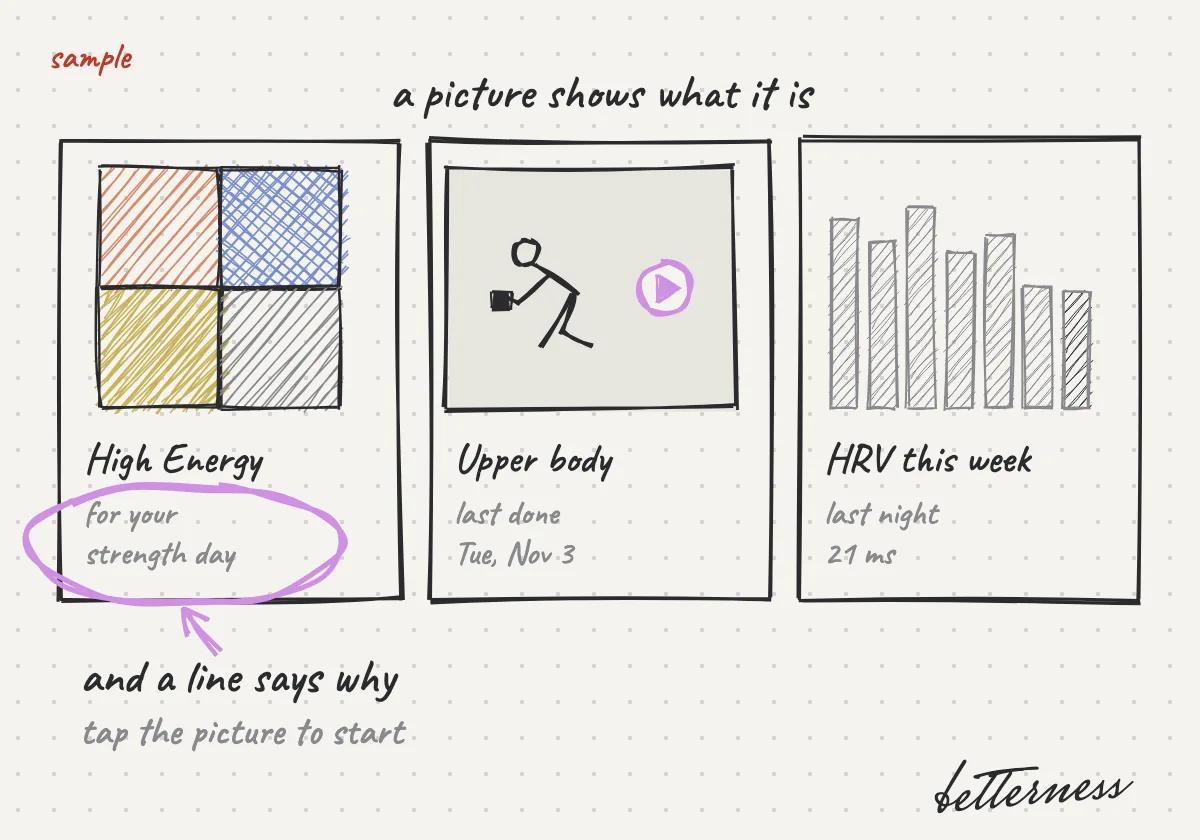
    Sketch: Read the few things Bett-i suggests for today, and why.
  3. 3Tap Done when you do one. Bett-i learns what works for you.
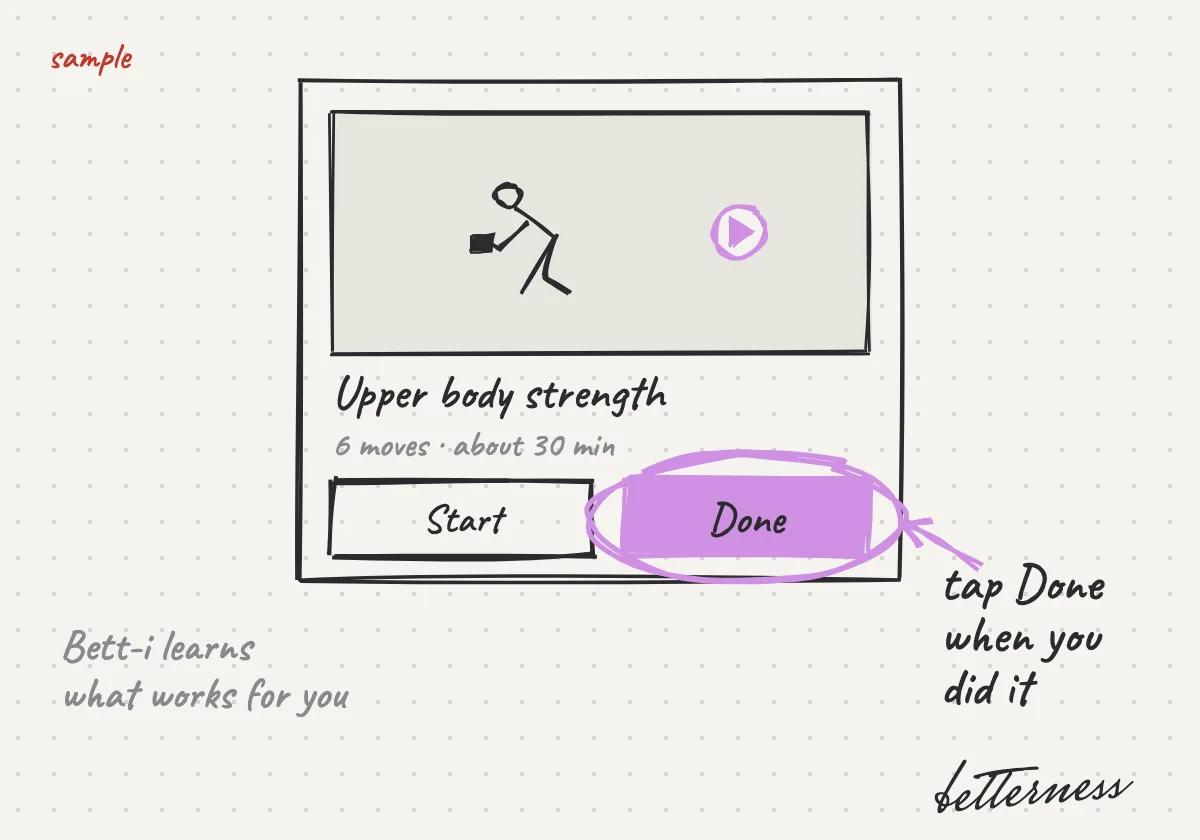
    Sketch: Tap Done when you do one. Bett-i learns what works for you.
  4. 4Change Today's suggestions in its settings.
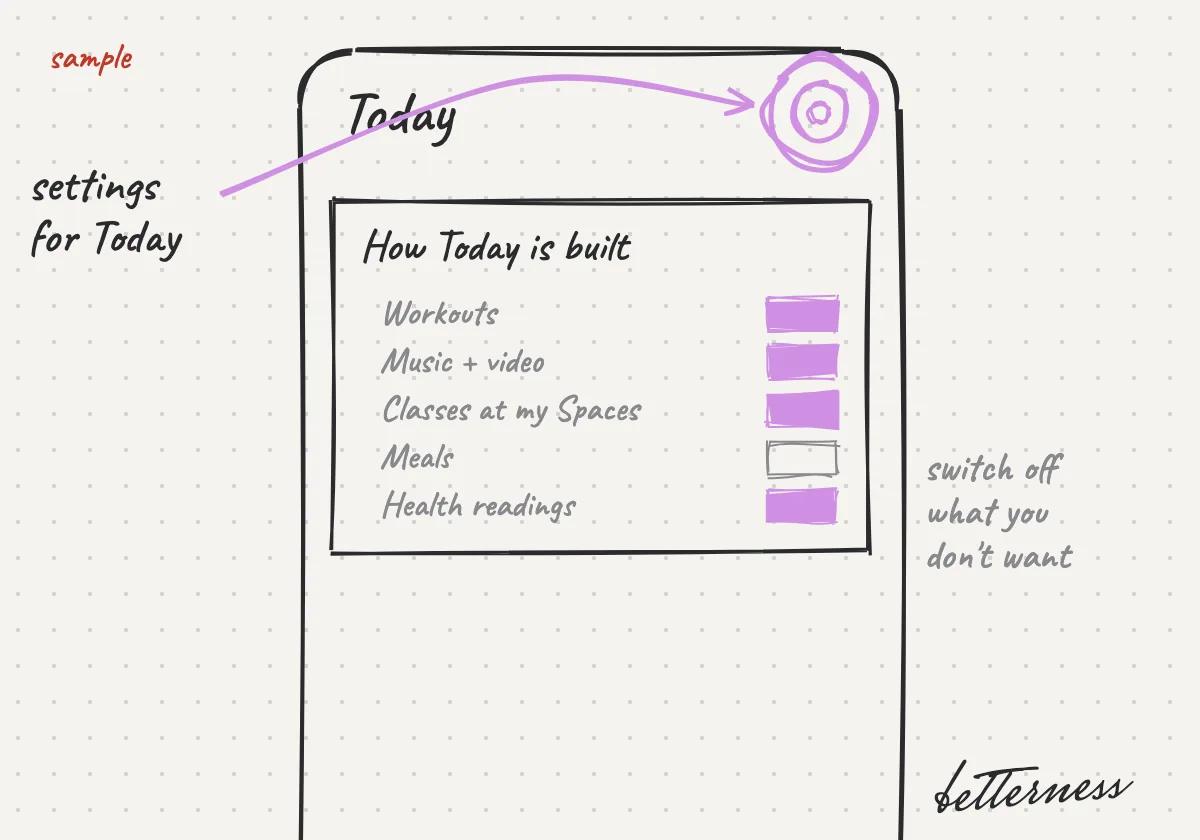
    Sketch: Change how Today is built in its settings.
Open in the app

Previous

Log a meal with one photo

Next

Cheer your people in Community

3.2

Cheer your people in Community

See what your people and your Spaces are doing, and cheer them on.

Updated Nov 8, 2026

Why we built it. Community shows what the people you follow and your Spaces are doing, and lets them cheer you on.

Steps

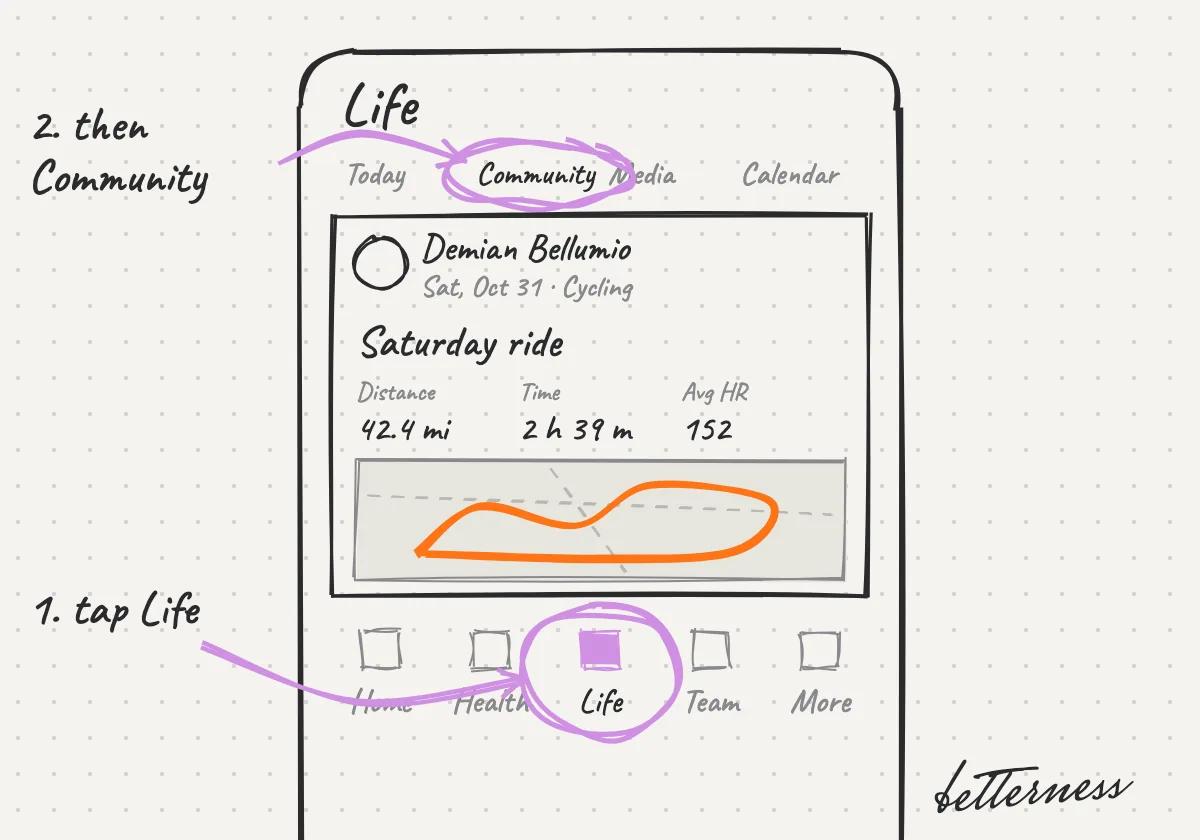
  1. 1Open Life, then Community.
    Sketch: Open Life, then Community.
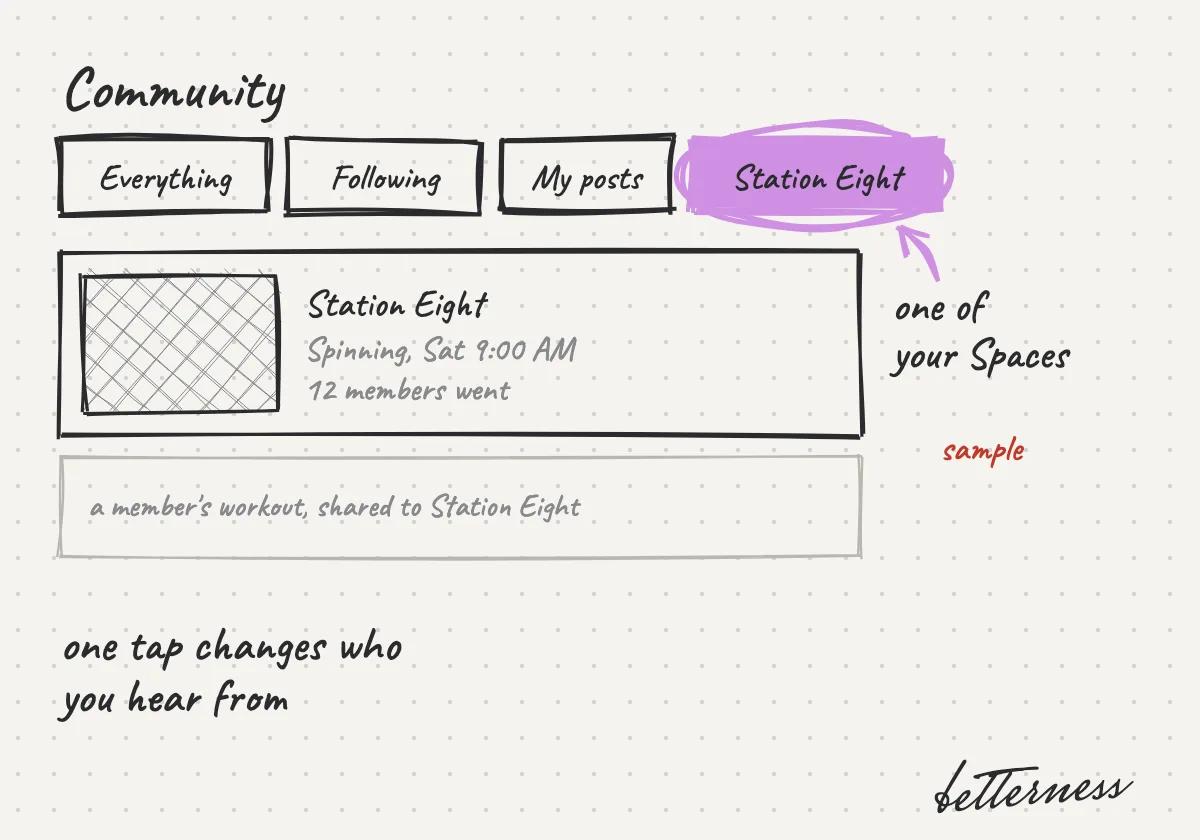
  2. 2Pick a view: Everything, Following, My posts, or one of your Spaces.
    Sketch: Pick a view: Everything, Following, My posts, or one of your Spaces.
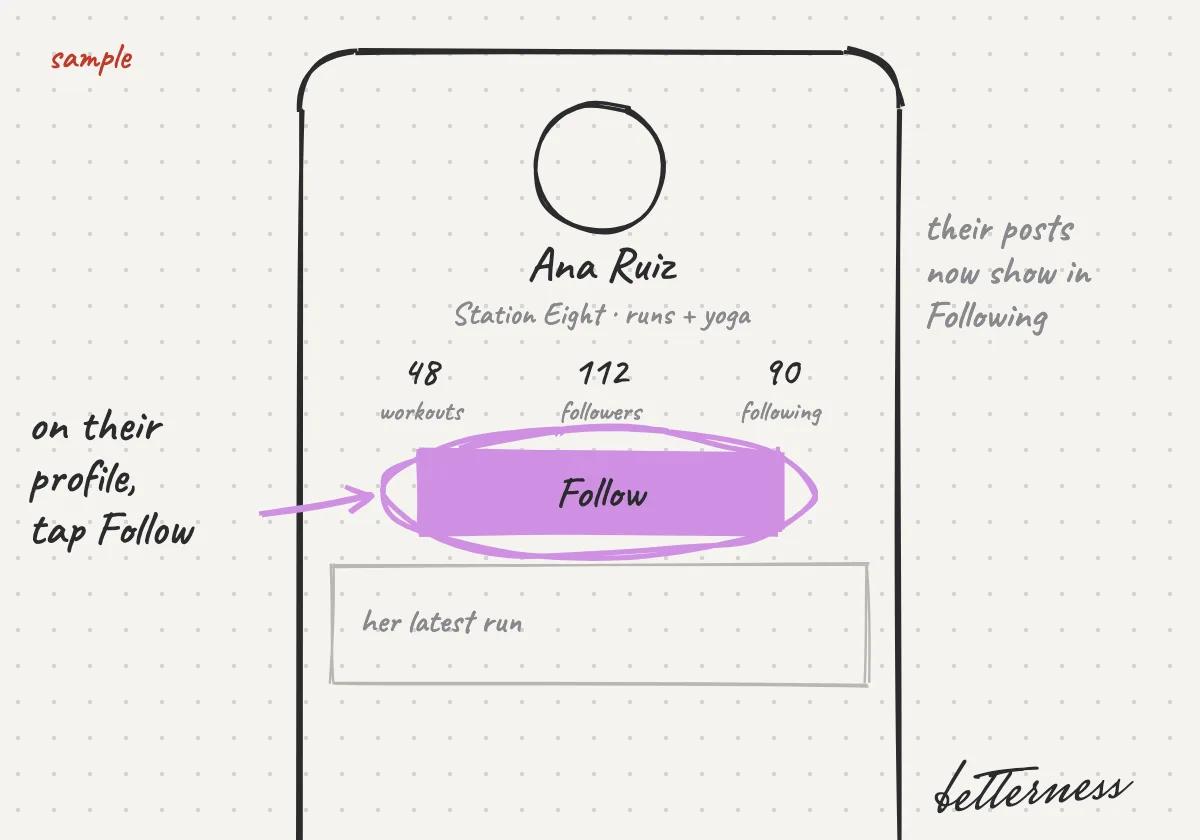
  3. 3Follow someone from their profile.
    Sketch: Follow someone from their profile.
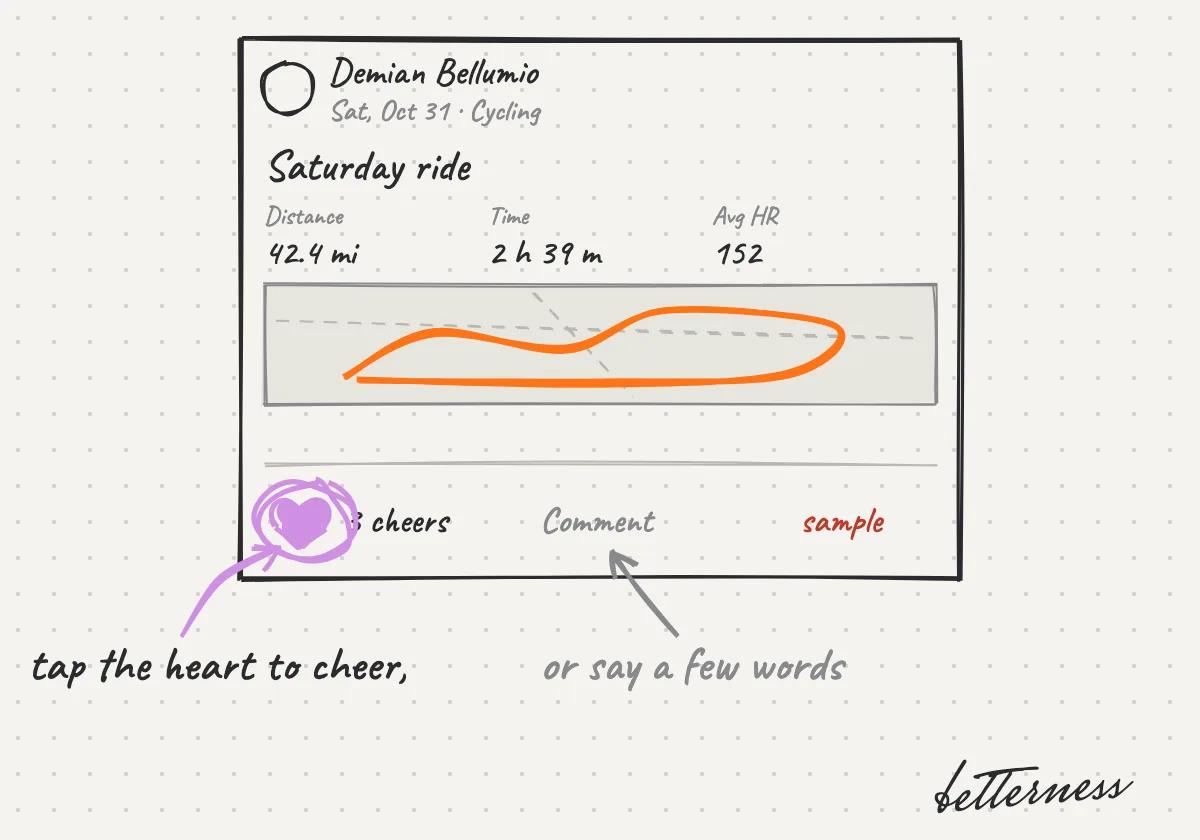
  4. 4Cheer or comment on a post.
    Sketch: Cheer or comment on a post.
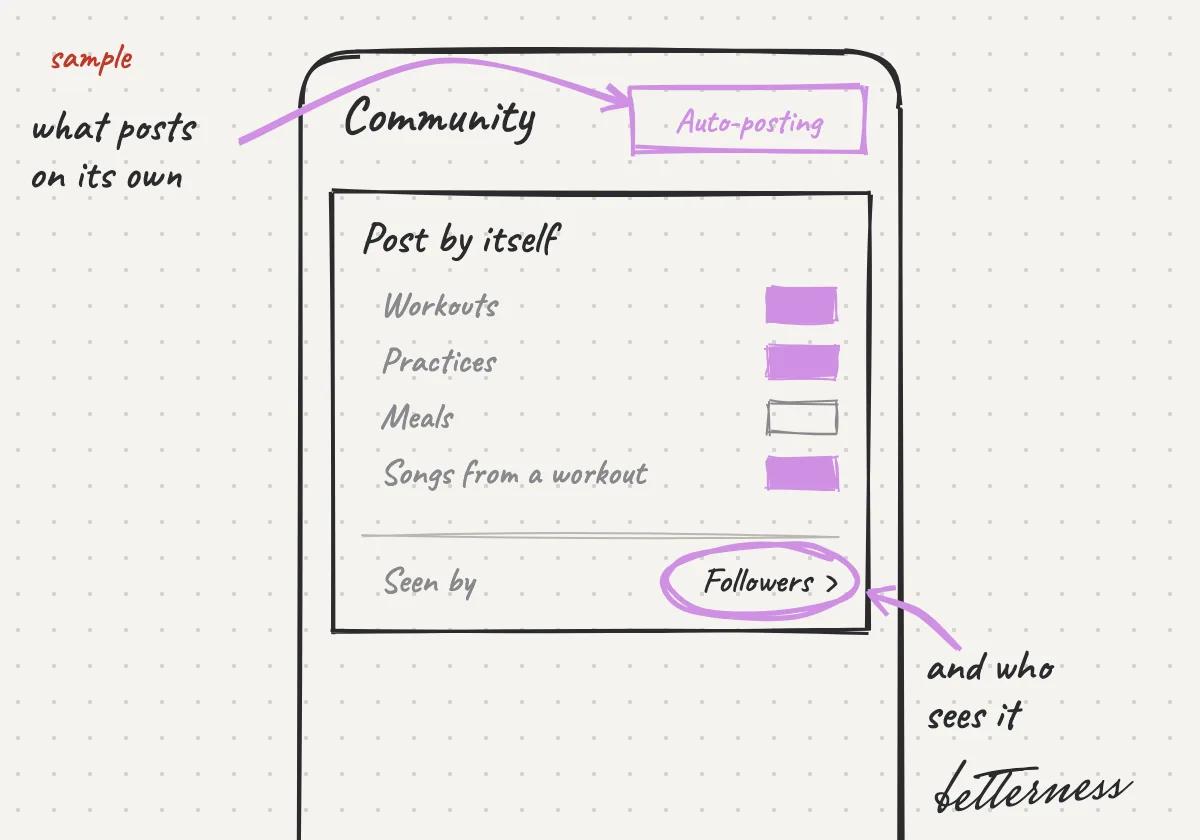
  5. 5Choose what posts automatically, and who sees it.
    Sketch: Choose what posts by itself and who sees it.
Open in the app

Previous

Start your day with Today

Next

Learn, relax or get moving with Media

3.3

Learn, relax or get moving with Media

Music, podcasts, guided audio and video chosen for you, playing from YouTube and Spotify.

Updated Nov 8, 2026

Why we built it. Media picks music, podcasts and classes for you, from YouTube and Spotify.

Steps

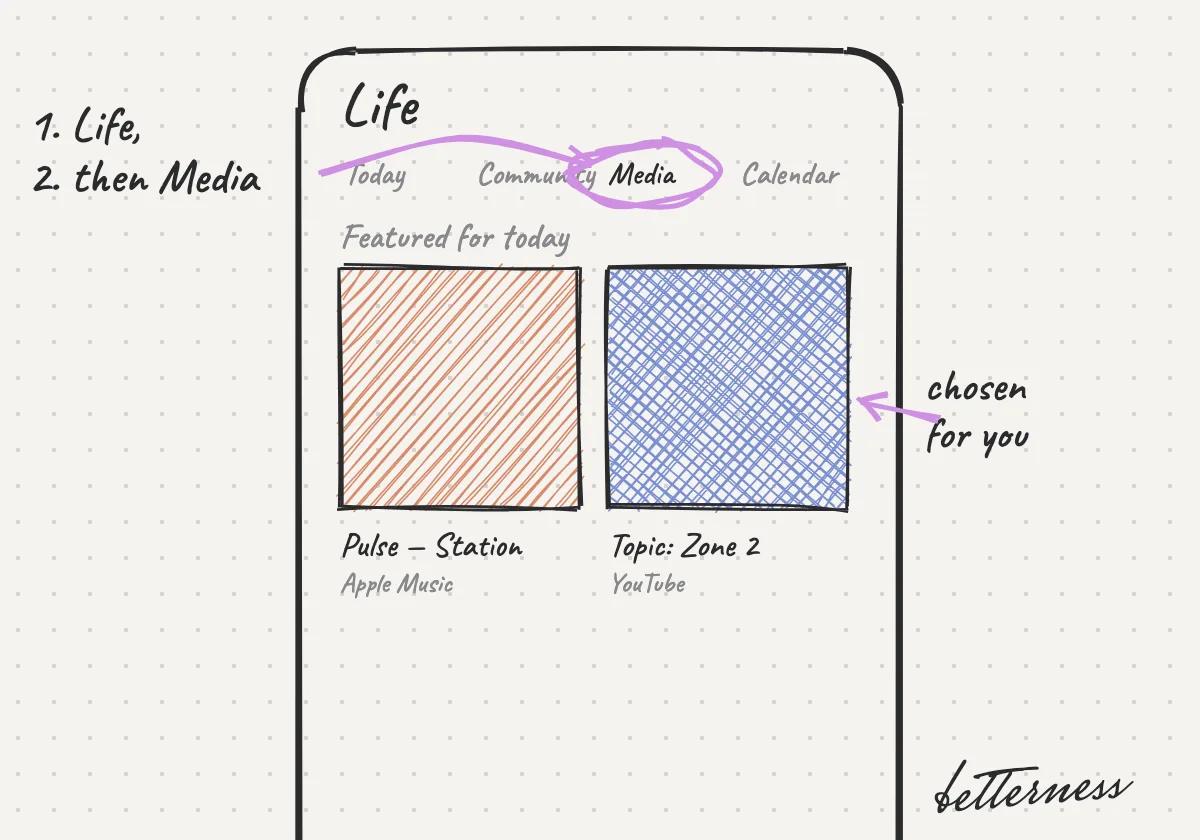
  1. 1Open Life, then Media.
    Sketch: Open Life, then Media.
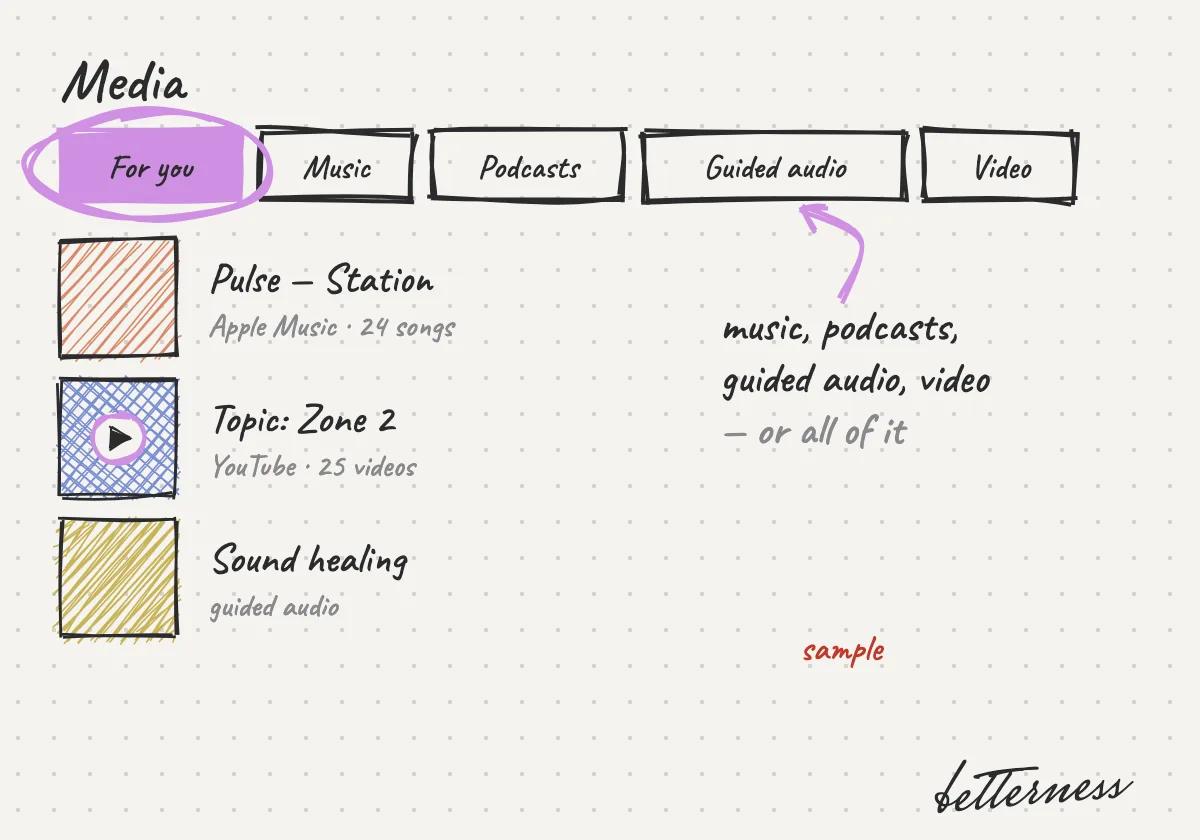
  2. 2Pick For you, music, podcasts, guided audio or video.
    Sketch: Pick For you, music, podcasts, guided audio or video.
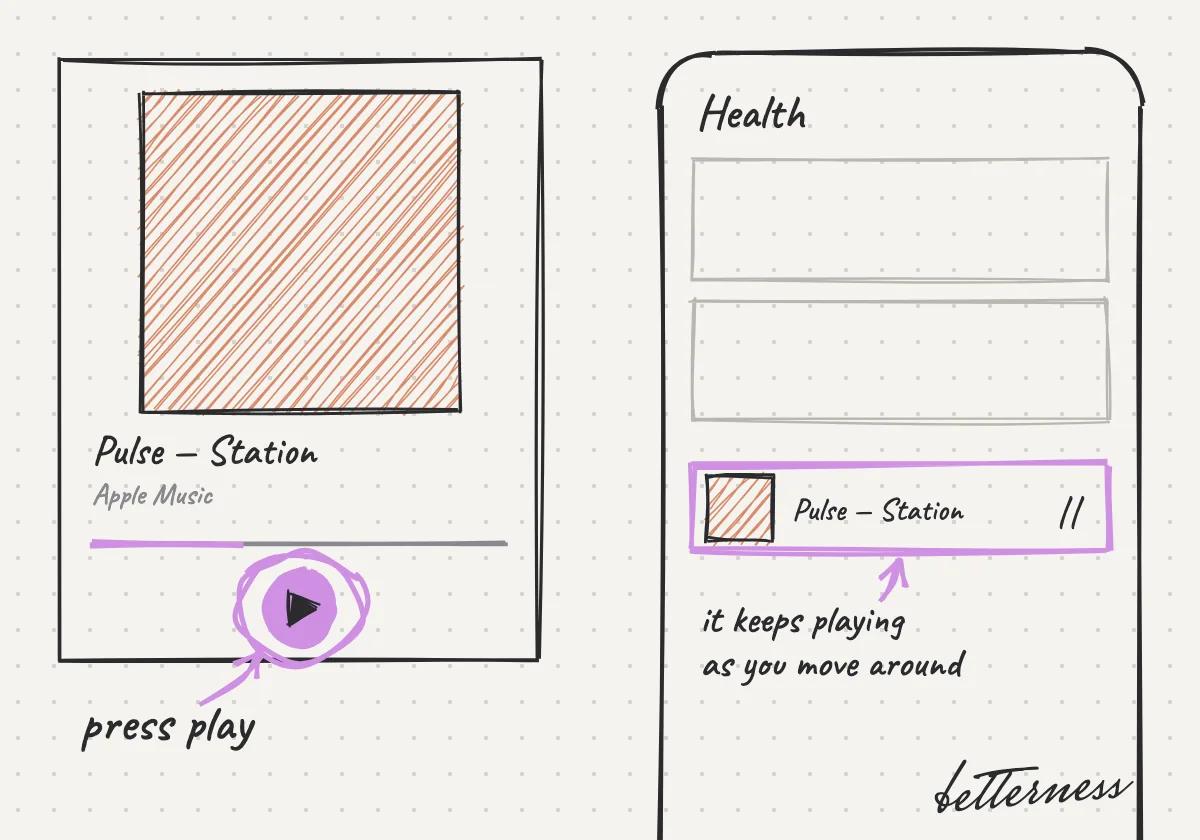
  3. 3Press play. It plays from YouTube or Spotify, and the player stays with you across the app.
    Sketch: Press play. It plays from YouTube or Spotify, and the player stays with you across the app.
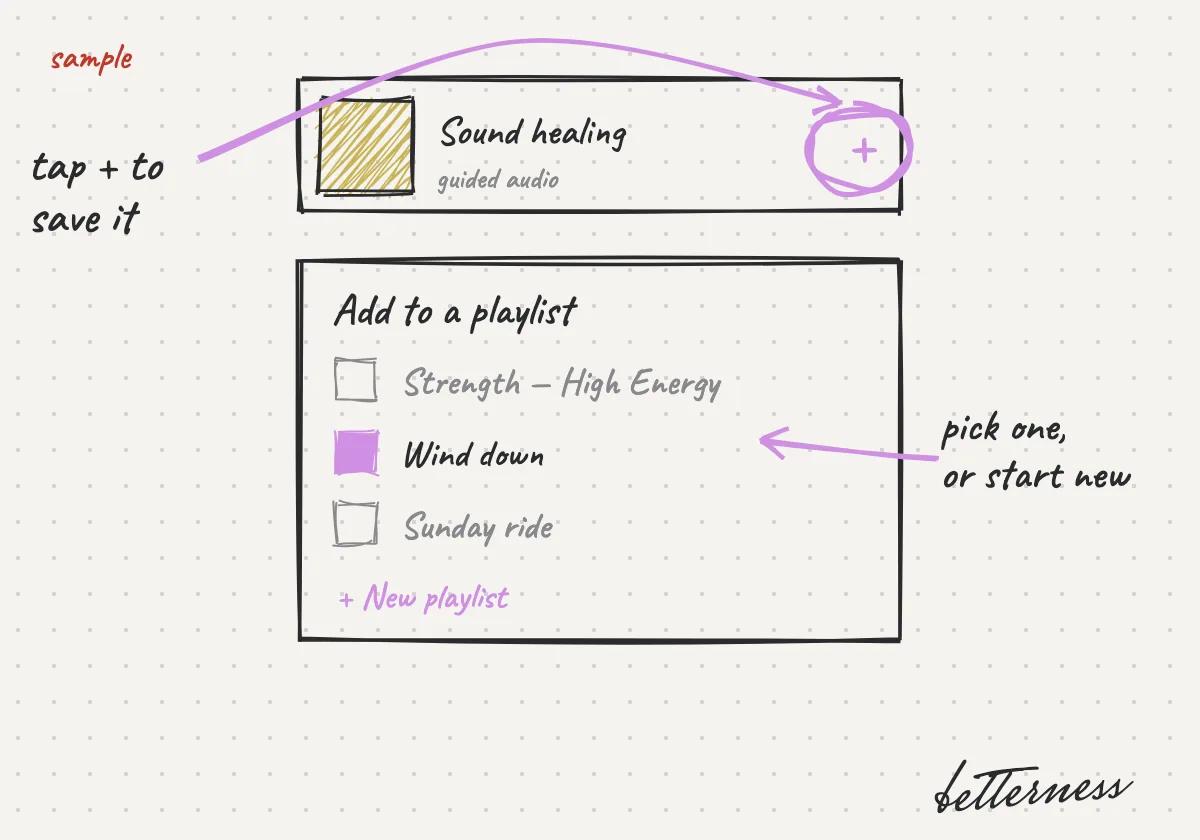
  4. 4Save what you like to a playlist.
    Sketch: Save what you like to a playlist.
Open in the app

Previous

Cheer your people in Community

Next

See where things fit in Calendar

3.4

See where things fit in Calendar

Your plans and your Betterness time on one calendar.

Updated Nov 8, 2026

Why we built it. Calendar shows your plans and your Betterness time together.

Note

Coming soon: the classes and markets of the Spaces in your Team.

Steps

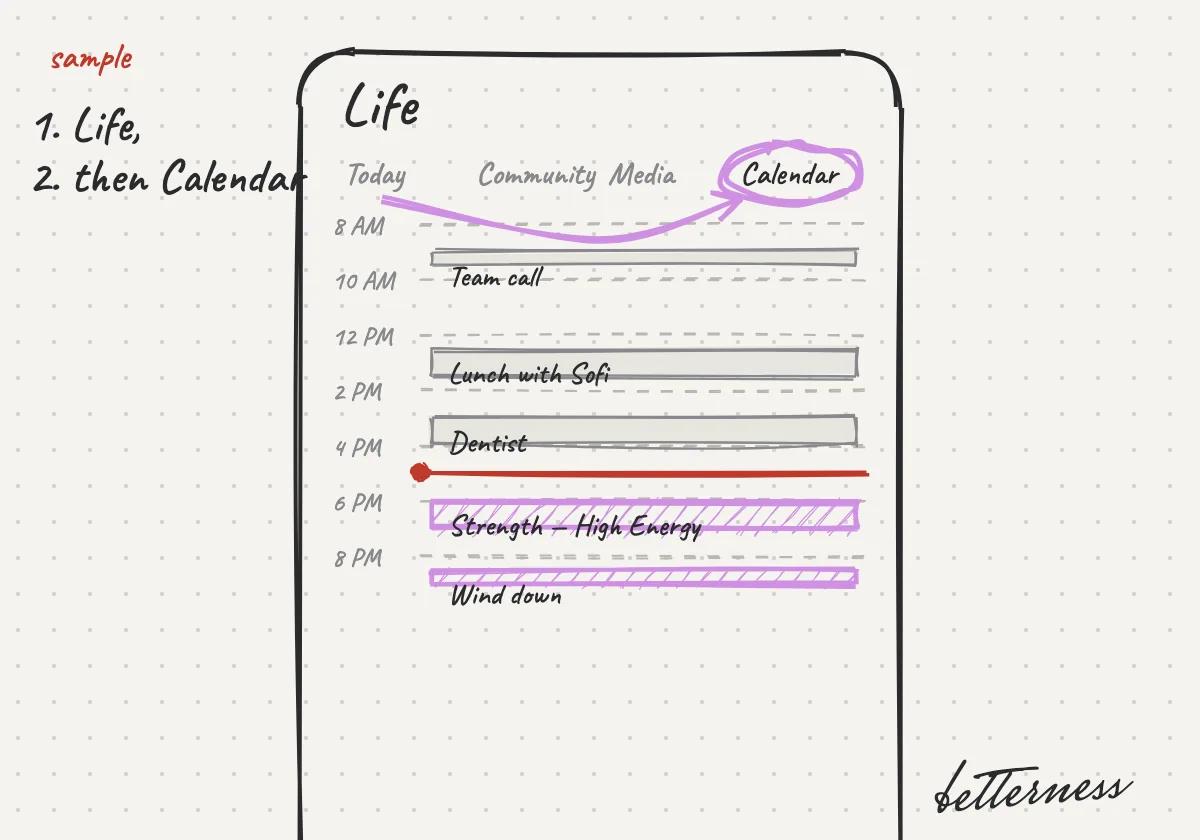
  1. 1Open Life, then Calendar.
    Sketch: Open Life, then Calendar.
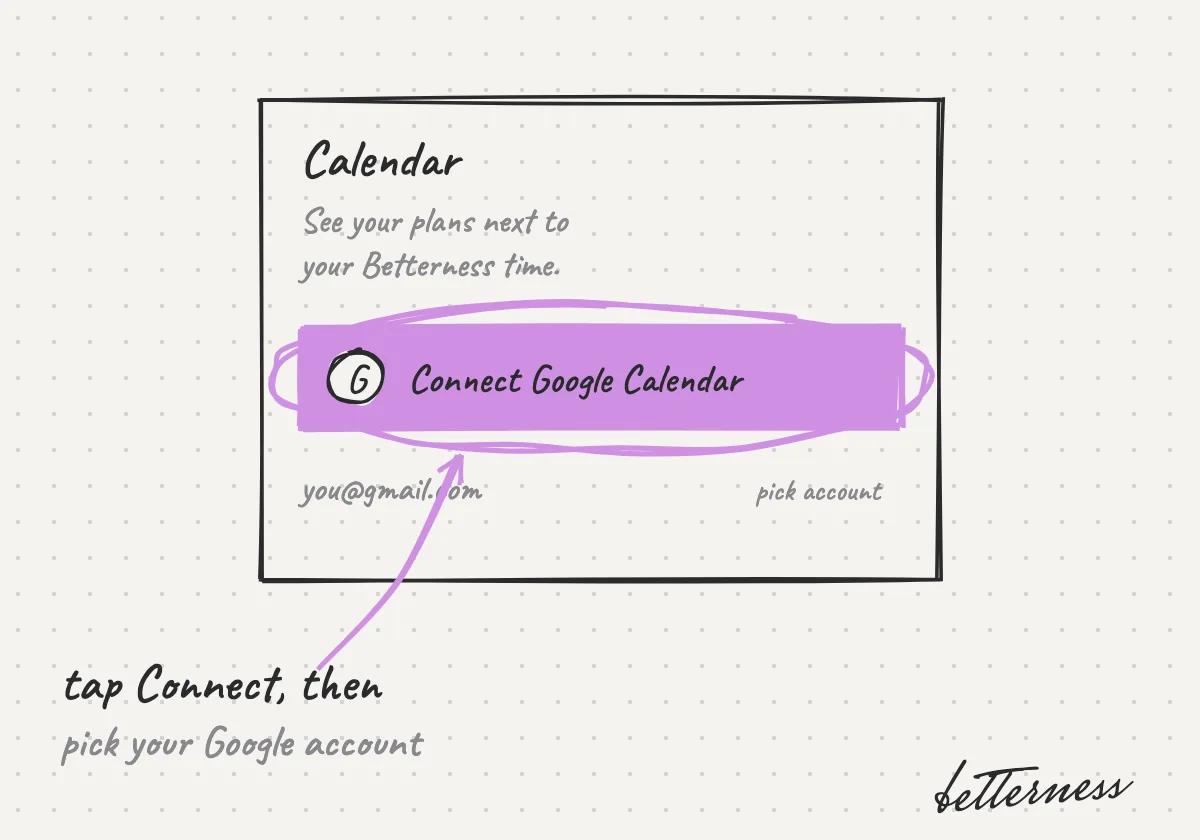
  2. 2Connect your Google Calendar.
    Sketch: Connect your Google Calendar.
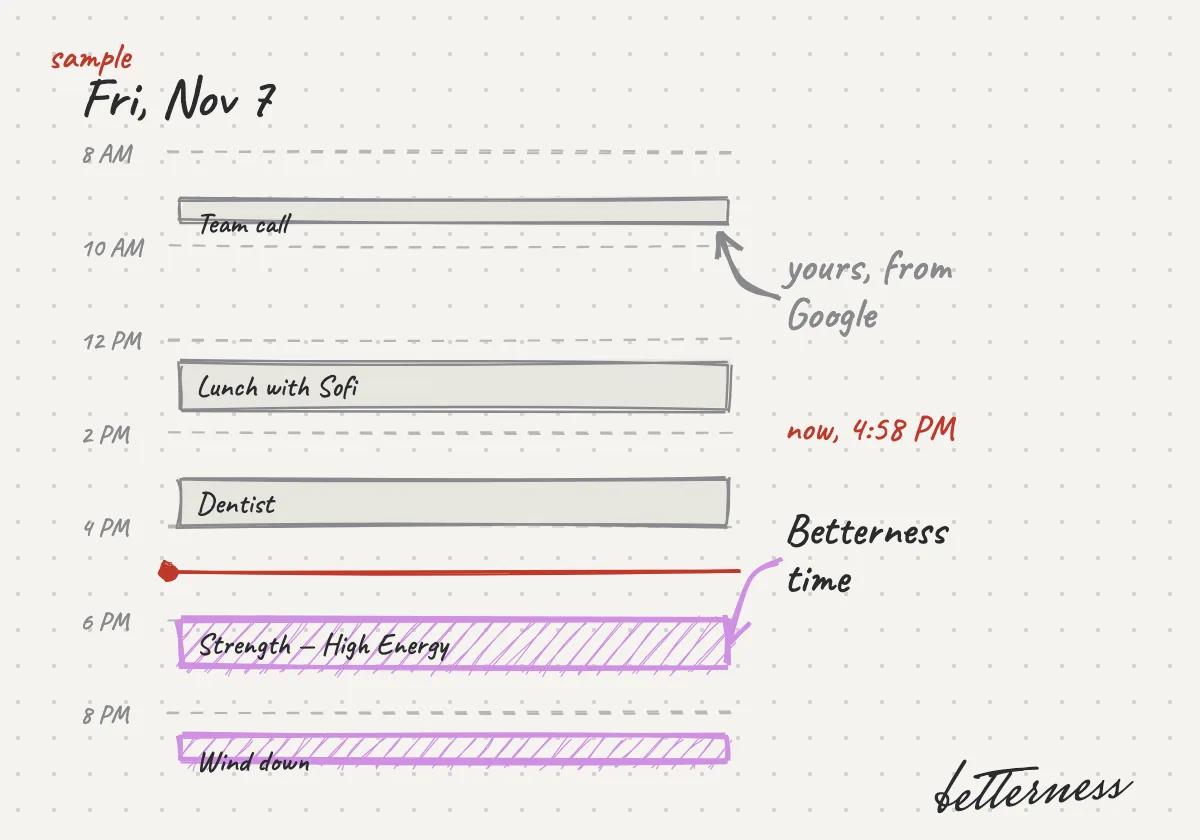
  3. 3See your day with your plans and your Betterness time together.
    Sketch: See your day with your plans and your Betterness time together.
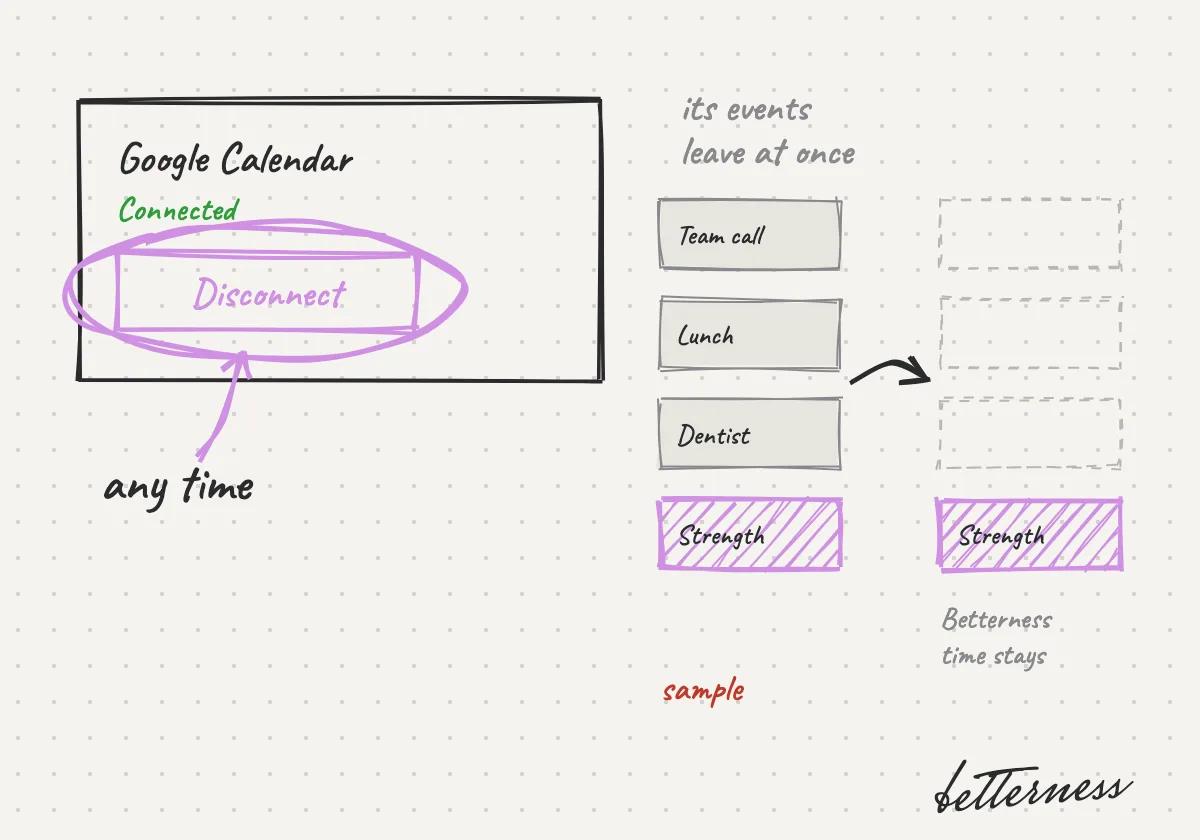
  4. 4Disconnect any time. Your Google events leave right away.
    Sketch: Disconnect at any time. Its events leave the calendar at once.
Open in the app

Previous

Learn, relax or get moving with Media

Next

Tap in at your gym

Betterness

Product

  • How it works
  • Bett-i

Resources

  • Tutorials
  • Podcast

Company

  • About
  • News
  • Contact

Legal

  • Privacy
  • Terms
  • Health data
  • Delete your account

For businesses

  • Betterness One ↗, opens Betterness One in a new tab

News from Betterness: the Friday Letter, launches and stories, by email.

  • Instagram ↗, opens in a new tab
  • X ↗, opens in a new tab
  • YouTube ↗, opens in a new tab
  • LinkedIn ↗, opens in a new tab
Download on the App StoreGet it on Google Play
HIPAA, powered by Vanta

HIPAA compliance monitored by Vanta.

Betterness, Inc. · Betterness gives health information, not medical advice. Our stories use fictional people.