
Betterness
How it worksBett-iTutorialsAboutFor businesses ↗, opens Betterness One in a new tabLog inSign up
How it worksBett-iTutorialsAboutFor businesses: Betterness One ↗, opens Betterness One in a new tab
Log inSign up
Skip to content
1. Getting started2. Better Health3. Better Life4. Together5. Bett-i and settings6. Betterness One: Grow, free forever7. Betterness One: Host, Coach, Shop8. Betterness One: Members and Inbox9. Betterness One: your AI10. Home11. Health12. Bett-i coaching13. Apple Watch14. Life15. Team and Inbox16. Labs17. Settings18. Privacy and support
5.1 Ask Bett-i from any screen5.2 Your handle and profile5.3 Settings and privacy5.4 Connect Claude or ChatGPTSteps5.5 Your Inbox

1. Getting started

2. Better Health

3. Better Life

4. Together

5. Bett-i and settings

5.1 Ask Bett-i from any screen5.2 Your handle and profile5.3 Settings and privacy5.4 Connect Claude or ChatGPTSteps5.5 Your Inbox

6. Betterness One: Grow, free forever

7. Betterness One: Host, Coach, Shop

8. Betterness One: Members and Inbox

9. Betterness One: your AI

10. Home

11. Health

12. Bett-i coaching

13. Apple Watch

14. Life

15. Team and Inbox

16. Labs

17. Settings

18. Privacy and support

5

Bett-i and settings

5.1

Ask Bett-i from any screen

Bett-i is one tap away on every tab.

Updated Nov 8, 2026

Why we built it. Bett-i is on every tab. Everyone gets Claude Sonnet. Elite, $10 a month, adds Claude Opus, GPT Terra or GPT Sol.

Steps

  1. 1Tap the Bett-i button at the bottom of any screen.
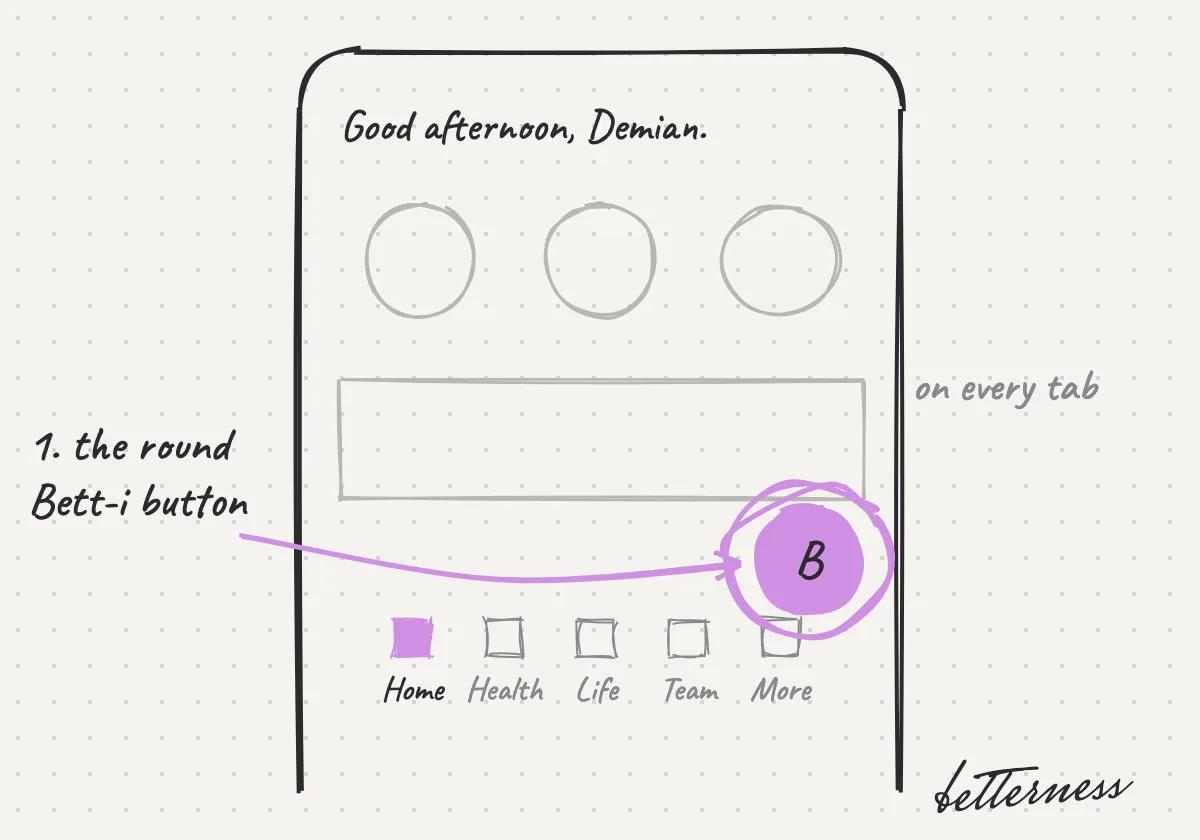
    Sketch: Tap the Bett-i button at the bottom of any screen.
  2. 2Ask about what you see, by voice or text.
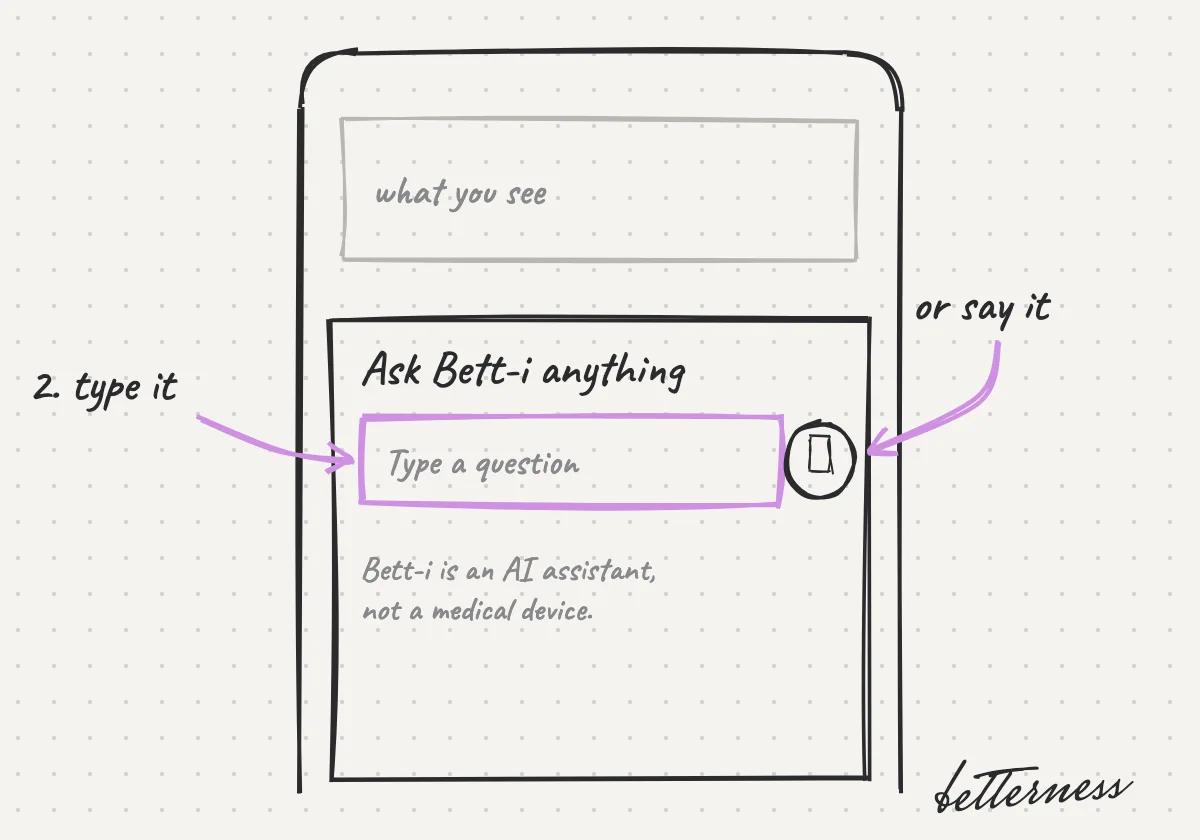
    Sketch: Ask about what you see, by voice or text.
  3. 3Bett-i's notes on your workouts stay private.
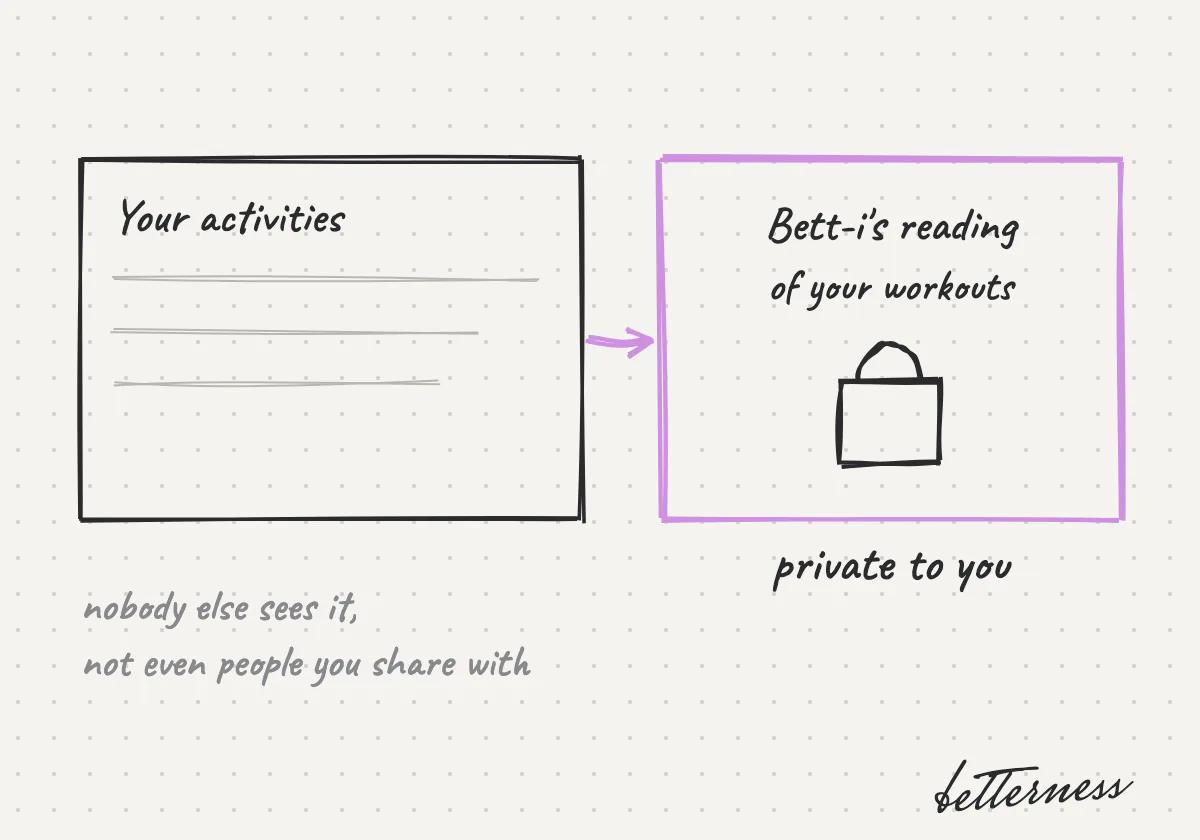
    Sketch: Bett-i's reading of your activities stays private to you.

Previous

Find perks by category

Next

Your handle and profile

5.2

Your handle and profile

Pick a handle so people can find you and tag you.

Updated Nov 8, 2026

Why we built it. A handle makes you easy to find and mention, without giving out your email or phone number.

Note

Coming soon: your own @handle.

Steps

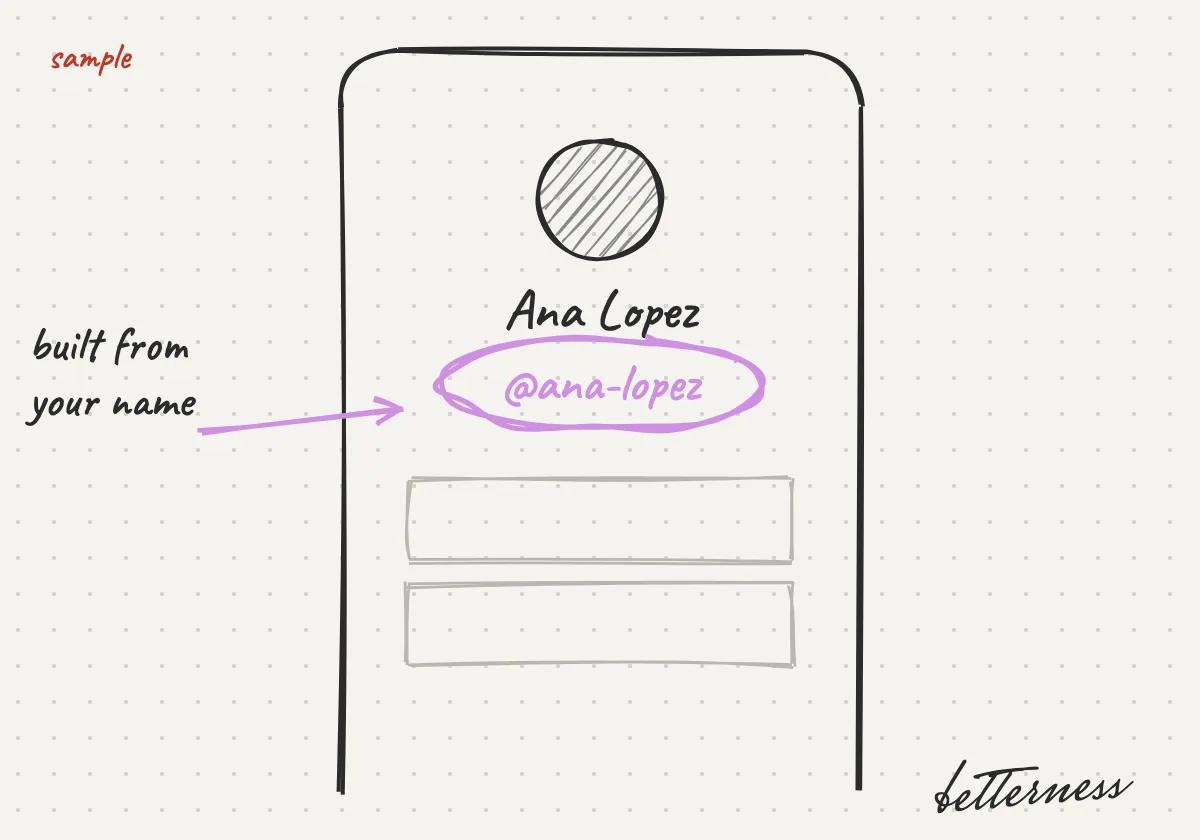
  1. 1You will get a handle from your name, like @ana-lopez.
    Sketch: You will get a handle from your name, like @ana-lopez.
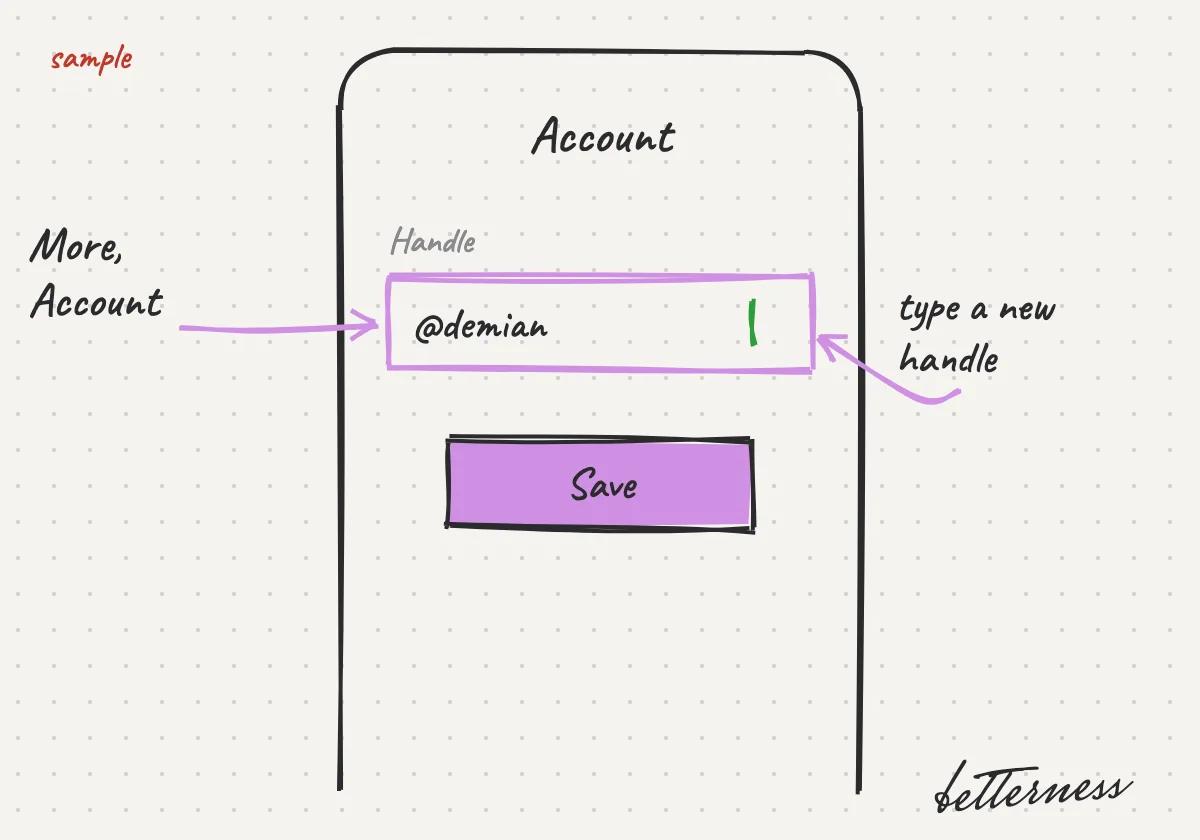
  2. 2You will change it in More, Account.
    Sketch: You will change it in More, Account.
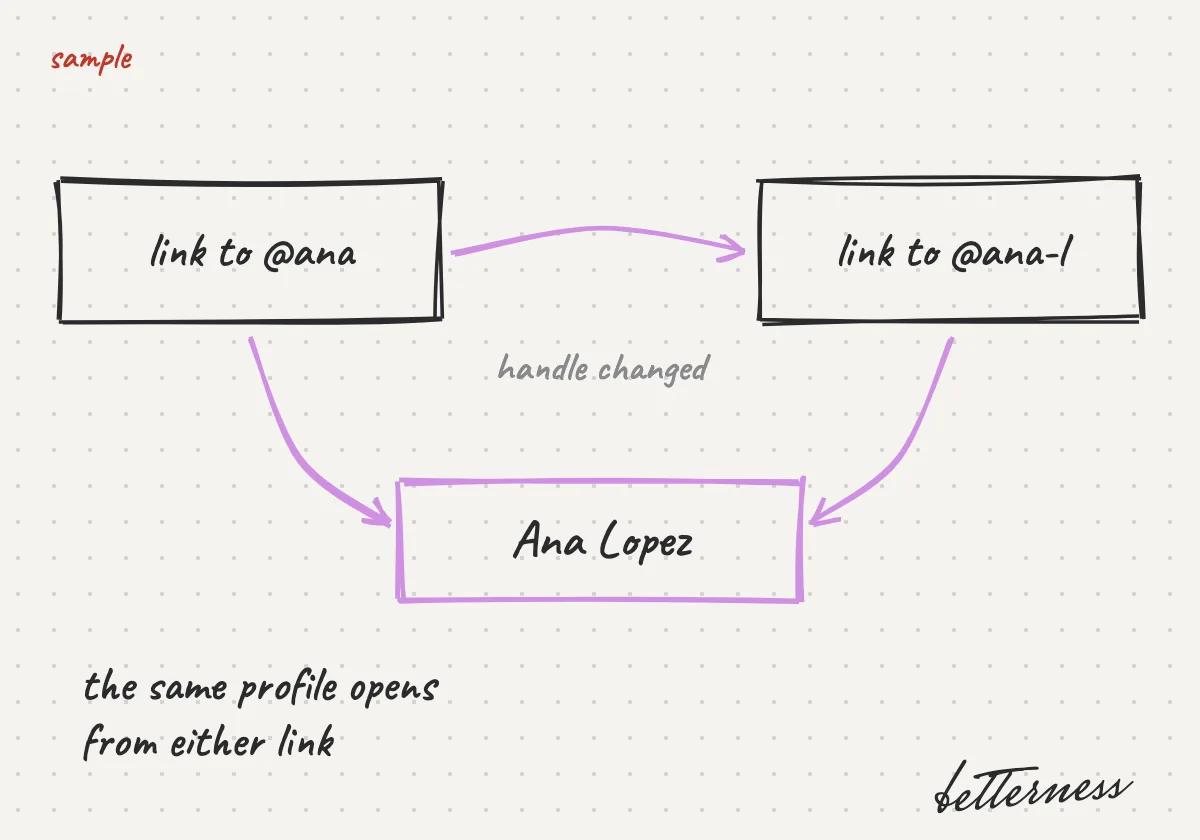
  3. 3Links to your profile will keep working after a change.
    Sketch: Links to your profile will keep working after a change.
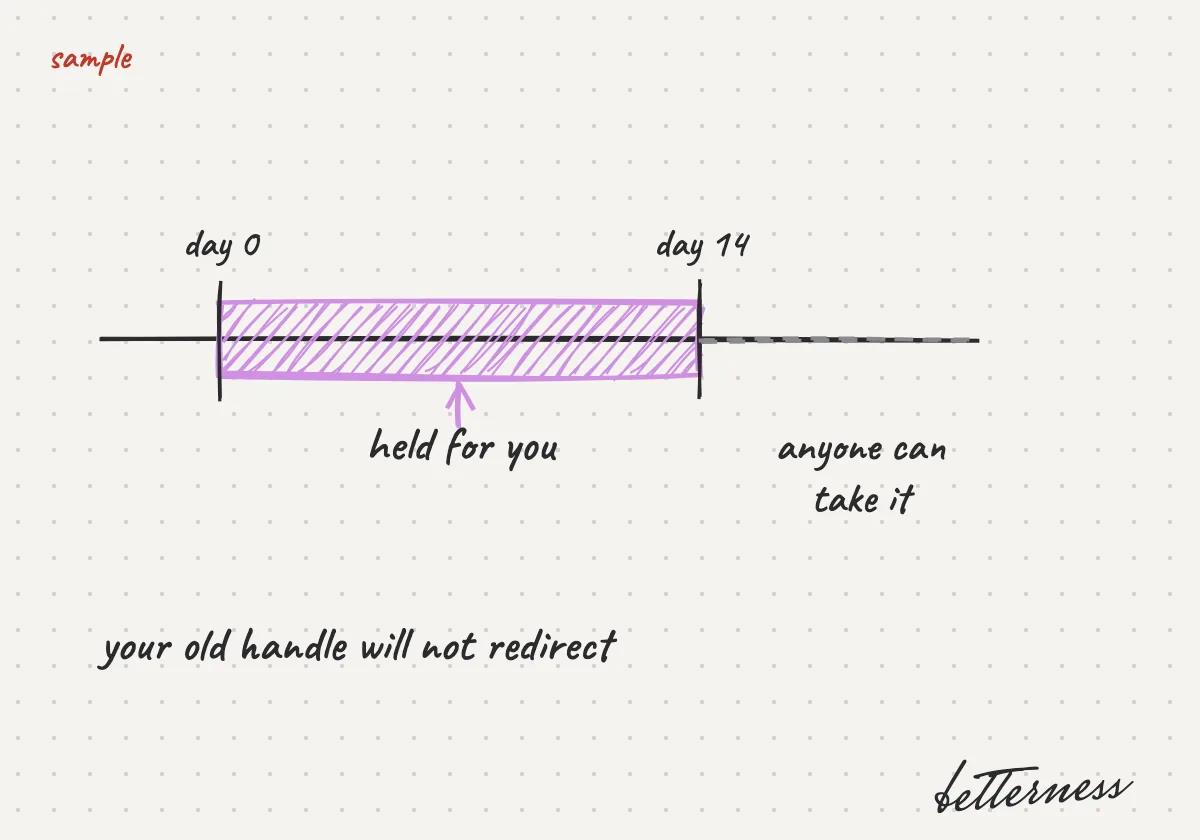
  4. 4Your old handle will be held for 14 days, then anyone can take it. It will not redirect.
    Sketch: Your old handle will be held for 14 days, then anyone can take it. It will not redirect.

Previous

Ask Bett-i from any screen

Next

Settings and privacy

5.3

Settings and privacy

Devices, sharing, language and privacy, all under More.

Updated Nov 8, 2026

Why we built it. Devices, sharing, language and units are in More, Settings.

Steps

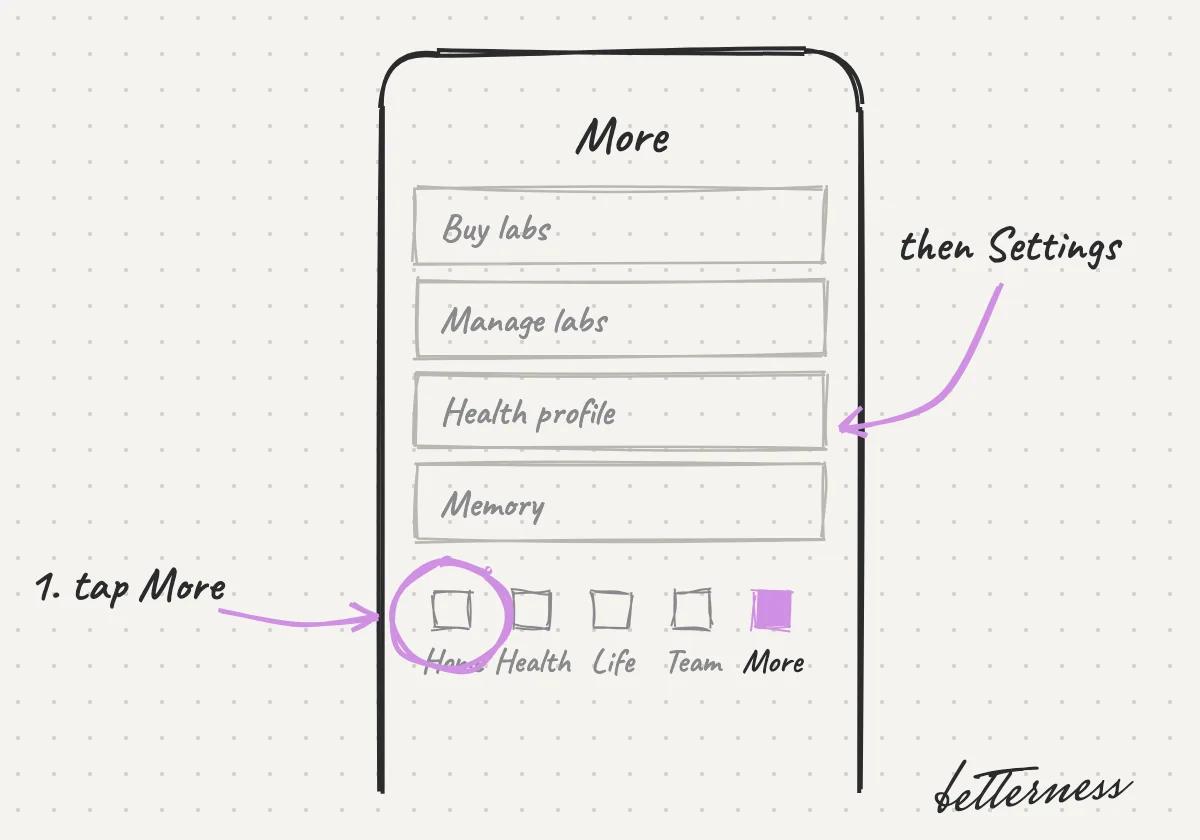
  1. 1Open More, then Settings.
    Sketch: Open More, then Settings.
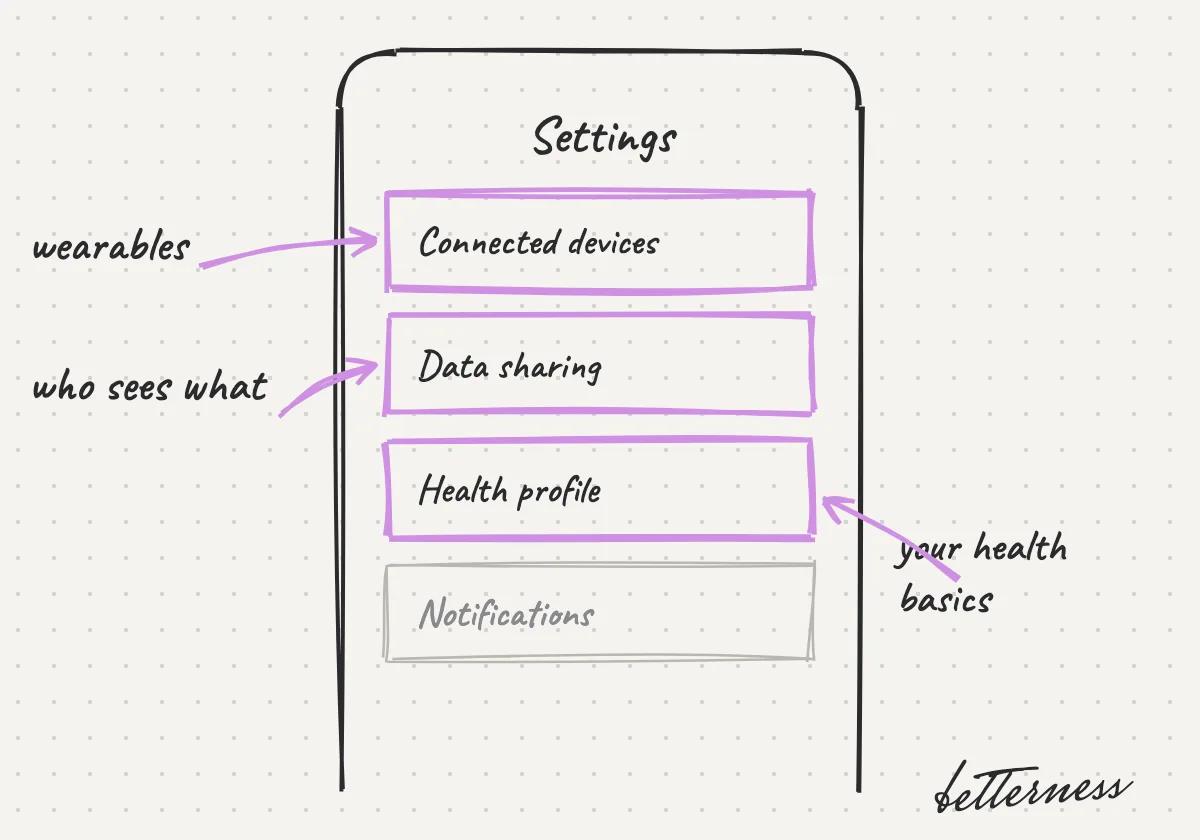
  2. 2Manage wearables, data sharing and your health profile.
    Sketch: Manage wearables, data sharing and your health profile.
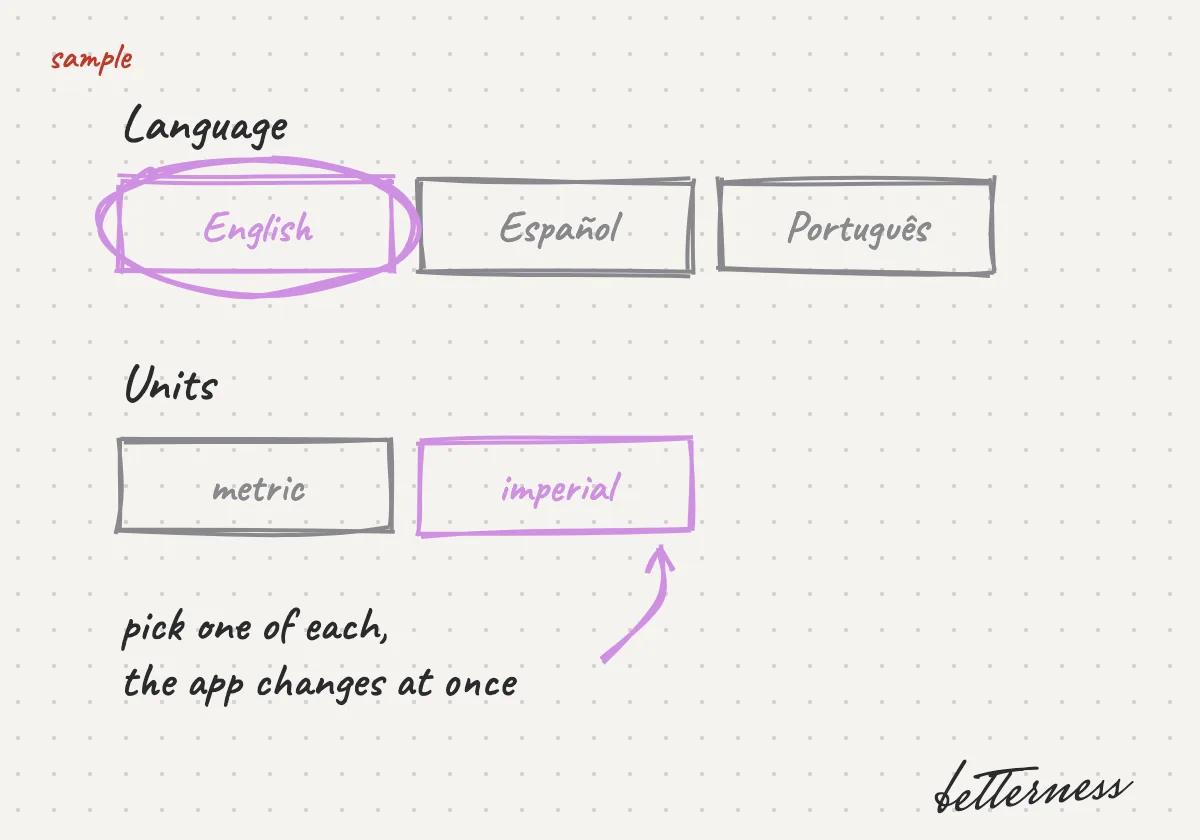
  3. 3Pick your language (English, Spanish, Portuguese) and units.
    Sketch: Pick your language (English, Spanish, Portuguese) and units.
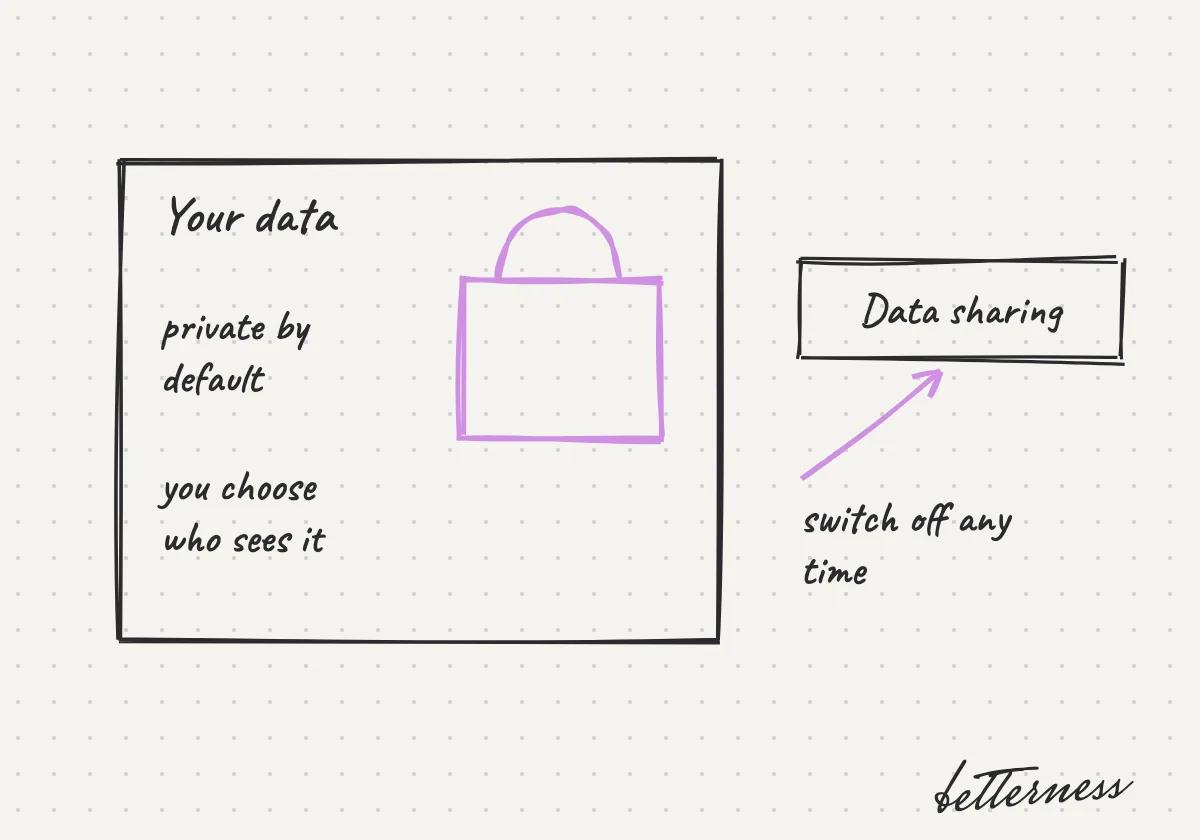
  4. 4Read how your data is protected.
    Sketch: Read how your data is protected.
Open in the app

Previous

Your handle and profile

Next

Connect Claude or ChatGPT

5.4

Connect Claude or ChatGPT

Use your Betterness data in Claude or ChatGPT. You sign in; no key needed.

Updated Nov 8, 2026

Why we built it. Connect Betterness to Claude or ChatGPT. Your questions there get answers from your Betterness data, only what you approve.

Note

ChatGPT needs a plan with developer mode: Plus, Pro, Business, Enterprise or Edu. On Claude's Free plan you can add one custom connector.

Steps

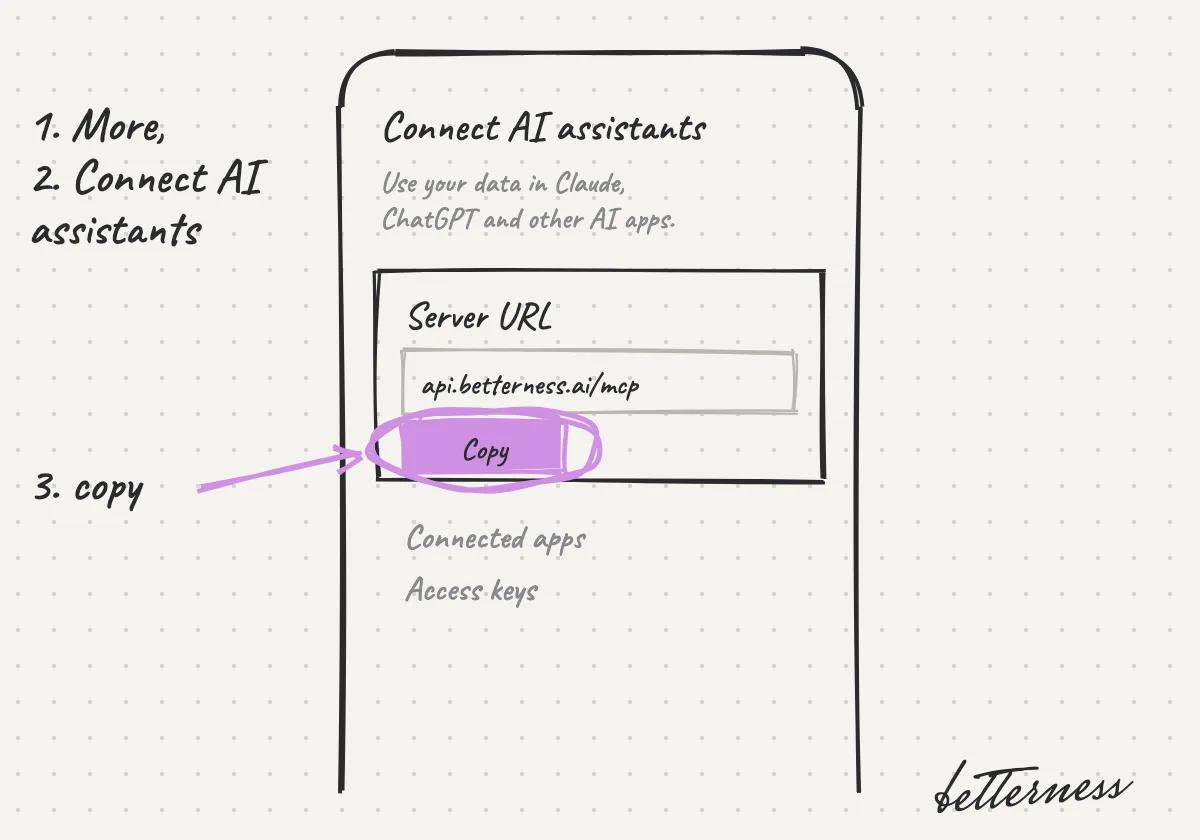
  1. 1In Betterness, open More, then Connect AI assistants, and copy the server URL.
    Sketch: a phone on Connect AI assistants, with Copy circled under the server URL api.betterness.ai/mcp.
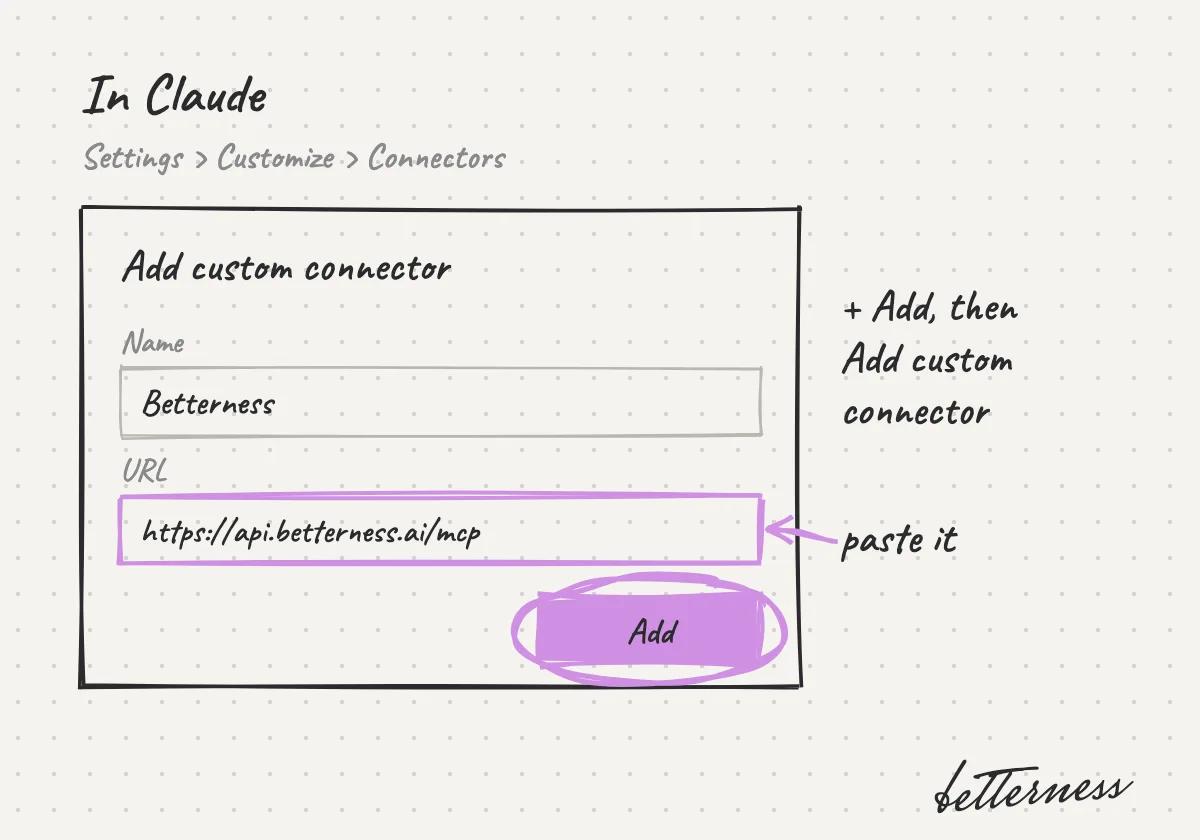
  2. 2In Claude, open Settings, Customize, Connectors. Tap + Add, then Add custom connector, name it Betterness and paste the URL.
    Sketch: the Add custom connector form in Claude, named Betterness, with the URL pasted and Add circled.
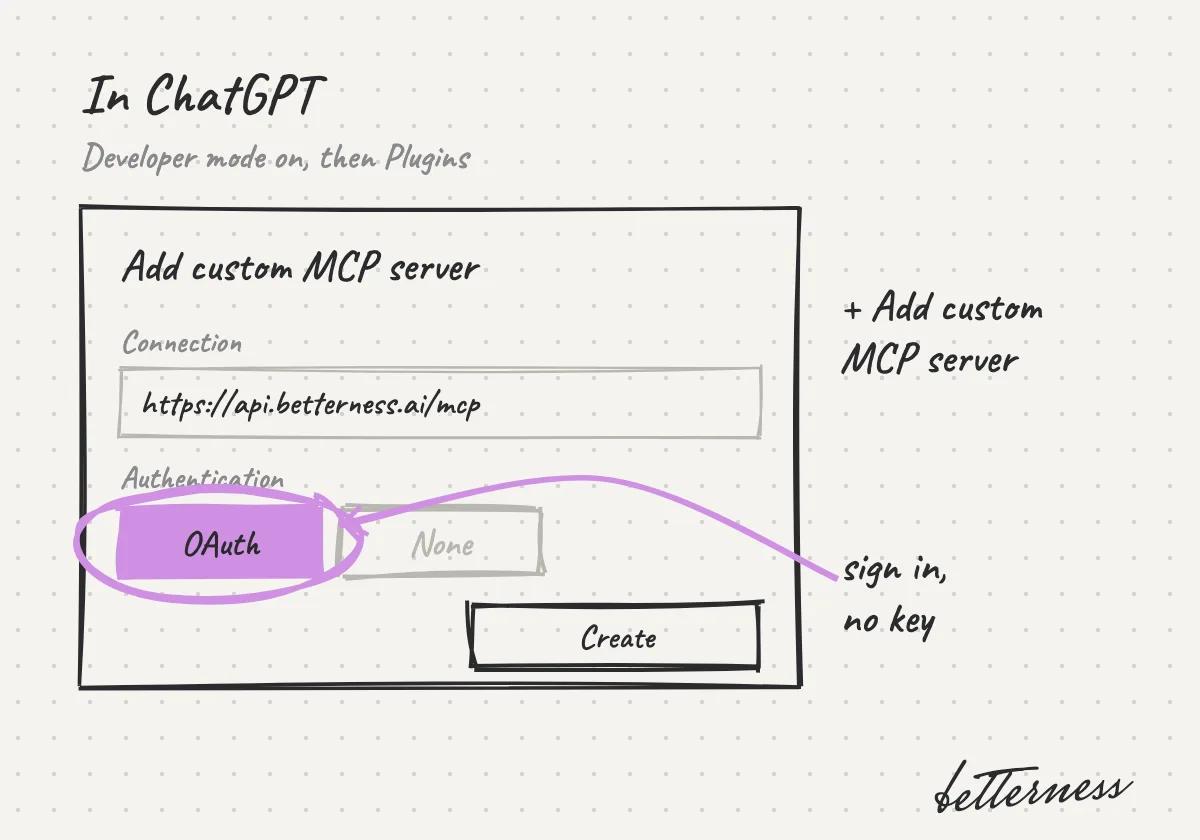
  3. 3In ChatGPT, turn on developer mode, open Plugins and add a custom MCP server with the same URL. Choose OAuth.
    Sketch: the Add custom MCP server form in ChatGPT, with the URL and OAuth circled.
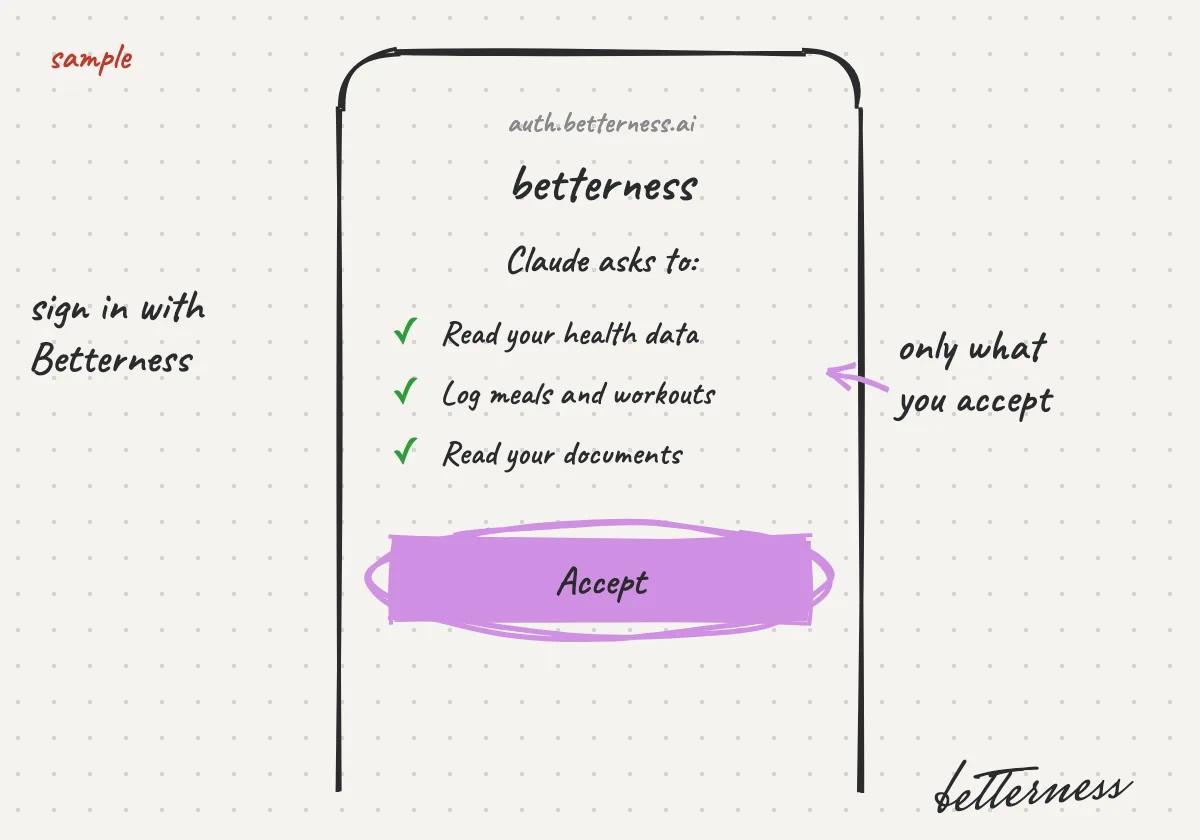
  4. 4Sign in with your Betterness account and accept what the app may read and do.
    Sketch: the Betterness sign-in page listing what Claude asks for, with Accept circled.
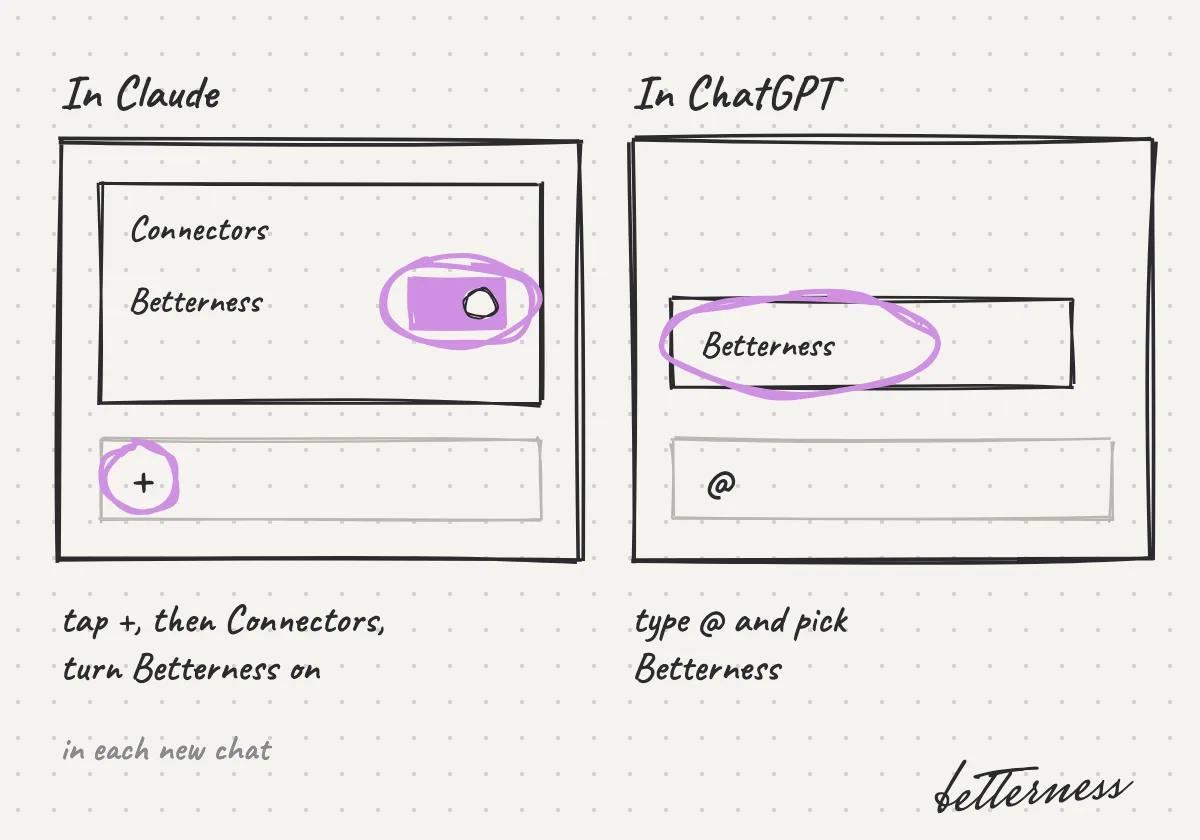
  5. 5In a new chat, turn Betterness on. In Claude, tap + and then Connectors. In ChatGPT, type @ and pick Betterness.
    Sketch: Claude's Connectors menu with Betterness switched on, and ChatGPT's @ menu with Betterness picked.
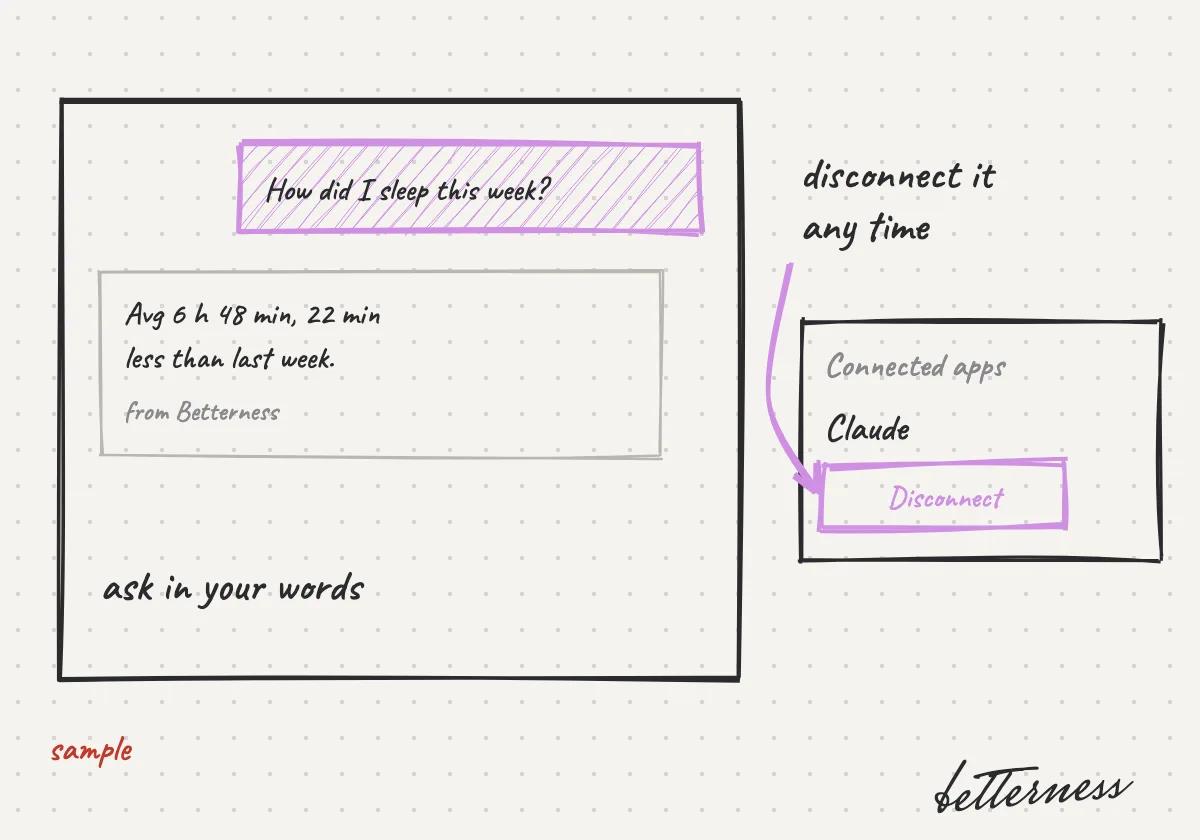
  6. 6Ask in your own words. You can disconnect the app any time in Connected apps.
    Sketch: a chat asking how I slept this week, answered from Betterness, next to Connected apps with Disconnect.
Open in the appRead the setup guide

Previous

Settings and privacy

Next

Your Inbox

5.5

Your Inbox

Messages and notifications in one place: tap to go, swipe to clear.

Updated Nov 11, 2026

Why we built it. Messages from your Spaces and notifications about your day arrive in one place, and each one takes you to what it is about.

Steps

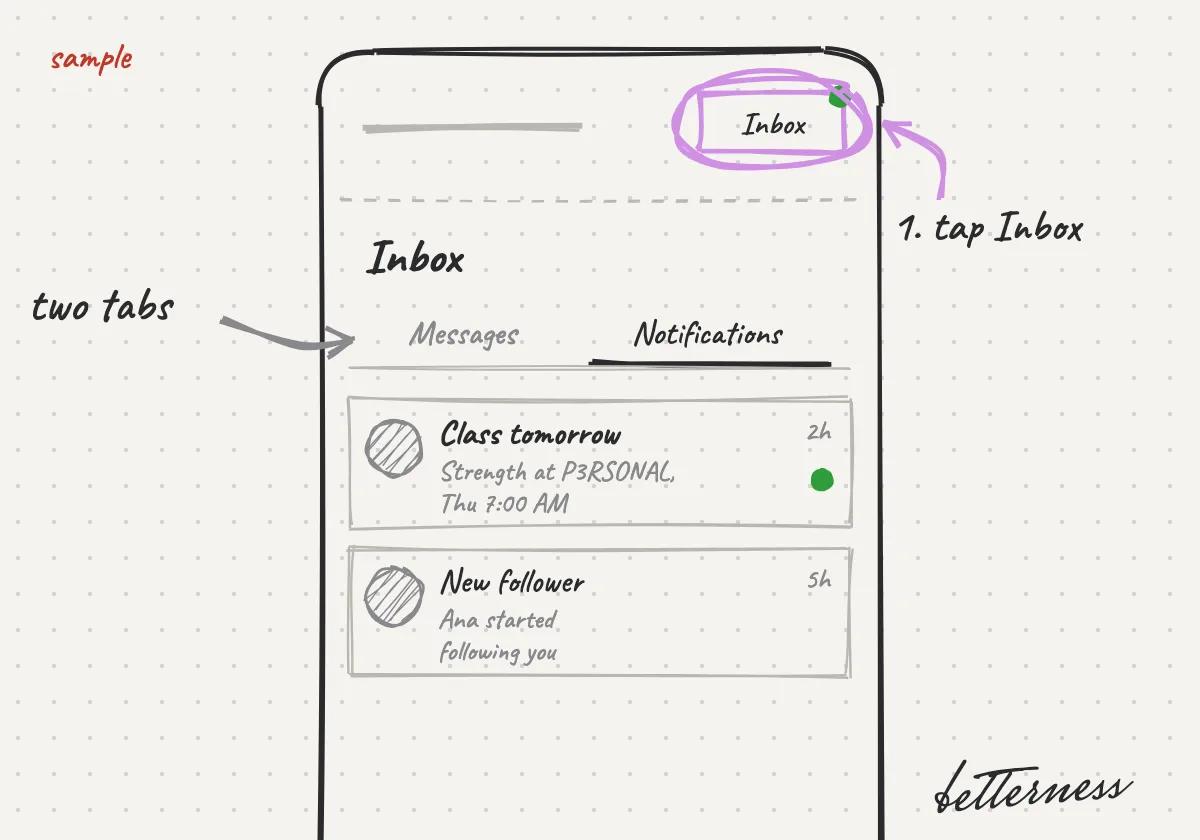
  1. 1Tap Inbox at the top right. Messages and Notifications are two tabs.
    Sketch: Tap Inbox at the top right. Messages and Notifications are two tabs.
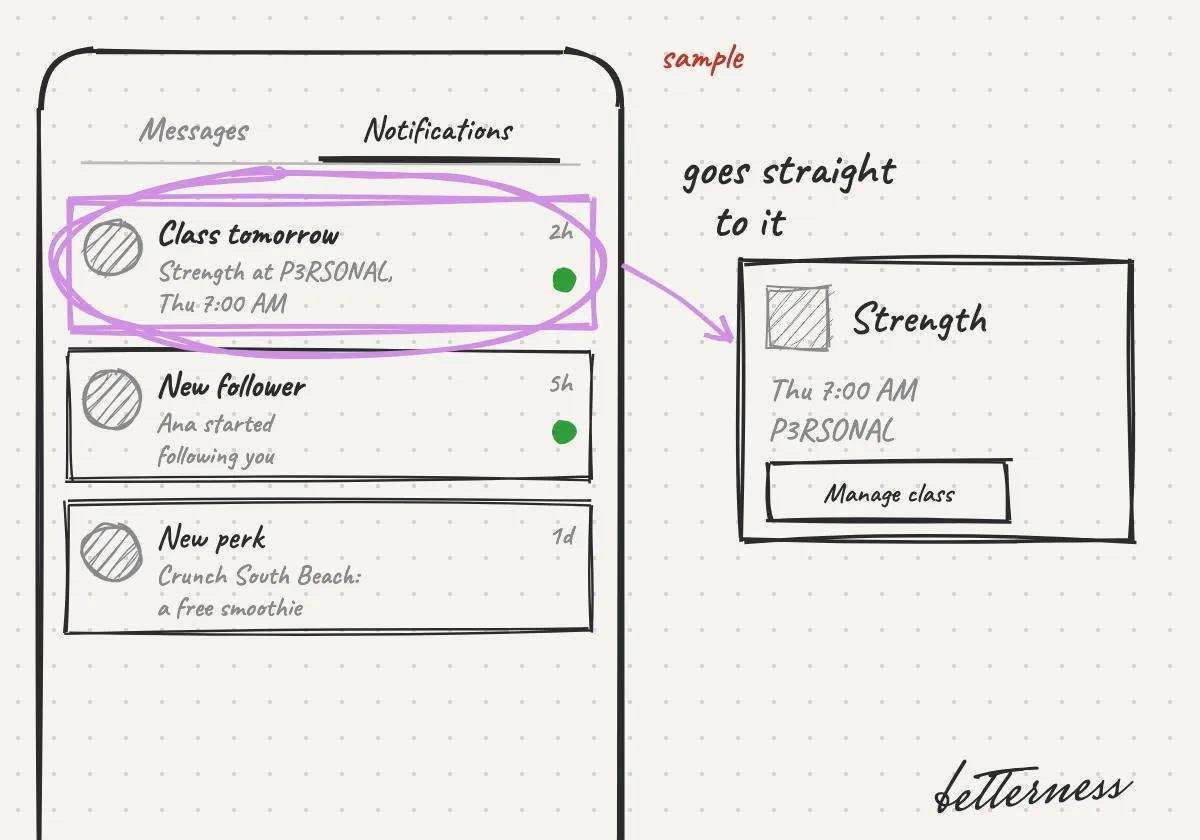
  2. 2Tap a notification to go straight to it.
    Sketch: Tap a notification to go straight to it.
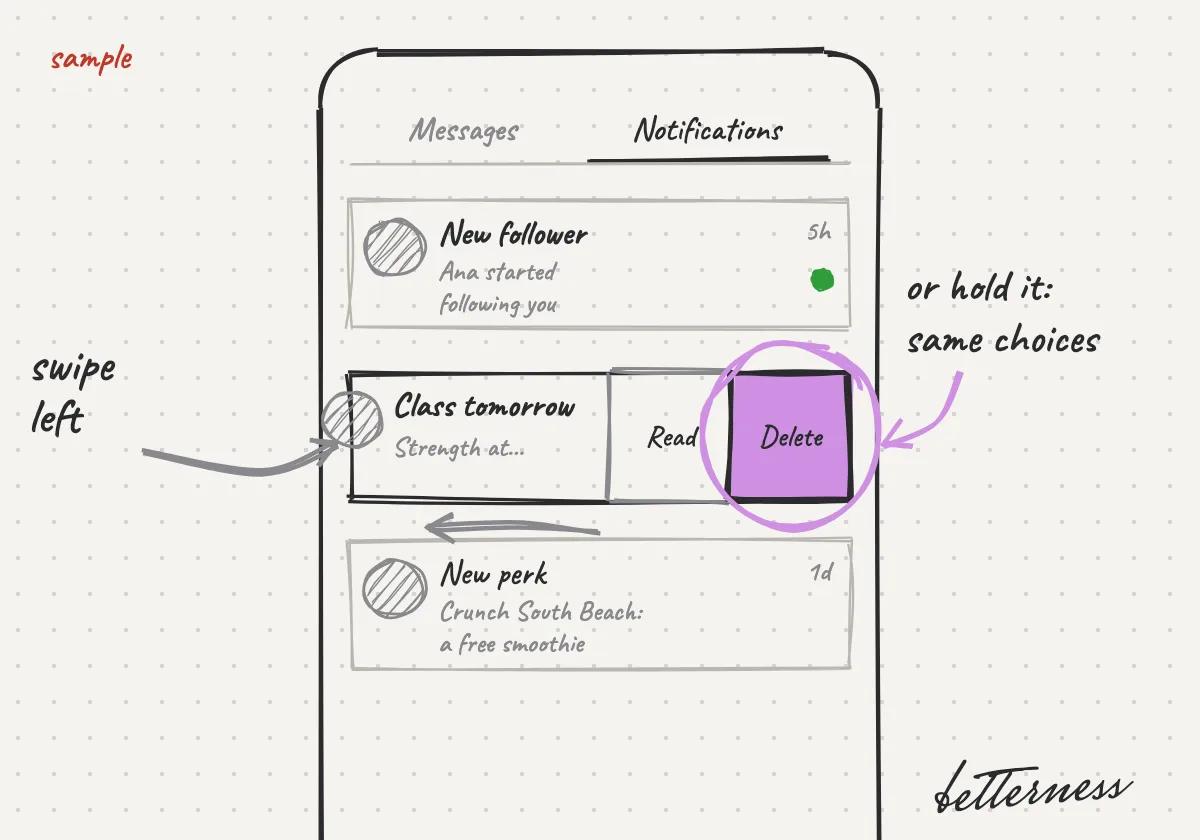
  3. 3Swipe left on a notification to delete it or mark it read. Or hold it for the same choices.
    Sketch: Swipe left on a notification to delete it or mark it read. Or hold it for the same choices.
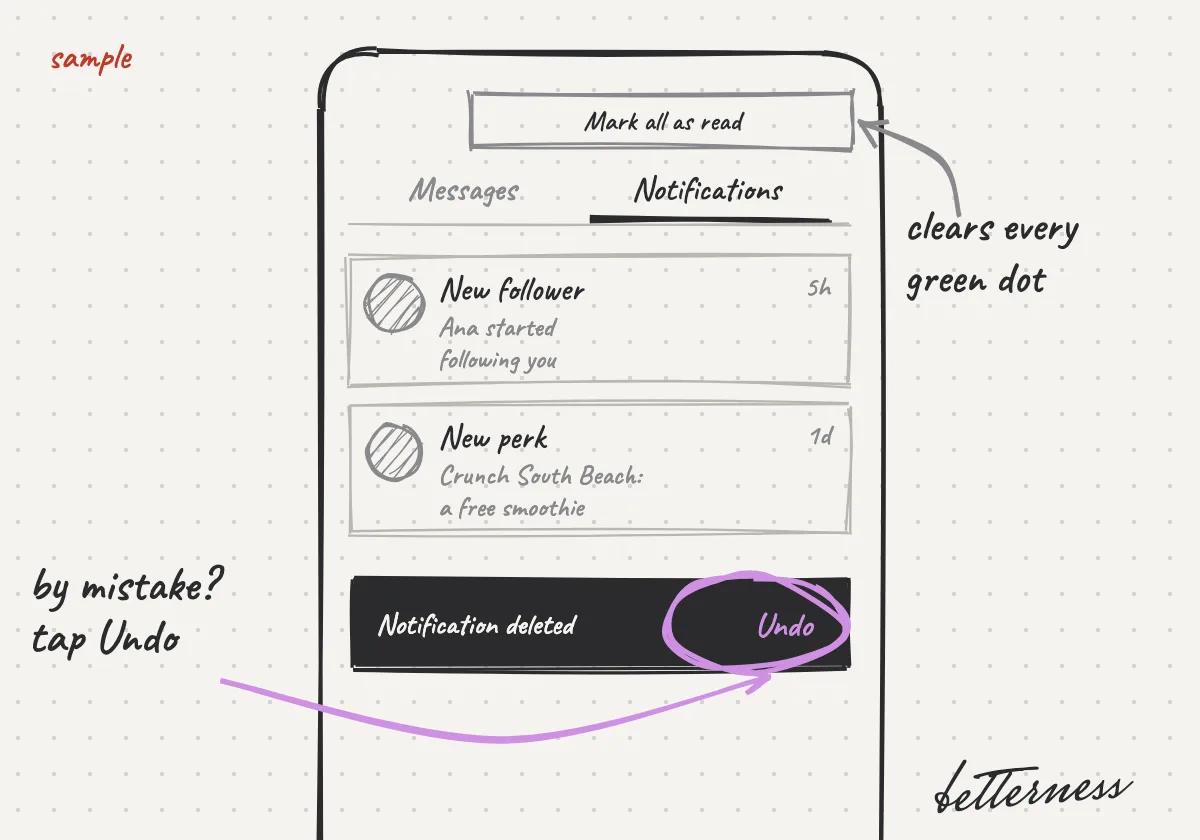
  4. 4Deleted one by mistake? Tap Undo. Mark all as read clears every dot.
    Sketch: Deleted one by mistake? Tap Undo. Mark all as read clears every dot.

Previous

Connect Claude or ChatGPT

Next

Set up your Space

Betterness

Product

  • How it works
  • Bett-i

Resources

  • Tutorials
  • Podcast

Company

  • About
  • News
  • Contact

Legal

  • Privacy
  • Terms
  • Health data
  • Delete your account

For businesses

  • Betterness One ↗, opens Betterness One in a new tab

News from Betterness: the Friday Letter, launches and stories, by email.

  • Instagram ↗, opens in a new tab
  • X ↗, opens in a new tab
  • YouTube ↗, opens in a new tab
  • LinkedIn ↗, opens in a new tab
Download on the App StoreGet it on Google Play
HIPAA, powered by Vanta

HIPAA compliance monitored by Vanta.

Betterness, Inc. · Betterness gives health information, not medical advice. Our stories use fictional people.