
Betterness
How it worksBett-iTutorialsAboutFor businesses ↗, opens Betterness One in a new tabLog inSign up
How it worksBett-iTutorialsAboutFor businesses: Betterness One ↗, opens Betterness One in a new tab
Log inSign up
Skip to content
1. Getting started2. Better Health3. Better Life4. Together5. Bett-i and settings6. Betterness One: Grow, free forever7. Betterness One: Host, Coach, Shop8. Betterness One: Members and Inbox9. Betterness One: your AI10. Home11. Health12. Bett-i coaching13. Apple Watch14. Life15. Team and Inbox16. Labs17. Settings18. Privacy and support
8.1 Know each client8.2 Ask a client to share dataSteps8.3 Answer clients and invite your team

1. Getting started

2. Better Health

3. Better Life

4. Together

5. Bett-i and settings

6. Betterness One: Grow, free forever

7. Betterness One: Host, Coach, Shop

8. Betterness One: Members and Inbox

8.1 Know each client8.2 Ask a client to share dataSteps8.3 Answer clients and invite your team

9. Betterness One: your AI

10. Home

11. Health

12. Bett-i coaching

13. Apple Watch

14. Life

15. Team and Inbox

16. Labs

17. Settings

18. Privacy and support

8

Betterness One: Members and Inbox

8.1

Know each client

Each client file, with what they chose to share.

Updated Nov 11, 2026

Why we built it. Each client's file brings together what they chose to share, so you serve a person, not a row in a list.

Note

Coming soon: Members analytics.

Steps

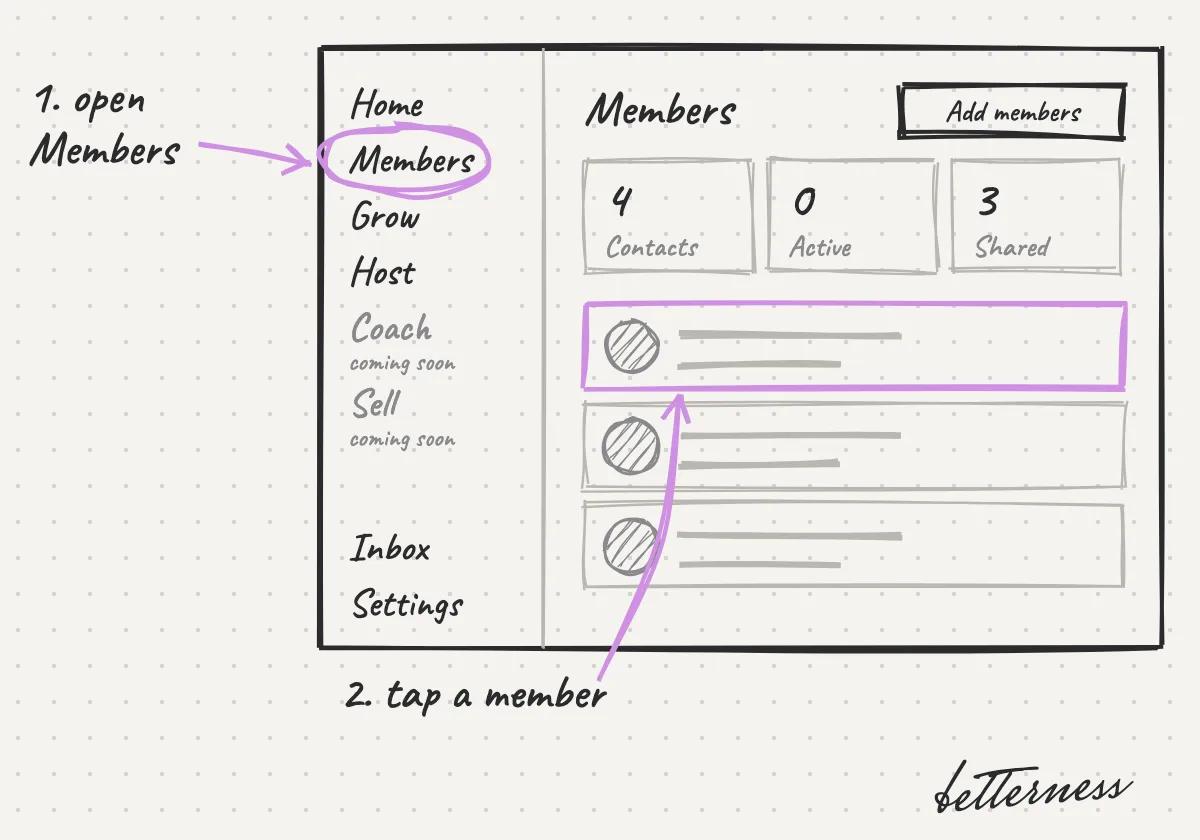
  1. 1Open Members and tap a member.
    Sketch: Open Members and tap a member.
  2. 2Their file opens: Profile, Plan, Bookings, Purchases, Health and Activity. Health shows only what they chose to share.
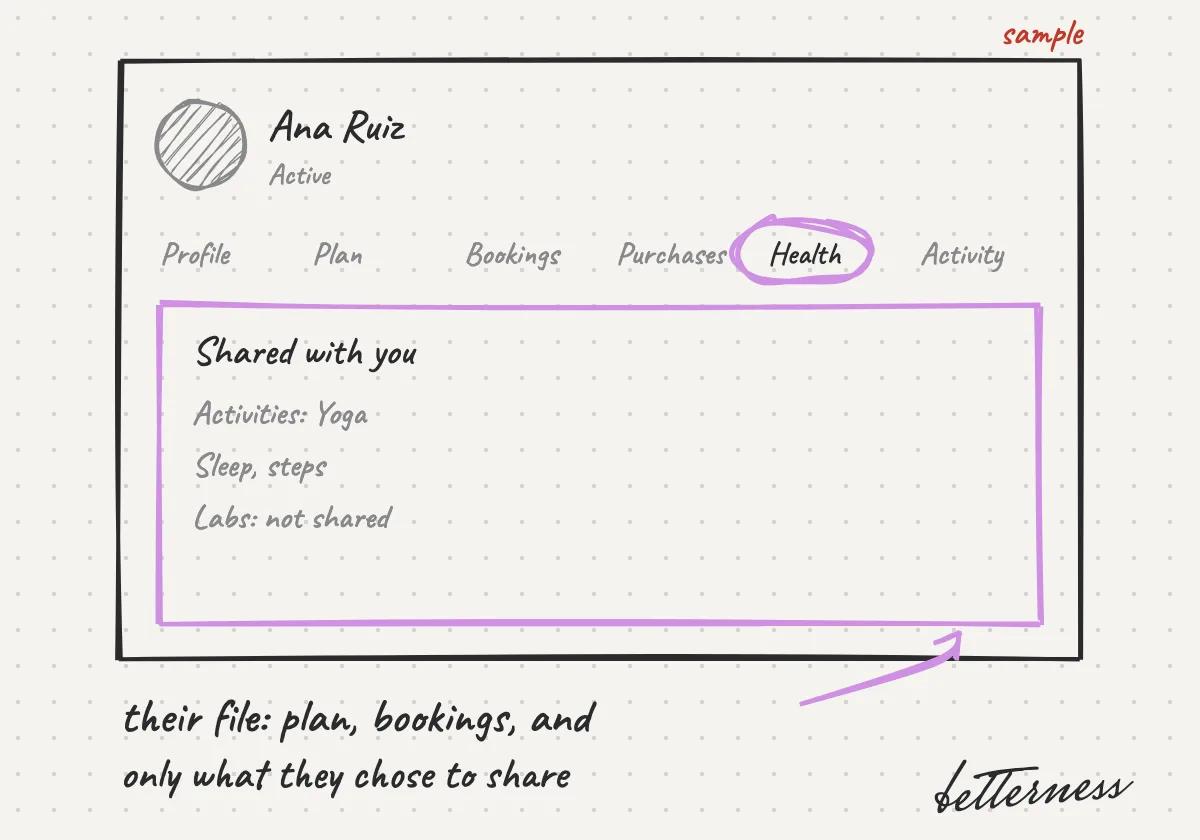
    Sketch: Their file opens: Profile, Plan, Bookings, Purchases, Health and Activity. Health shows only what they chose to share.
  3. 3Tap Add a note to keep your own notes on their file.
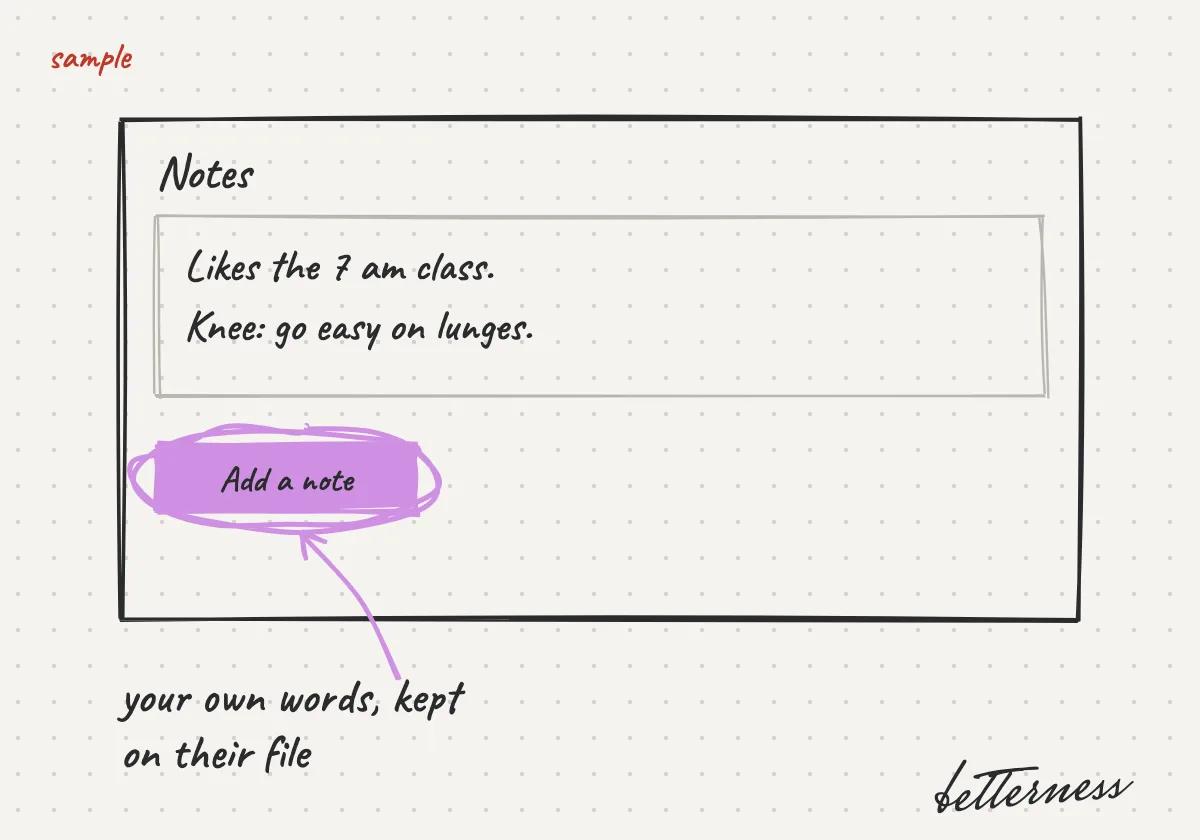
    Sketch: Tap Add a note to keep your own notes on their file.
  4. 4Tap Message on their file. The chat opens in your Inbox.
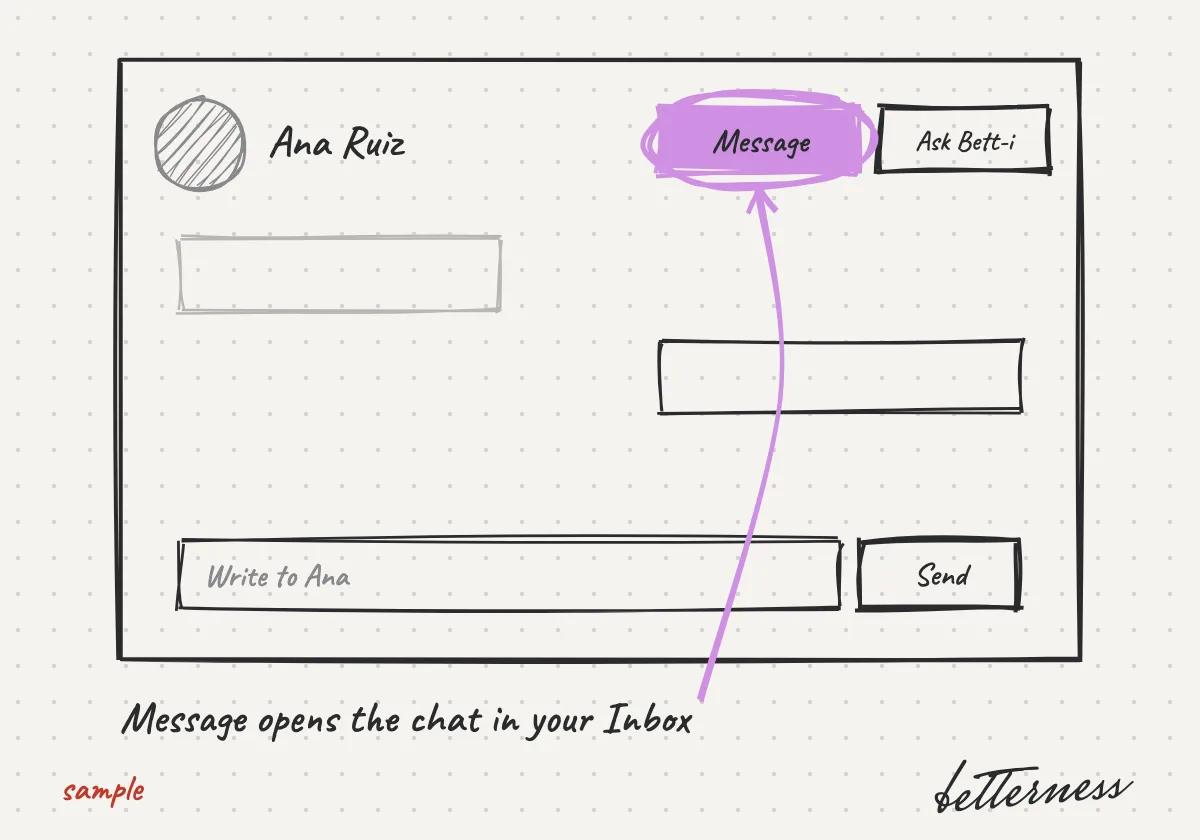
    Sketch: Tap Message on their file. The chat opens in your Inbox.
Previous

Coach: early access

Next

Ask a client to share data

8.2

Ask a client to share data

Ask for what fits your work and say why. The client decides.

Updated Nov 11, 2026

Why we built it. Sharing is the client's choice. Asking only for what fits, with a reason, earns their trust.

Note

Coming soon: share line by line, and requests suggested by the kind of Space.

Steps

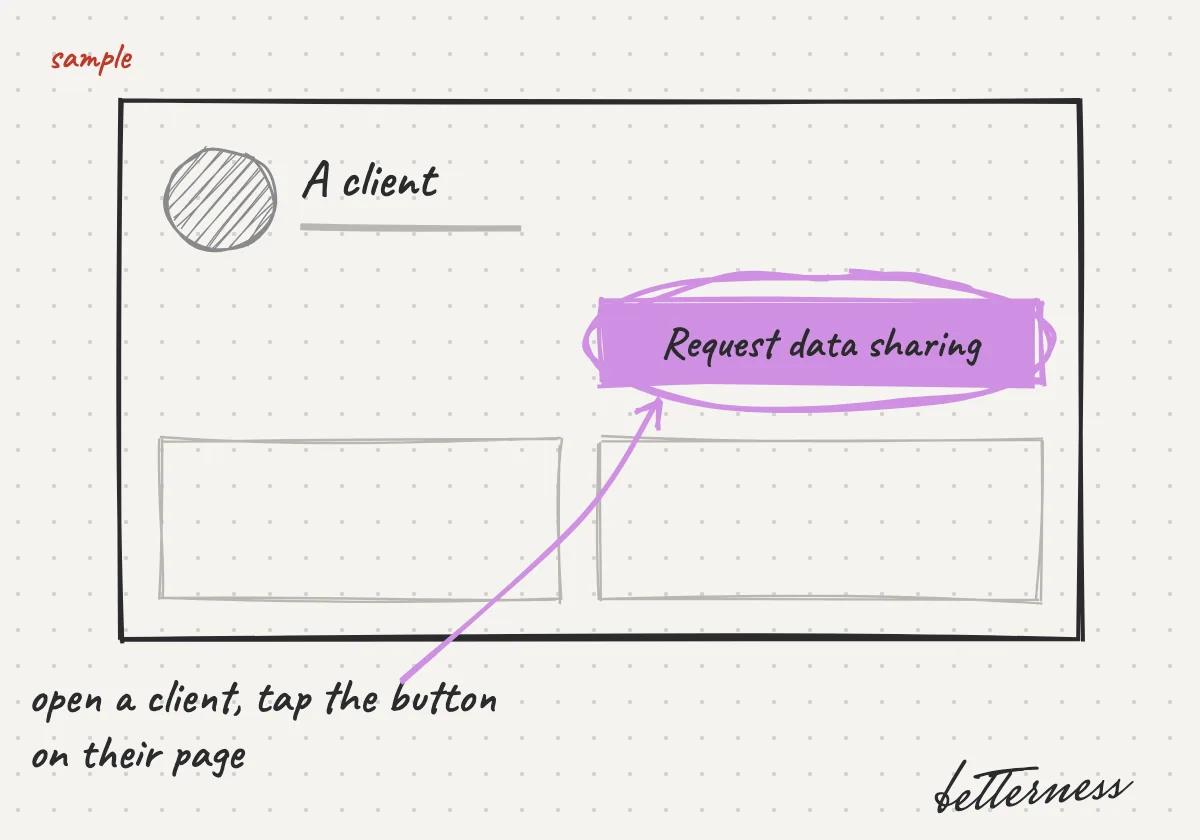
  1. 1Open a client and tap Request data sharing.
    Sketch: Open a client and tap Request data sharing.
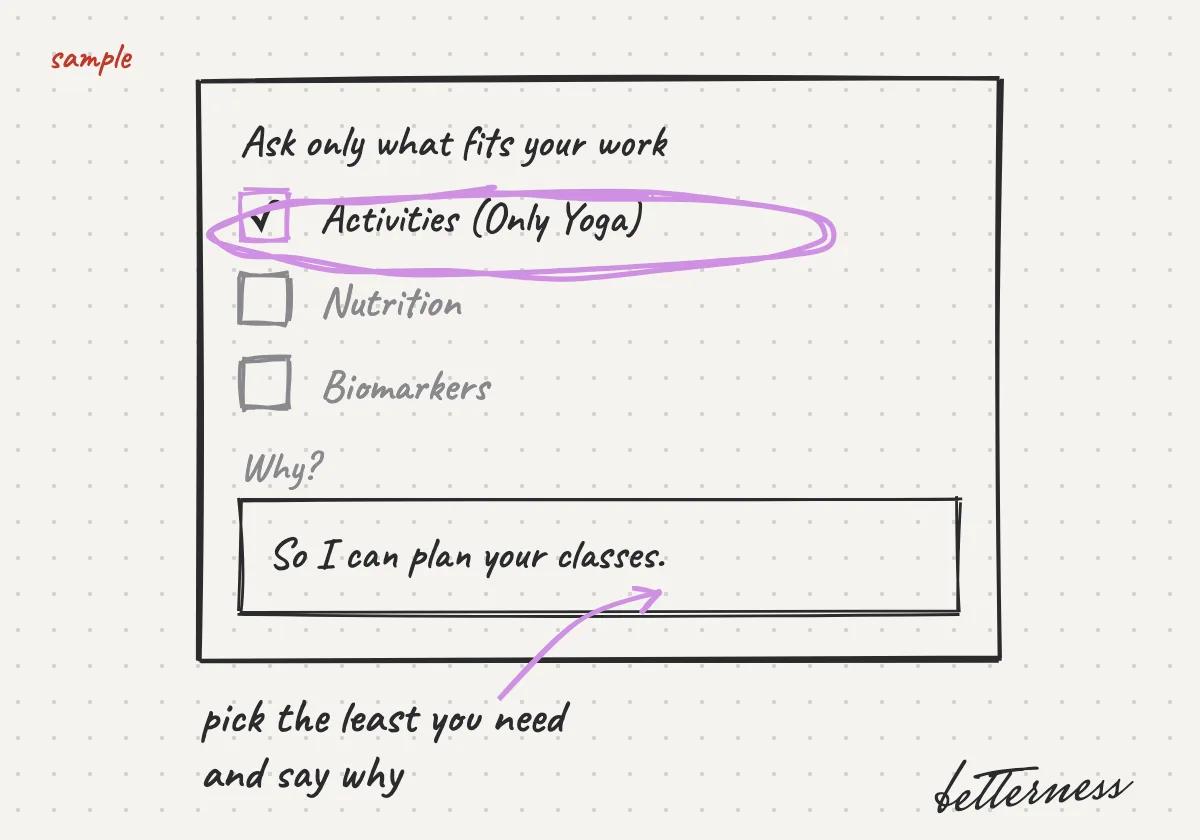
  2. 2You will ask only for what fits your work, such as yoga practice for a yoga studio, and say why.
    Sketch: You will ask only for what fits your work, such as yoga practice for a yoga studio, and say why.
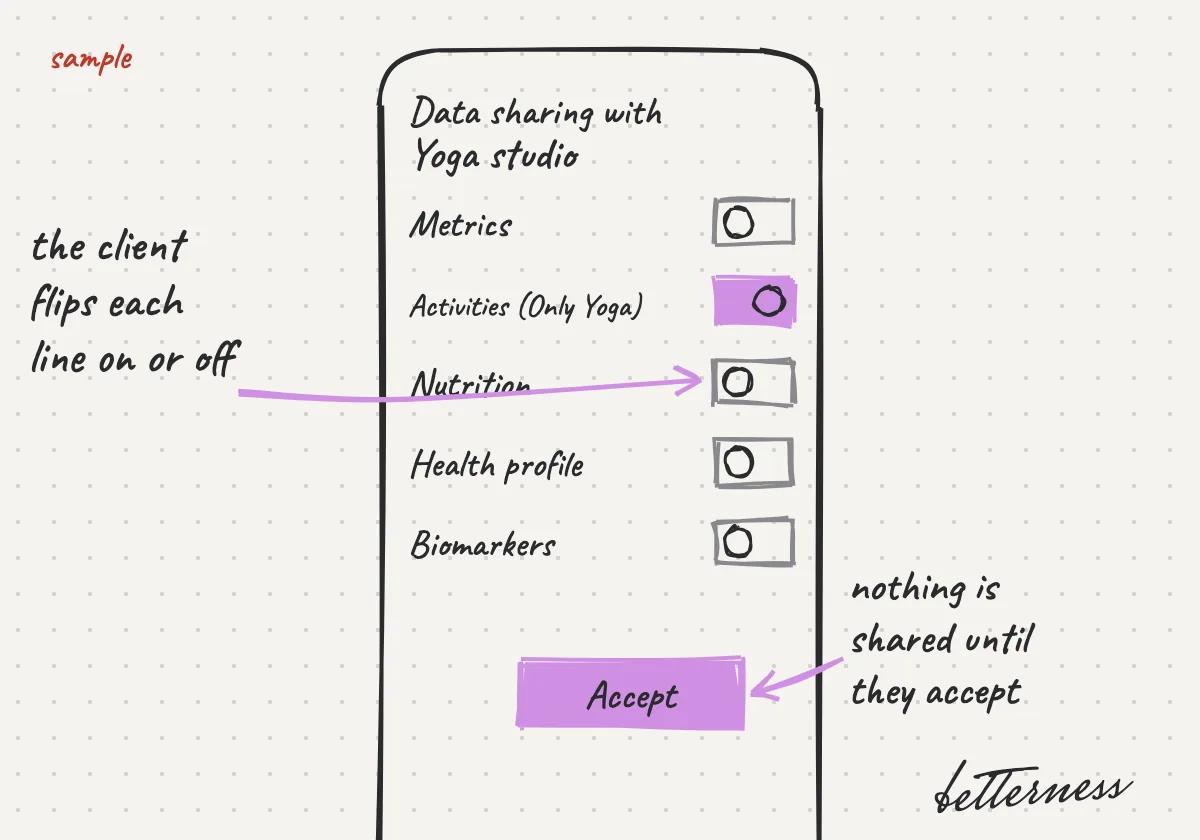
  3. 3The client will choose line by line. Nothing is shared until they accept.
    Sketch: The client will choose line by line. Nothing is shared until they accept.
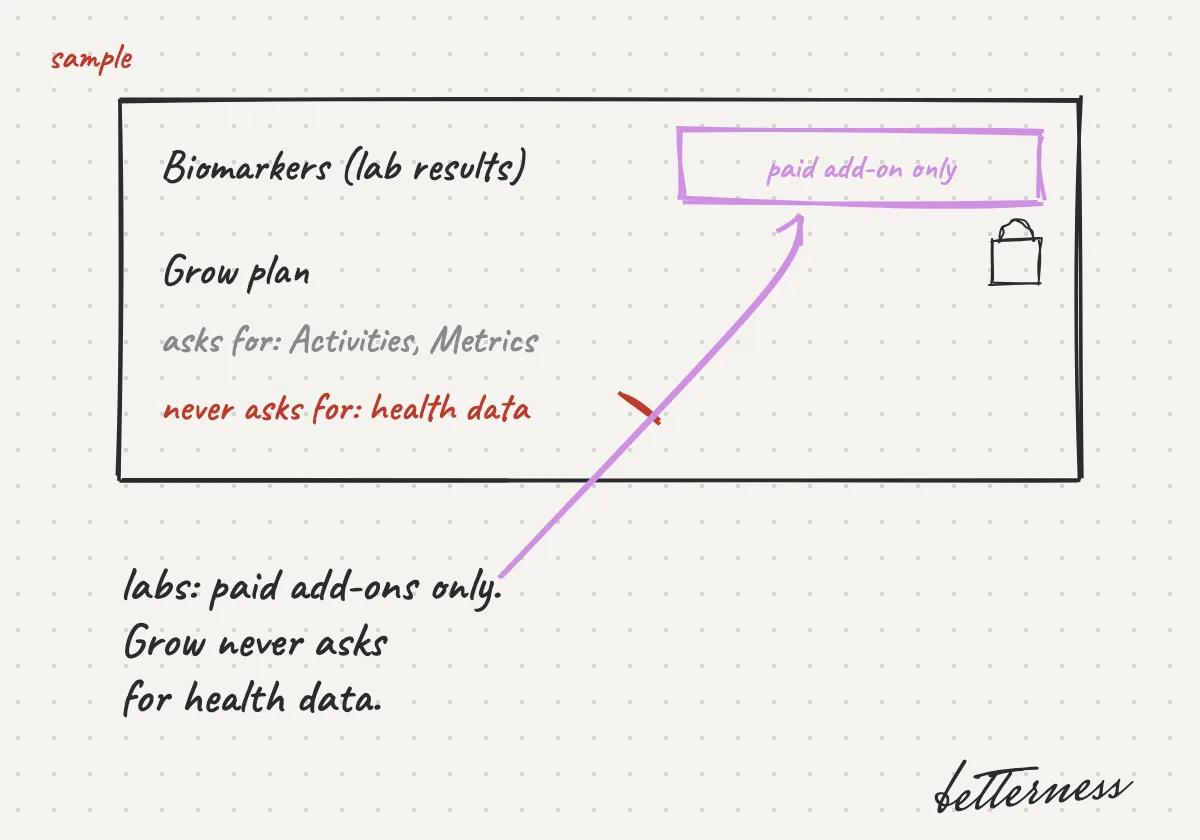
  4. 4Only paid add-ons can ask for lab results. Grow never asks for health data.
    Sketch: Only paid add-ons can ask for lab results. Grow never asks for health data.

Previous

Know each client

Next

Answer clients and invite your team

8.3

Answer clients and invite your team

One inbox for every client conversation, and your team in it.

Updated Nov 11, 2026

Why we built it. Clients and staff talk where the work happens.

Steps

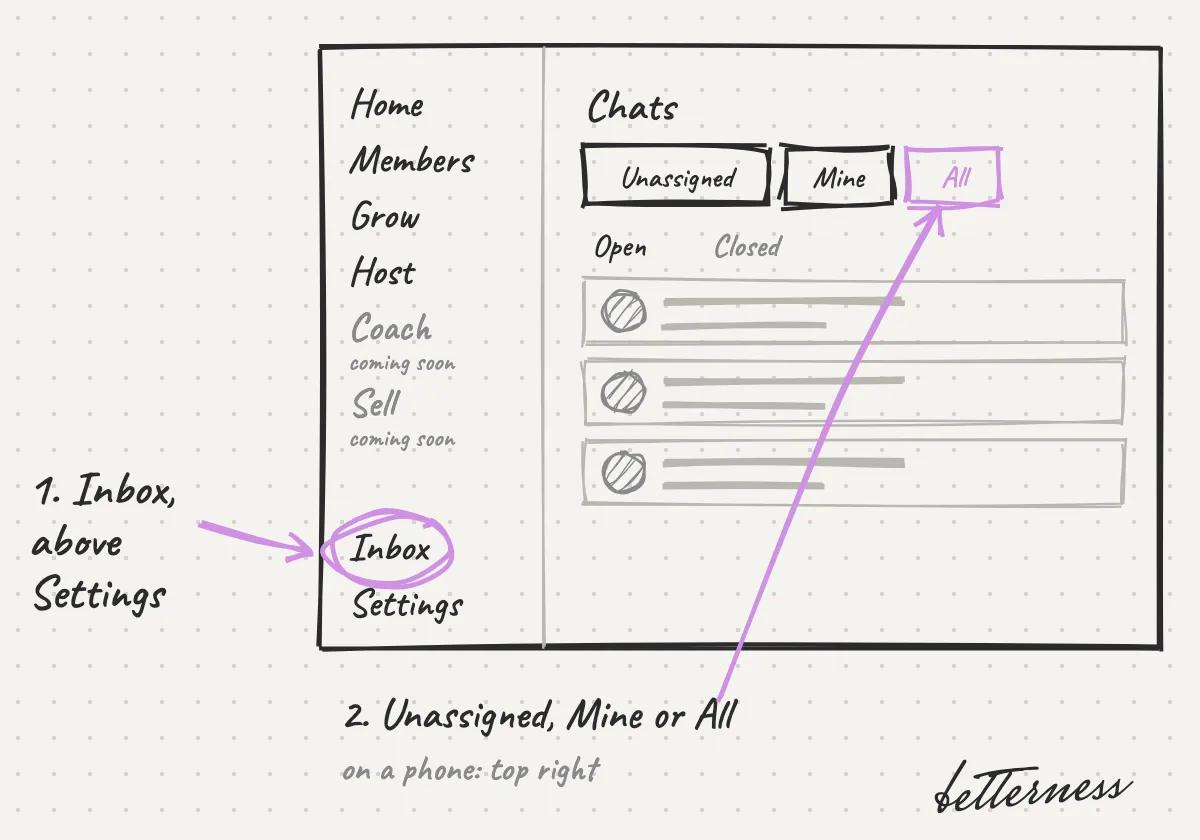
  1. 1Open Inbox in the side menu, just above Settings. On a phone, tap the chat button at the top right. Then choose Unassigned, Mine or All.
    Sketch: Open Inbox in the side menu, just above Settings. On a phone, tap the chat button at the top right. Then choose Unassigned, Mine or All.
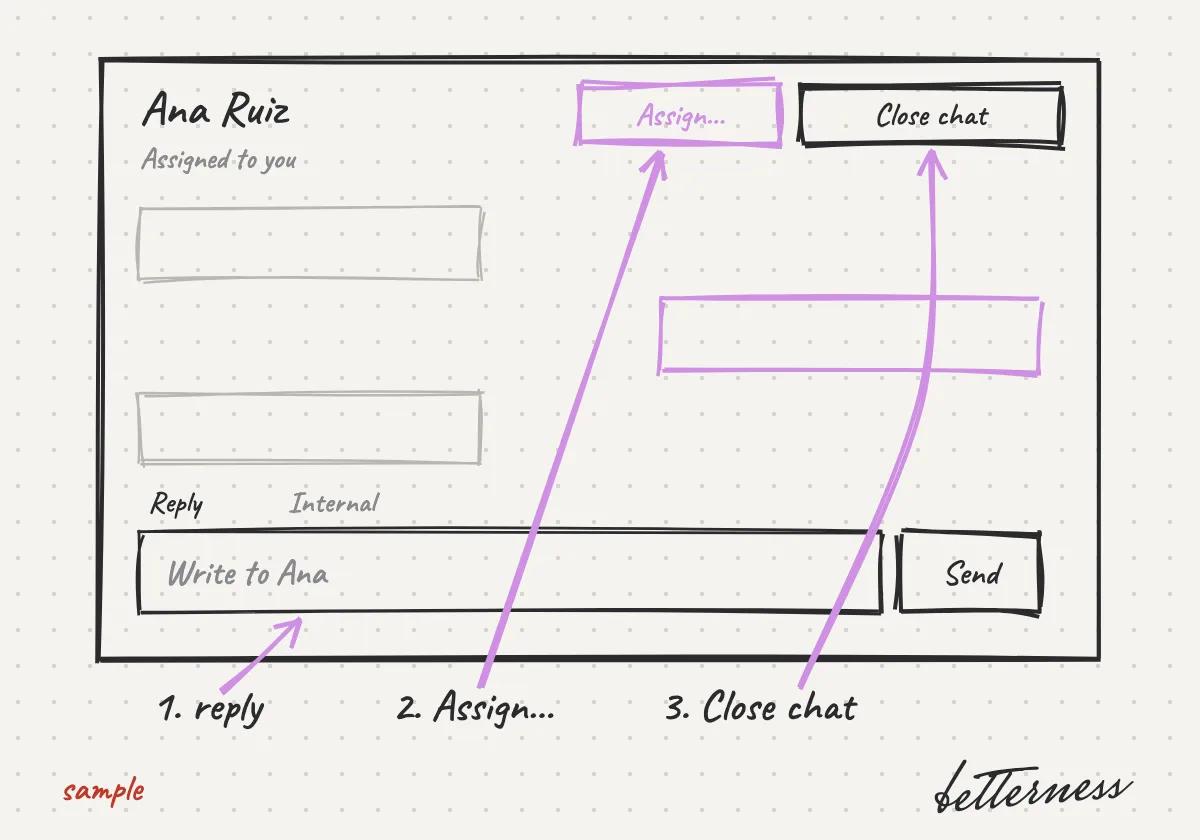
  2. 2Open a chat and reply. Use Assign… to give it to a teammate, and Close chat when it is done.
    Sketch: Open a chat and reply. Use Assign… to give it to a teammate, and Close chat when it is done.
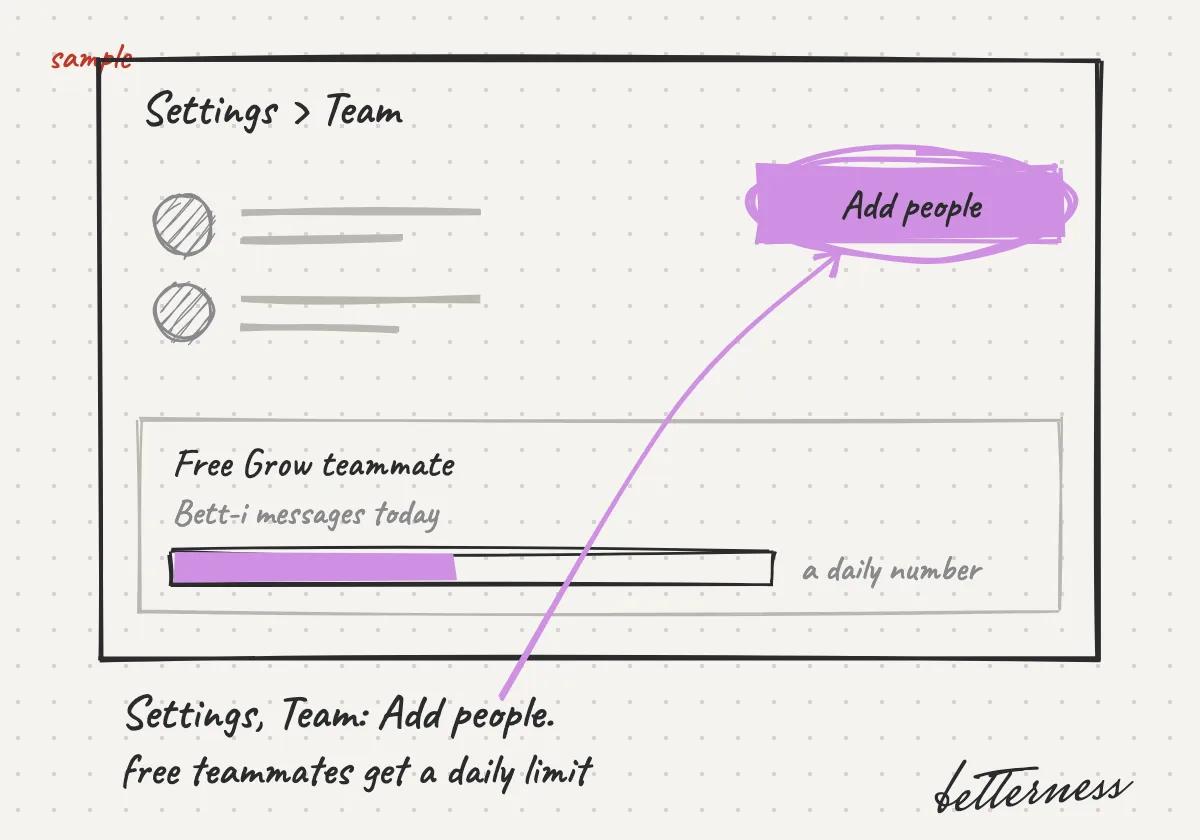
  3. 3Invite staff in Settings, Team: tap Add people. Free Grow teammates get a daily number of Bett-i messages.
    Sketch: Invite staff in Settings, Team: tap Add people. Free Grow teammates get a daily number of Bett-i messages.

Previous

Ask a client to share data

Next

Connect Betterness One to your AI

Betterness

Product

  • How it works
  • Bett-i

Resources

  • Tutorials
  • Podcast

Company

  • About
  • News
  • Contact

Legal

  • Privacy
  • Terms
  • Health data
  • Delete your account

For businesses

  • Betterness One ↗, opens Betterness One in a new tab

News from Betterness: the Friday Letter, launches and stories, by email.

  • Instagram ↗, opens in a new tab
  • X ↗, opens in a new tab
  • YouTube ↗, opens in a new tab
  • LinkedIn ↗, opens in a new tab
Download on the App StoreGet it on Google Play
HIPAA, powered by Vanta

HIPAA compliance monitored by Vanta.

Betterness, Inc. · Betterness gives health information, not medical advice. Our stories use fictional people.